
 Have a question? +971 56 404 0503




VAR
HyperX Cloud Alpha 2 Wireless review: Built for comfort and marathon gaming

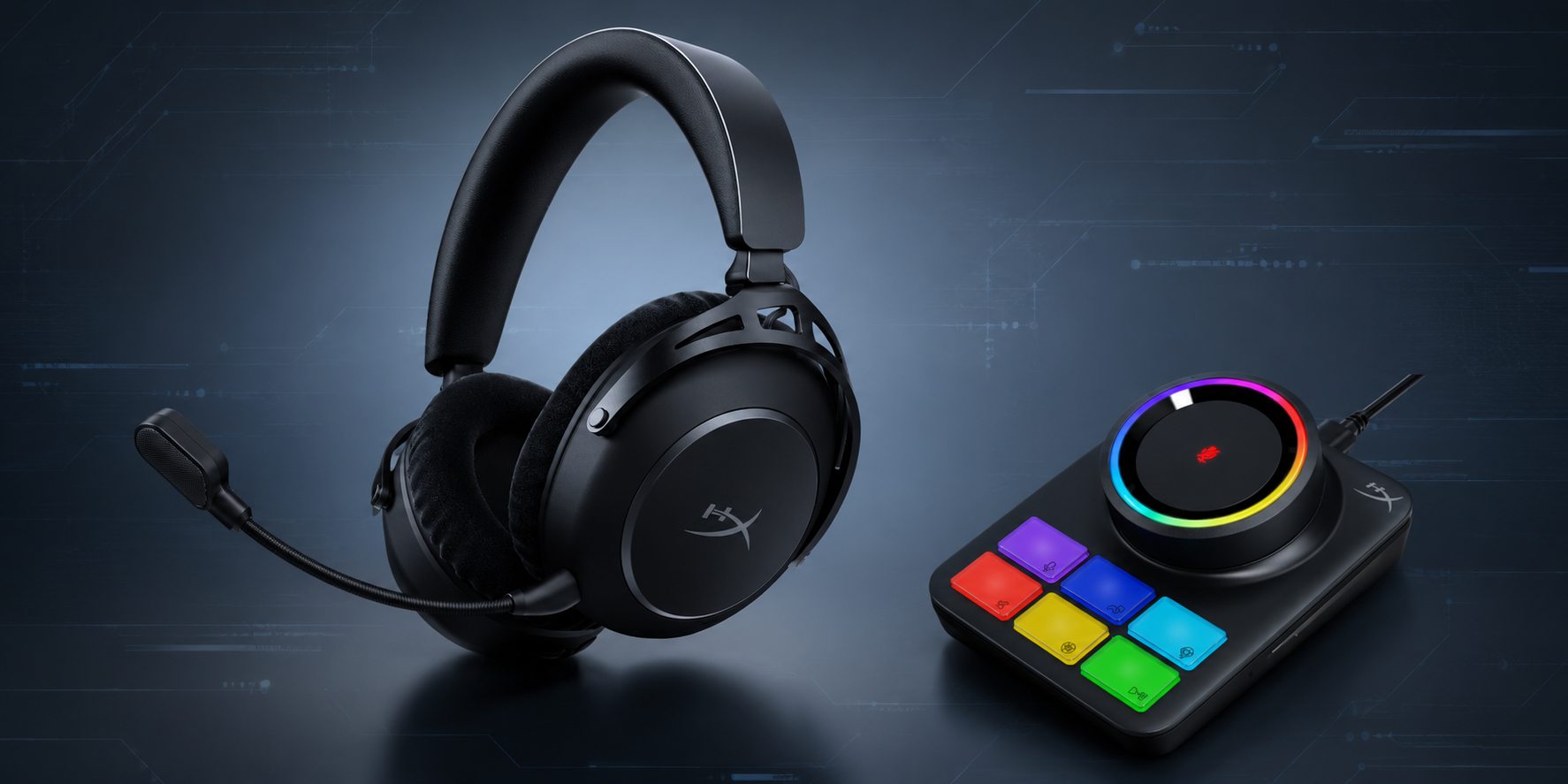
Gaming headsets today are no longer just about audio alone. They have become part of the overall gaming setup and experience itself, especially for users who spend long hours gaming, streaming, watching content, or constantly switching between devices. The HyperX Cloud Alpha 2 Wireless feels designed exactly around that idea, combining endurance, comfort, immersive sound, and a more customizable setup into a single package.
The first thing that stood out to me was actually the presentation. HyperX has clearly paid attention to the unboxing experience. From the neatly arranged accessories to the premium placement of the headset and cables inside the box, the overall packaging immediately gives the feeling that this is positioned as a more serious premium gaming headset rather than just another accessory.
Reviewed By Srijith KN
COMFORT & DESIGN
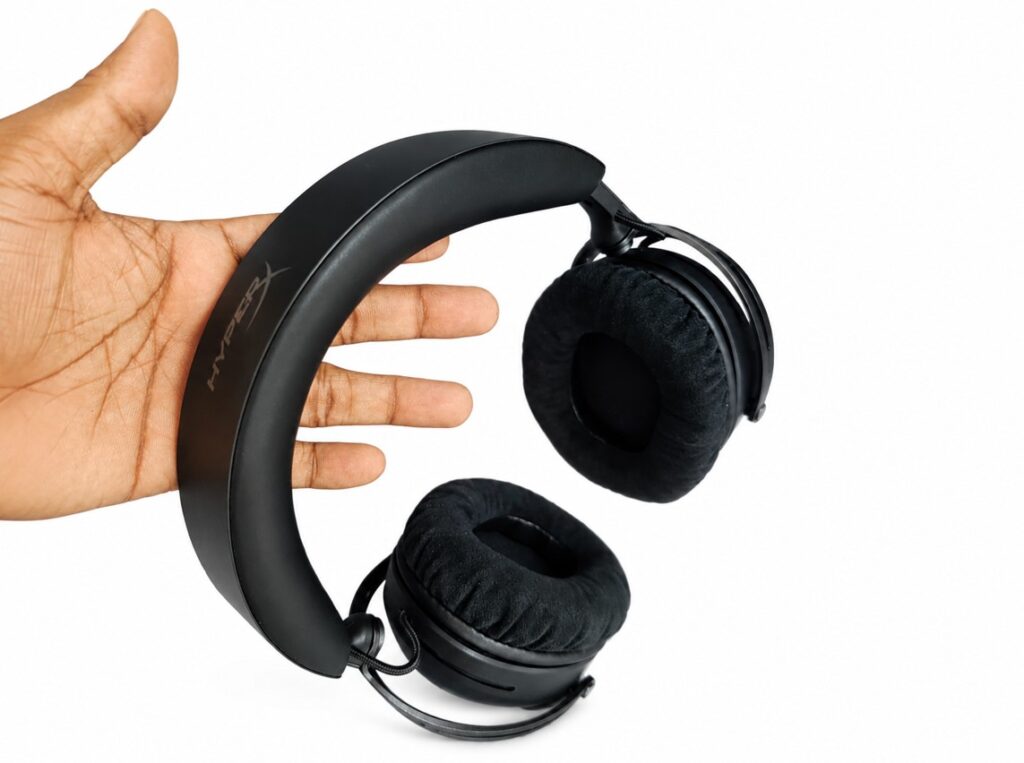
Once I started using the headset, the biggest thing I noticed was comfort. Despite packing a large battery and multiple connectivity features, the Cloud Alpha 2 Wireless never really felt overly heavy during use. The microfiber ear cushions and memory foam padding make a noticeable difference during longer sessions, especially compared to headsets that begin feeling warm or uncomfortable after extended use.
The stainless-steel frame and aluminum forks also help give the headset a reassuring sense of durability without making it feel bulky. The earcups rotate smoothly, while the adjustable headband makes it easy to settle into a comfortable fit. It definitely feels designed for users who spend serious amounts of time wearing a headset.
BATTERY LIFE THAT STANDS OUT
Then comes what is probably the biggest talking point here: battery life.
HyperX claims up to 250 hours of battery life in 2.4GHz wireless mode, which honestly sounds almost unbelievable at first glance. But after using it, it quickly became obvious that battery anxiety simply is not something you think about here anymore. For gamers who spend long hours online or constantly forget charging schedules, this alone becomes a major advantage.
AUDIO EXPERIENCE
Audio performance itself feels immersive and energetic. The 53mm dual chamber drivers deliver strong bass response while still maintaining decent clarity across games, music, and entertainment. Explosions, cinematic effects, environmental sounds, and gameplay details all come through with a noticeable sense of depth, while the spatial audio support adds another layer of immersion during gaming sessions.
THE RGB BASE STATION
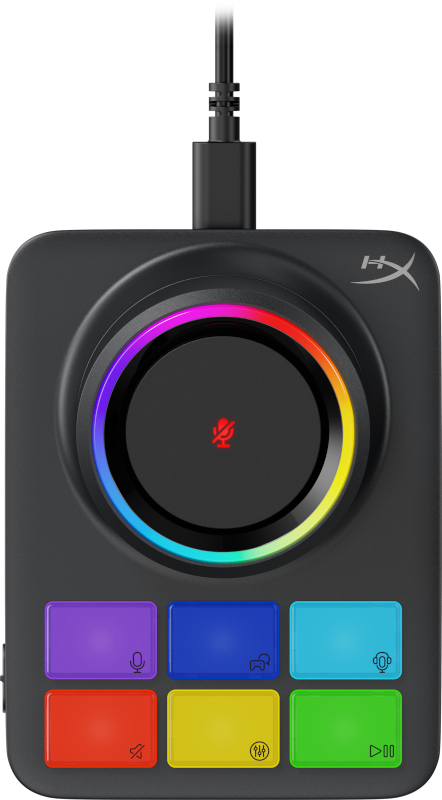
One of the more interesting additions here is the RGB Base Station. Initially, it looked like something that might unnecessarily complicate the setup, but it actually turned out to be one of the easiest and most enjoyable parts of the experience.
The central dial handles volume adjustments smoothly, lighting indicators make controls intuitive, and the touch mute functionality becomes useful surprisingly quickly during gameplay or calls. The programmable controls and seamless device switching also help separate the headset from more conventional gaming setups.
CONNECTIVITY & SOFTWARE
Connectivity is another area where the headset feels modern. The simultaneous 2.4GHz wireless and Bluetooth connectivity allows users to stay connected to a gaming system while still managing calls or media playback from another device. It is one of those features that sounds small initially but becomes genuinely convenient once used regularly.
The detachable boom microphone also performs well for standard gaming communication and calls, with clear enough voice pickup and a useful LED mute indicator that prevents confusion while chatting.
HyperX’s NGENUITY software is another area that offers deeper customization options, especially for users interested in EQ adjustments, RGB lighting controls, and audio tuning. While the software side may still require some exploration to fully understand and optimize, the hardware experience itself already feels polished enough straight out of the box.
VERDICT
While I may not be a hardcore gamer spending endless hours in competitive multiplayer sessions, it was still easy to understand why products like the HyperX Cloud Alpha 2 Wireless appeal strongly to that audience. The comfort, battery endurance, immersive audio profile, and overall build quality make it feel designed for users who spend serious time gaming and want a setup that can comfortably keep up with them.
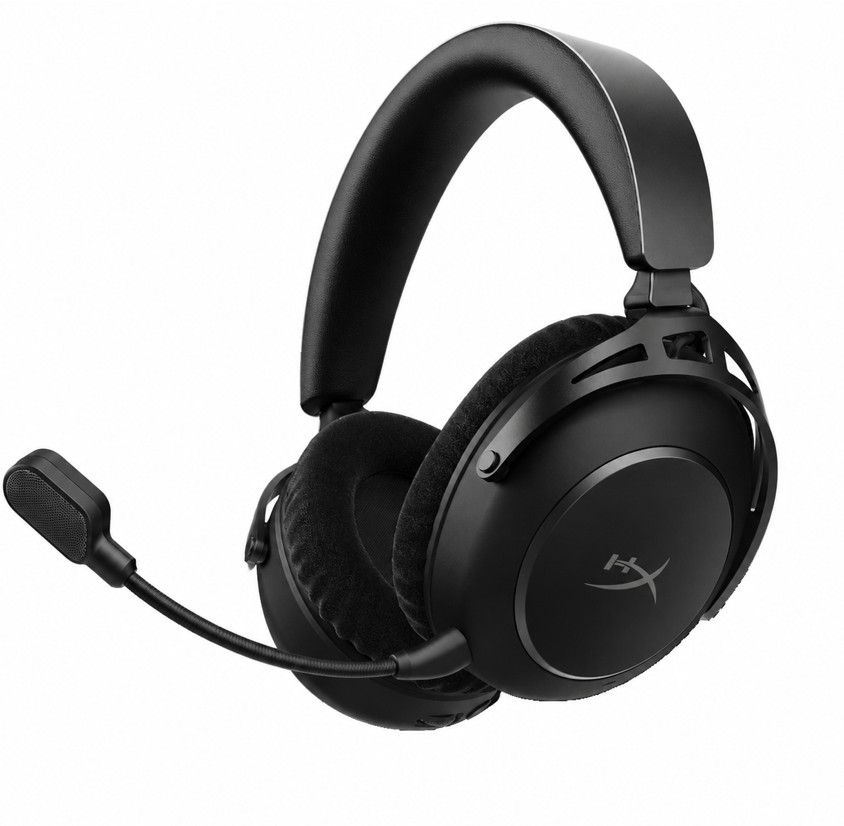
The RGB Base Station and dual wireless connectivity also help the headset stand apart from more traditional gaming audio setups, giving it a more modern and customizable feel overall.
At the same time, audio preferences are always subjective, and users who enjoy diving deeply into customization will likely spend more time exploring the HyperX NGENUITY software ecosystem to fully tailor the experience to their own preferences.
But from a broader lifestyle and gaming perspective, the Cloud Alpha 2 Wireless feels like a solid, feature-packed headset that clearly understands the audience it is built for.
| Feature | Details |
|---|---|
| Connectivity | 2.4GHz Wireless + Bluetooth |
| Battery Life | Up to 250 Hours |
| Drivers | 53mm Dual Chamber Drivers |
| Audio Format | Stereo Playback |
| Charging Port | USB-C |
| Microphone | Detachable Boom Mic |
| Wireless Range | Up to 20 Metres |
| Weight | 345g |
| Form Factor | Over-Ear Closed Back |
| Compatibility | PC, PlayStation, Mobile Devices |
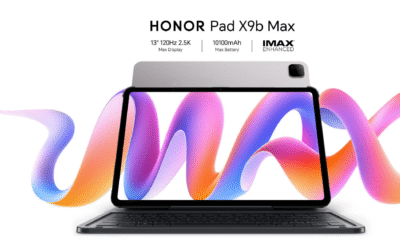











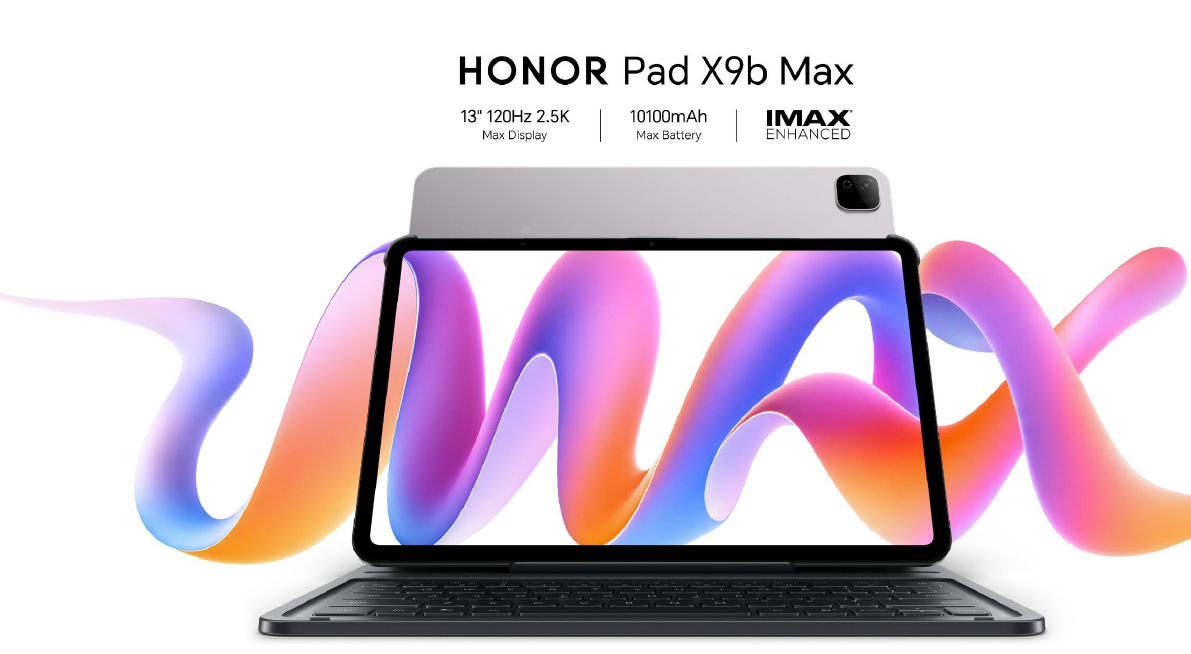

With a huge 13-inch display, a 10,100mAh battery and familiar Android productivity tools, HONOR’s Pad X9b Max makes a convincing case for going big, although its size brings compromises of its own.
BY Srijith KN, Senior Editor, Integrator Media
The HONOR Pad X9b Max makes its intentions clear almost immediately. With a 13-inch display, this is not a tablet designed primarily around compactness. It wants to give you enough screen to watch, browse, multitask and, increasingly, get some proper work done.
That became the most interesting part of my time with it.
Rather than approaching the Pad X9b Max purely as an entertainment device, I connected a Bluetooth keyboard and began using it for documents, browsing, ChatGPT and some of the everyday tasks I would normally reach for my laptop to handle.
The result is a tablet that gets surprisingly close to feeling like a lightweight workstation in the right circumstances, although whether you would actually leave the laptop behind is a slightly more complicated question.
A 13-inch display that makes a difference
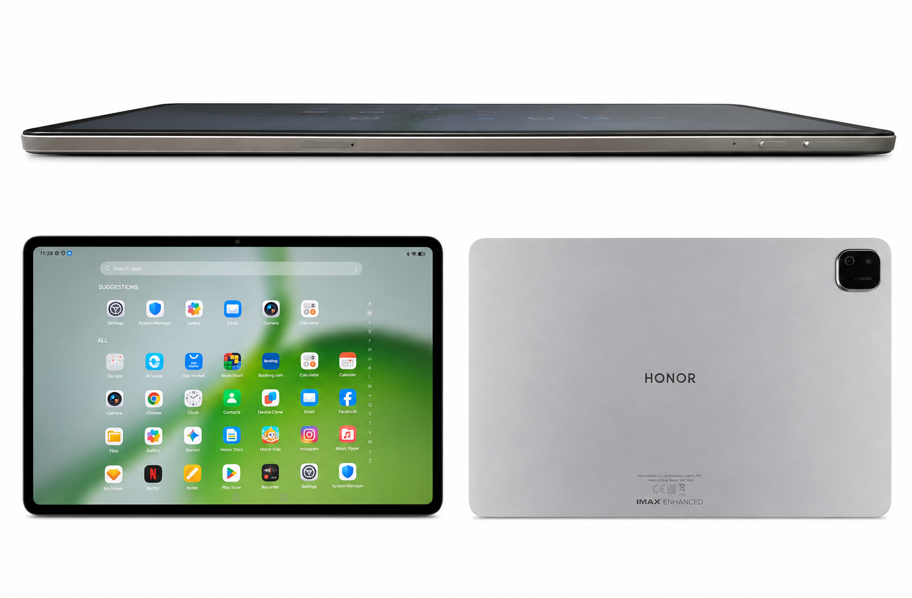
The headline feature is undoubtedly that 13-inch LCD display.
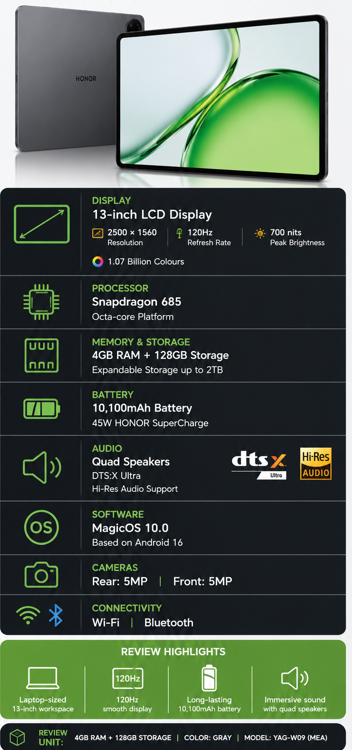
At 2500 × 1560 resolution and with a refresh rate of up to 120Hz, there is plenty of space here for websites, documents and video. But the more important point is simply how much larger everything feels when you start working on it.
I happened to have a Huawei MatePad 11.5 alongside the HONOR during testing, and putting the two next to each other made the difference immediately apparent. The Huawei feels much more like a conventional portable tablet. The Pad X9b Max begins moving into laptop territory.
Documents have more room to breathe, websites feel less constrained and working with text is particularly pleasant. I noticed this while using ChatGPT, where longer conversations almost began to resemble working inside a document rather than interacting with a mobile application.
The 120Hz refresh rate also helps keep scrolling and general navigation fluid, while the large canvas makes multitasking considerably more attractive than it is on smaller tablets.
There is, however, an obvious trade-off.
A 13-inch tablet isn’t something I would choose specifically because I wanted the smallest device possible in my bag. The size that makes the X9b Max so appealing on a desk is also what makes smaller tablets easier to carry and use casually.
That’s the fundamental compromise here: I prefer the HONOR when I’m sitting down to work; I prefer the idea of a smaller tablet when I have to carry it.
Productivity becomes part of the proposition
Pair the Pad X9b Max with a keyboard and the large display begins making considerably more sense.
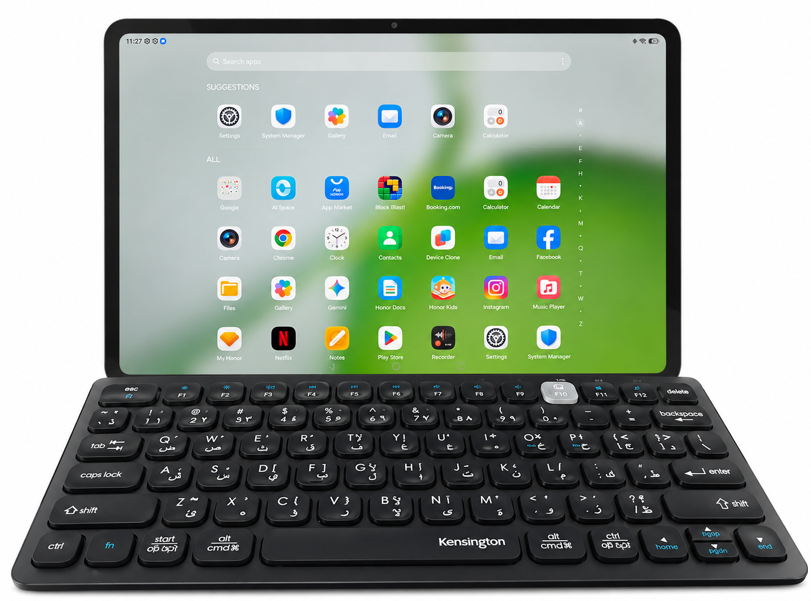
I used a Kensington Bluetooth keyboard during testing, and the combination worked well for writing, browsing and moving between applications. Microsoft Word introduced its own subscription-related complications, but that’s more a reflection of Microsoft’s software model than a limitation of HONOR’s hardware.
The wider Android ecosystem is also important. With MagicOS and access to familiar Google applications, getting my usual collection of services onto the tablet was straightforward.
My review unit comes with 4GB of RAM and 128GB of storage, so this isn’t hardware I would position as a replacement for a high-performance notebook. But for everyday productivity — web applications, writing, email, research, media and lighter multitasking — the experience makes a convincing argument for using the tablet instead of reaching for a laptop every time.
Expandable storage also gives the X9b Max additional flexibility for users carrying large collections of documents or media.
Built for entertainment too
Of course, productivity is only half the appeal of having this much screen.
The Pad X9b Max’s size makes video one of its natural strengths. HONOR has paired the display with a quad-speaker system, DTS:X Ultra and IMAX Enhanced support, reinforcing the tablet’s entertainment credentials.
And this is where having 13 inches requires considerably less justification. Video simply benefits from the additional scale, whether you’re watching from a desk, sofa or bed.
It also means the Pad X9b Max can comfortably switch roles during the day: a document and browser screen while working, followed by a sizeable personal entertainment display once the keyboard goes away.
A battery built for the bigger canvas
Powering all of this is a 10,100mAh battery, paired with support for up to 45W HONOR SuperCharge.
The large capacity makes sense considering the size and resolution of the display. More importantly, battery life is critical for a tablet being positioned as both an entertainment device and a productivity companion. Having to constantly look for a charger would undermine much of the convenience of leaving a laptop behind.
We wouldn’t reproduce HONOR’s laboratory endurance claims as our own results here; for the VAR piece, the more relevant point is that HONOR has equipped its largest screen with an appropriately substantial battery.
Verdict
The HONOR Pad X9b Max succeeds because its 13-inch display isn’t merely a specification designed to look impressive on the box. It materially changes what the tablet is good at.
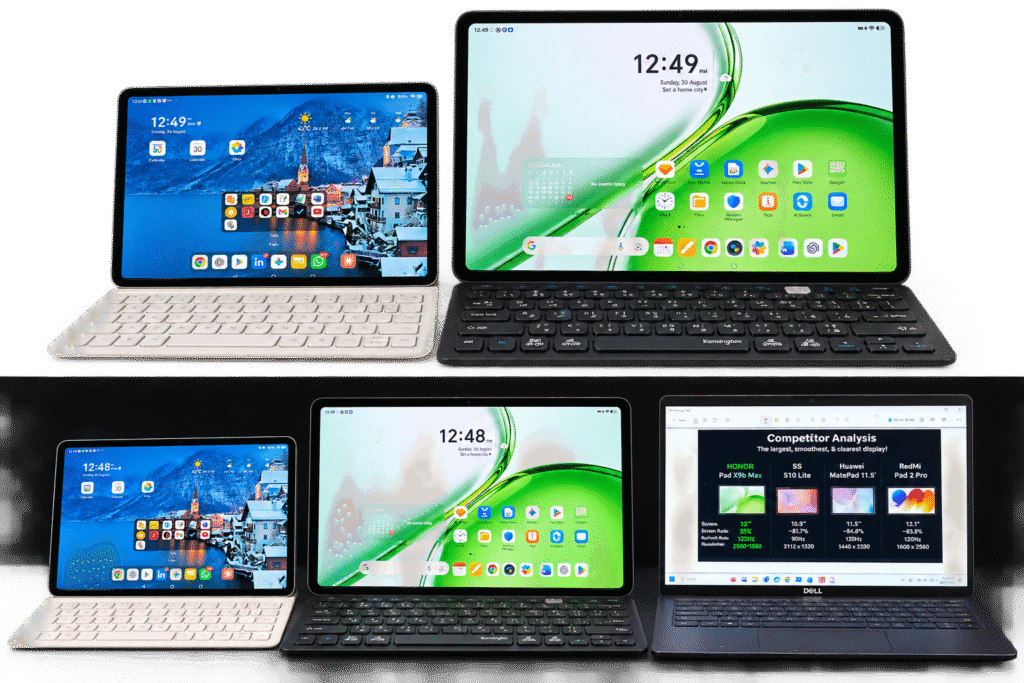
There is substantially more room for documents, browsing, multitasking and content, and adding a keyboard transforms it into a surprisingly useful desk-based productivity device.
But its greatest strength also creates its biggest compromise. At this size, the X9b Max isn’t as effortless to carry around as a smaller tablet, and once you add a keyboard, you inevitably start comparing the entire setup with taking a laptop instead.
That makes the Pad X9b Max particularly appealing for someone who wants one large-screen device capable of moving between work and entertainment, rather than someone whose priority is maximum portability.
It hasn’t made my Dell redundant.
But it has made me reach for it less often, and for a tablet this size, that’s probably the more meaningful achievement.
The Reno series has become an important part of OPPO’s smartphone portfolio, sitting between the increasingly competitive mid-range segment and the company’s more premium offerings. With the Reno16 5G, OPPO isn’t attempting to completely reinvent that formula. Instead, it has focused on improving the overall package across design, photography, battery life, software and AI.
Having previously used the Reno14 as one of my primary phones, I was particularly interested in whether the Reno16 felt like a meaningful progression or simply another annual refresh.
After spending time with the device, there is plenty here that feels better refined, although its AED 2,499 UAE price also raises some questions about performance and overall value.
BY SRIJITH KN, SENIOR EDITOR, VAR
A more polished Reno!
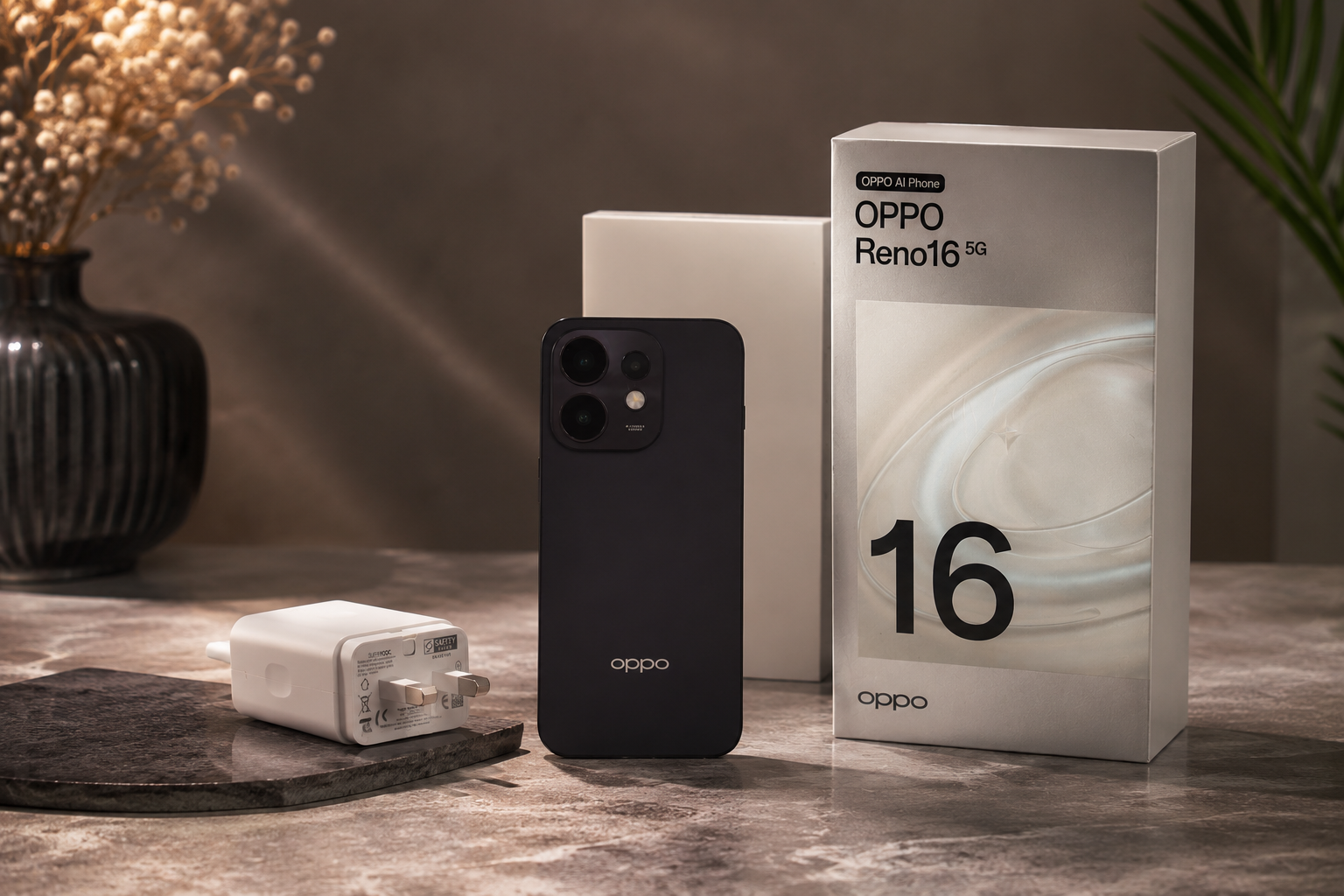
My review unit arrived in Twilight Violet, and the Reno16 makes a strong first impression. The aluminium frame, slim symmetrical bezels and overall finish give the device a noticeably premium character.
The 6.32-inch display is also excellent for everyday use. Content looks sharp, the interface feels fluid and the screen is more than capable for browsing, video, social media and photography. The buttons feel solid too, while the haptic feedback deserves particular mention. It is one of those smaller details that contributes considerably to how polished a phone feels in everyday use.
Overall, OPPO has done a good job of making the Reno16 look and feel like a device worthy of its position in the Reno portfolio.
The camera remains a Reno strength
Camera performance was one area where I expected the Reno16 to prove itself, and it largely did.

Images generally came out with natural-looking colours and balanced exposure, without leaving me waiting for noticeable processing after pressing the shutter. There can still be a slightly punchy character to some photographs, but nothing that particularly bothered me.
During testing, I photographed a building opposite me where part of the upper floor had previously suffered fire damage. Zooming into the scene, I was impressed by how closely the camera reproduced the smoke-stained and burnt areas compared with what I could see with my own eyes.
The front camera also performed well. Selfies retained good detail and produced results that I was quite happy to share without much additional editing.
That perhaps sums up the Reno16 camera experience best. It is designed for someone who wants to take the phone out, capture the moment and quickly have an attractive, shareable image.
Performance is good, but the price changes expectations
The Reno16 5G is powered by Qualcomm’s Snapdragon 7 Gen 4, and for everyday smartphone use, I have few complaints.
Messaging, email, browsing, photography, social media, content consumption and moving between applications all feel responsive. I didn’t encounter anything during normal use that made the Reno16 feel particularly slow.
But this is also where the AED 2,499 price becomes important.
The Snapdragon 7 Gen 4 is a capable processor, but buyers spending this amount can reasonably expect considerable performance headroom. Users interested primarily in everyday smartphone tasks are unlikely to have an issue, but demanding gamers and those running heavier workloads may find more powerful alternatives at this price.
The Reno16 therefore gets everyday performance right. I simply would have liked OPPO to push the performance envelope further.
Battery and charging strengthen the package
One specification that certainly stands out is the 6,700mAh battery, particularly when combined with 80W SUPERVOOC charging.
Battery capacity has become an increasingly important battleground among smartphone manufacturers, and OPPO has managed to package a substantial battery without making the Reno16 feel unnecessarily cumbersome.
Fast charging also remains one of those features whose usefulness becomes obvious very quickly. Rather than leaving a phone connected for extended periods, being able to add significant charge during a relatively short stop is genuinely practical.
AI is here, but practicality matters more!
Unsurprisingly for a smartphone arriving in 2026, AI plays a significant role in OPPO’s software proposition.
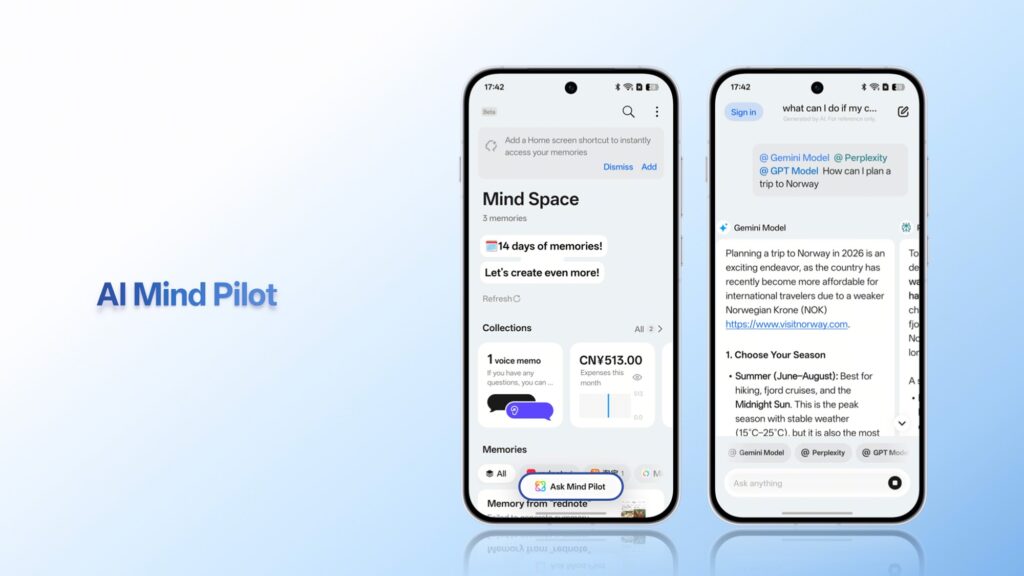
The Reno16 includes the AI Snap Key, which can provide quick access to features such as AI Mind Space. But what I appreciate more is that OPPO allows the physical key to be customised for other functions.
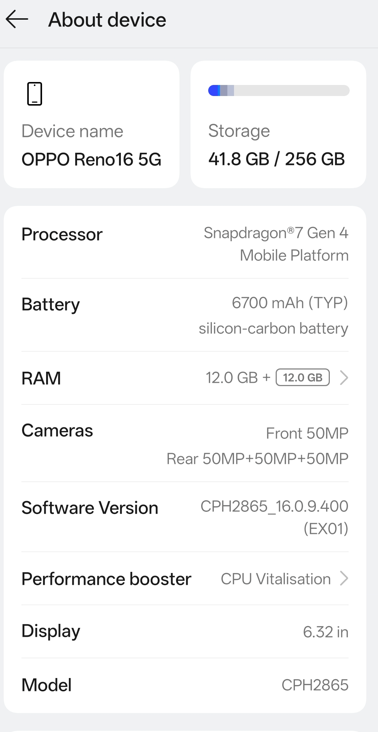
I configured mine to switch between Ring, Vibrate and Silent, and found myself appreciating that simple functionality more than another dedicated AI shortcut.
That flexibility is important. AI capabilities will continue evolving rapidly, but consumers still interact with their smartphones through dozens of simple actions every day. Sometimes improving those actions creates more immediate value than adding another headline AI feature.
ColorOS is fast, although I still want more customisation
ColorOS runs smoothly on the Reno16, and there is no noticeable lag during ordinary use. As mentioned earlier, the haptics are particularly good.
I am less convinced by some of the interface aesthetics. The pre-installed applications and certain default visual elements aren’t necessarily to my taste, and I would like greater freedom around icon customisation and the Quick Settings interface.
These are largely subjective complaints, however. For someone primarily using the Reno16 for messaging, email, photography, browsing, social media and entertainment, ColorOS gets the fundamentals right.
The AED 2,499 question?
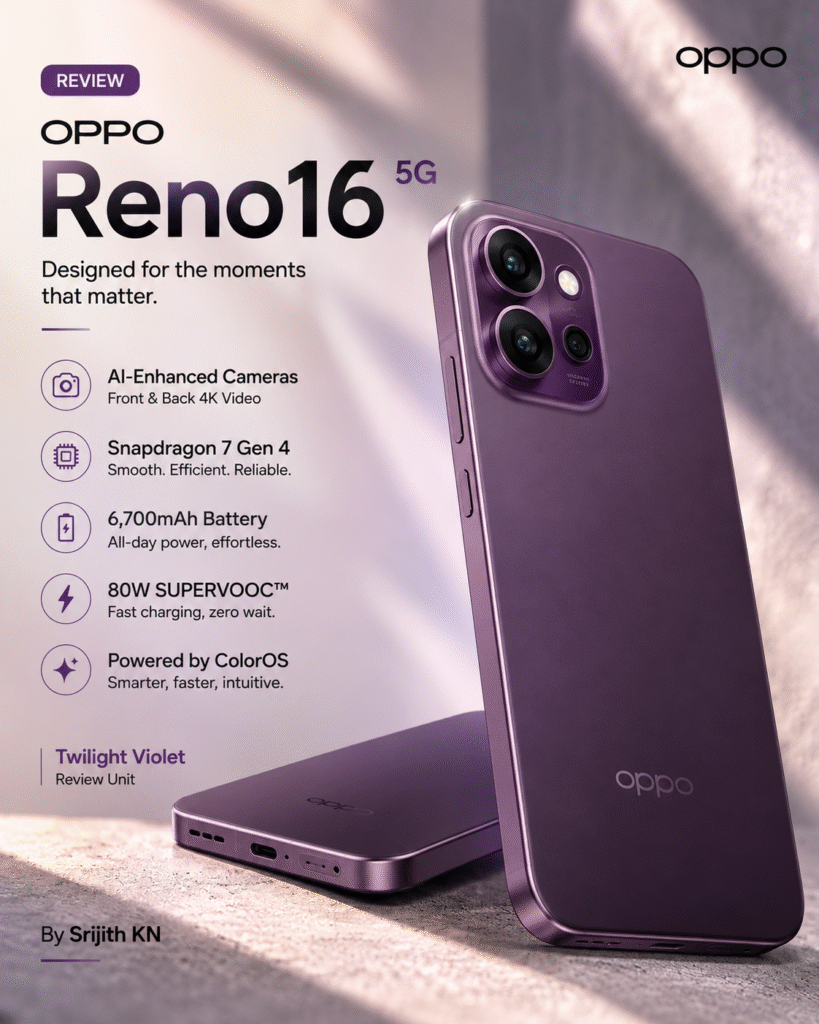
The Reno16 5G is ultimately a polished smartphone with very few obvious weaknesses. The camera is dependable, the construction feels premium, the battery capacity is impressive, 80W charging is genuinely useful and everyday performance is smooth.
What prevents it from becoming an automatic recommendation is not something the Reno16 does particularly badly. It is simply how competitive the market becomes once a smartphone reaches AED 2,499.
The Snapdragon 7 Gen 4 is perfectly capable, but at this price I would have liked more performance headroom.
For Reno14 users, however, the improvements across design, camera, battery and the overall experience make the Reno16 feel like a meaningful progression. If you already own a Reno15, the argument for upgrading immediately is considerably harder to make.
The Reno16 gets most of the fundamentals right. The question buyers ultimately need to answer is whether that polished overall experience is enough to justify its price.
Srijith kn
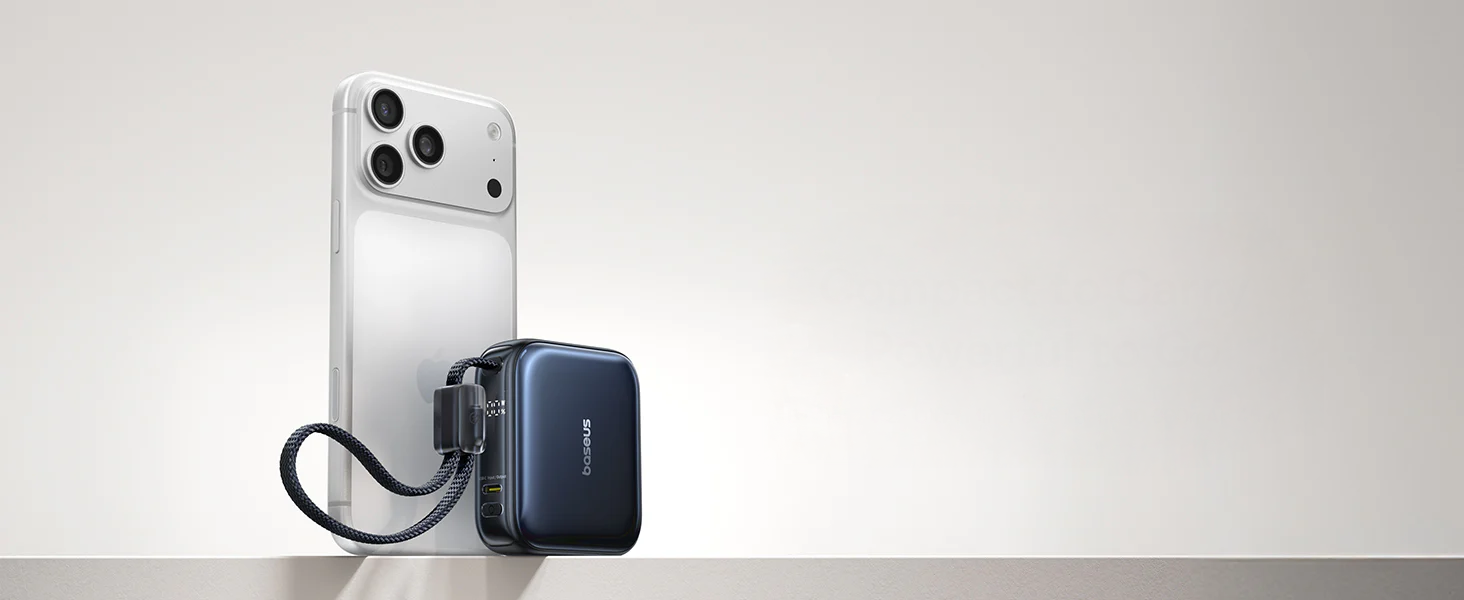
Carrying a power bank often means accepting a compromise between capacity and convenience. A 10,000mAh unit typically demands a dedicated bag compartment, while ultra-compact chargers rarely hold enough power to be genuinely useful on a long day. The Baseus PicoGo AC22 takes a more elegant approach, placing a high-density 10,000mAh battery into a footprint roughly the size of a wireless earbuds case.
Reviewed By Srijith KN, Senior Editor, Integrator
The result is a portable charger that feels purpose-built for the daily commute. Rather than requiring a backpack, it slips easily into a pocket. When you factor in the built-in USB-C cable that doubles as a carrying strap, the AC22 becomes a surprisingly practical solution for professionals moving between meetings, flights, and remote workspaces.
A Different Approach to High-Density Power
The first thing that stands out about the PicoGo AC22 is its size-to-output ratio. Baseus utilises a dual-cell silicon-carbon battery chemistry, which allows the unit to remain exceptionally compact while delivering a 45W maximum output. On paper, 45W is a technical specification. In practice, it becomes the charger’s defining advantage. It provides enough current to fast-charge flagship smartphones from zero to fifty percent in under thirty minutes, and can even sustain smaller USB-C laptops during a layover.
The integrated eight-inch USB-C cable makes the concept even more practical. A secondary USB-C port allows for simultaneous dual-device charging, though output drops to a combined 5V/3A when both are in use. A smart digital display clearly indicates the remaining battery percentage, removing the guesswork often associated with four-LED indicator systems.
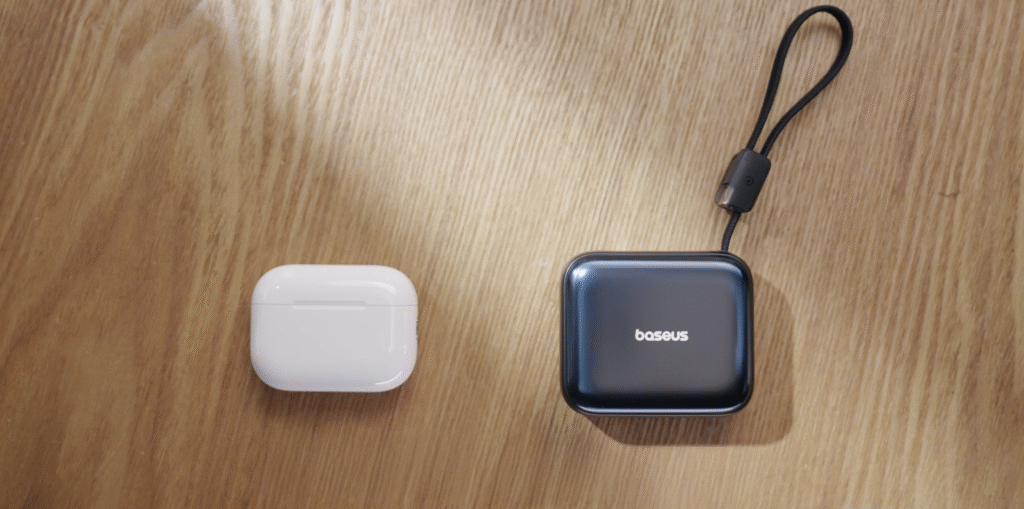
Design That Feels Ready for Travel
The AC22 is constructed with travel in mind. Weighing just 170 grams, it carries full TSA compliance for airline carry-on. The built-in cable is robust enough to act as a lanyard, though its short length means you cannot easily use your phone while the charger sits in your pocket.
This combination feels particularly relevant for airport lounges, cafes, and conference centres. The unit does generate noticeable warmth during sustained 45W output, but a comprehensive seven-point safety system manages thermal limits effectively. It recharges fully in roughly two hours via a 30W input, ensuring it is ready for the next leg of the journey.
For users who require magnetic attachment or wireless charging, Baseus offers the sibling AM52 model. However, for those prioritising rapid wired charging in the smallest possible format, the PicoGo AC22 delivers reliable, predictable power without the usual bulk.


Al Bustan Centre & Residence concludes successful participation at Arabian Travel Market 2026

From 350+ Applications to One Champion: School of Cyber Defense Final Stage at GISEC GLOBAL 2026

Half a billion people live with arthritis: MEAF puts early action at the heart of World Arthritis Day 2026



-
News11 years ago
SENDQUICK (TALARIAX) INTRODUCES SQOOPE – THE BREAKTHROUGH IN MOBILE MESSAGING
-
 Trending11 months ago
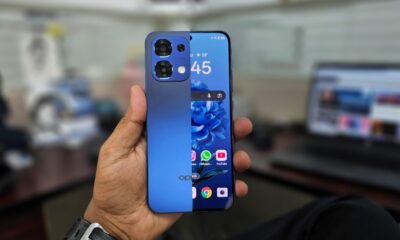
OPPO A6 Pro 5G Review: Reliable Daily Driver
-

 Tech News2 years ago
Denodo Bolsters Executive Team by Hiring Christophe Culine as its Chief Revenue Officer
-
 VAR1 year ago
Microsoft Launches New Surface Copilot+ PCs for Business
-

 Automotive2 years ago
AGMC Launches the RIDDARA RD6 High Performance Fully Electric 4×4 Pickup
-
Tech Interviews3 years ago
Navigating the Cybersecurity Landscape in Hybrid Work Environments
-
 Tech News2 years ago
Toshiba Announces MG10-D Series of Enterprise HDDs with Capacities up to 10TB
-

 Tech News1 year ago
Nothing Launches flagship Nothing Phone (3) and Headphone (1) in theme with the Iconic Museum of the Future in Dubai