After spending over a month with the Huawei Nova 14 Pro in its pristine White colorway, I find myself appreciating a phone that defies expectations. This is a device that runs HarmonyOS 5 instead of Android, yet manages to deliver one of the most compelling camera experiences I’ve encountered in the mid-range segment. The Nova 14 Pro isn’t trying to be everything to everyone. It’s focusing on what truly matters: exceptional rear camera photography, stunning design, and genuine all-day battery life.
The Elephant in the Room: Life Without Android (It’s Easier Than You Think)
Let’s address this immediately because it’s the question everyone asks: “Can you actually use Google services in a Huawei smartphone in 2025?” The answer is a resounding yes, and it’s remarkably straightforward.
The Nova 14 Pro runs HarmonyOS 5 (also known as HarmonyOS NEXT), which represents Huawei’s complete break from Android. Unlike previous HarmonyOS versions that retained Android compatibility layers, HarmonyOS 5 is built entirely on Huawei’s proprietary microkernel architecture.
GBox: Your Direct Gateway to the Google Ecosystem
Here’s what eliminates any ecosystem anxiety: the Nova 14 Pro comes with GBox built directly into the system. This isn’t a workaround or a hack; it’s an integrated solution that gives you direct access to the Google Play Store. Simply open GBox, sign in with your Google account, and you have the entire Play Store at your fingertips.
Through GBox, I’ve downloaded and used Gmail, Google Maps, YouTube, Google Photos, Chrome, Google Drive, and virtually every Google service I rely on. The experience is seamless. Apps run smoothly, notifications arrive reliably, background sync functions properly, and the integration feels native rather than like a compatibility layer. For all practical purposes, you have full access to the Android app ecosystem while running HarmonyOS.
In my month of testing, I’ve used Gmail as my primary email client, Google Maps & Waze for navigation (with real-time traffic and turn-by-turn directions working flawlessly), YouTube for content consumption, and Google Photos for automatic cloud backup. Everything works exactly as it would on an Android phone. Push notifications are instant, location services work properly, and there’s zero performance degradation.
Common apps like WhatsApp, Telegram, Signal, Instagram, TikTok, and banking apps can be downloaded either from AppGallery or through GBox; whichever you prefer. I haven’t encountered a single app that I couldn’t install or use in my month of testing. The ecosystem concern that plagued earlier Huawei phones is simply not an issue anymore.
HarmonyOS 5: A Genuinely Refined Experience
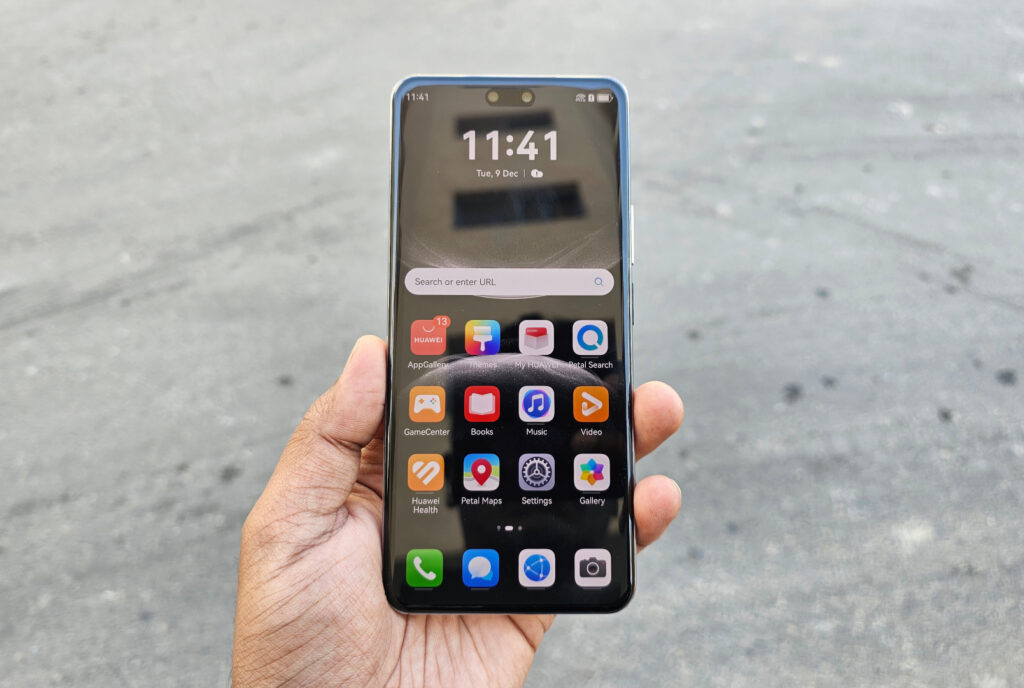
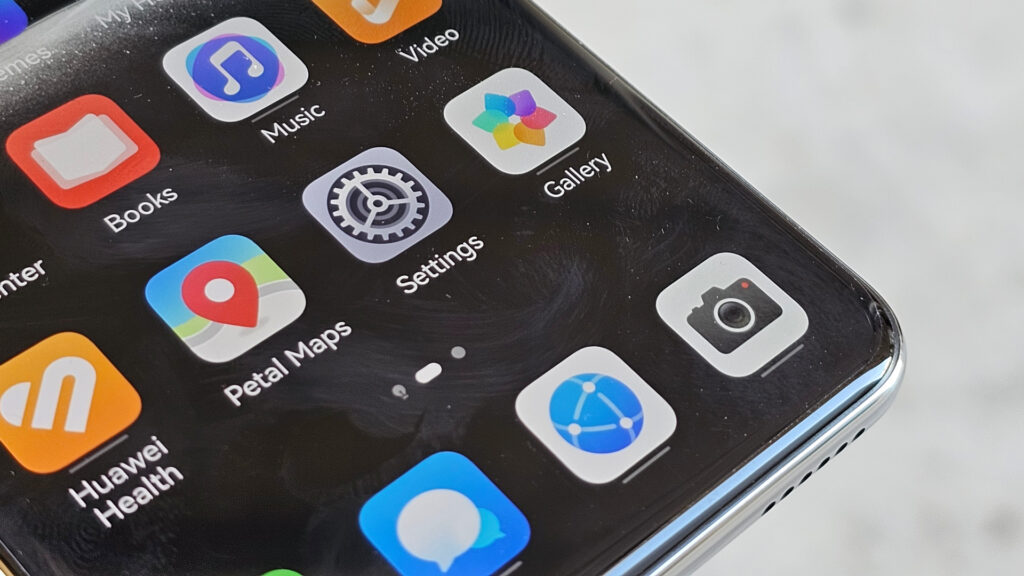
Beyond app availability, HarmonyOS 5 itself is impressive. The interface is clean and intuitive with smooth animations throughout. It feels polished and responsive, often more refined than Android in certain areas like system-wide gesture controls, notification management, and privacy features.
The real question isn’t whether you can access your apps (you can, completely), but whether you’re open to experiencing a different OS interface. HarmonyOS 5 brings thoughtful features like granular privacy controls, intelligent resource management, and seamless device connectivity with other Huawei products. The transition is surprisingly painless, and within a few days, navigating HarmonyOS feels completely natural.
The Verdict on Ecosystem Concerns
If you’re worried about losing Google services or Android apps, don’t be. GBox eliminates that concern entirely. You have full, unrestricted access to everything you need. The Nova 14 Pro isn’t asking you to compromise on app availability—it’s offering you choice, with the added benefit of experiencing Huawei’s refined HarmonyOS interface while maintaining complete access to the Google ecosystem you’re familiar with.
The phone’s exceptional camera capabilities and build quality become the actual decision factors, not ecosystem limitations; because those limitations simply don’t exist.
Design: Understated Elegance
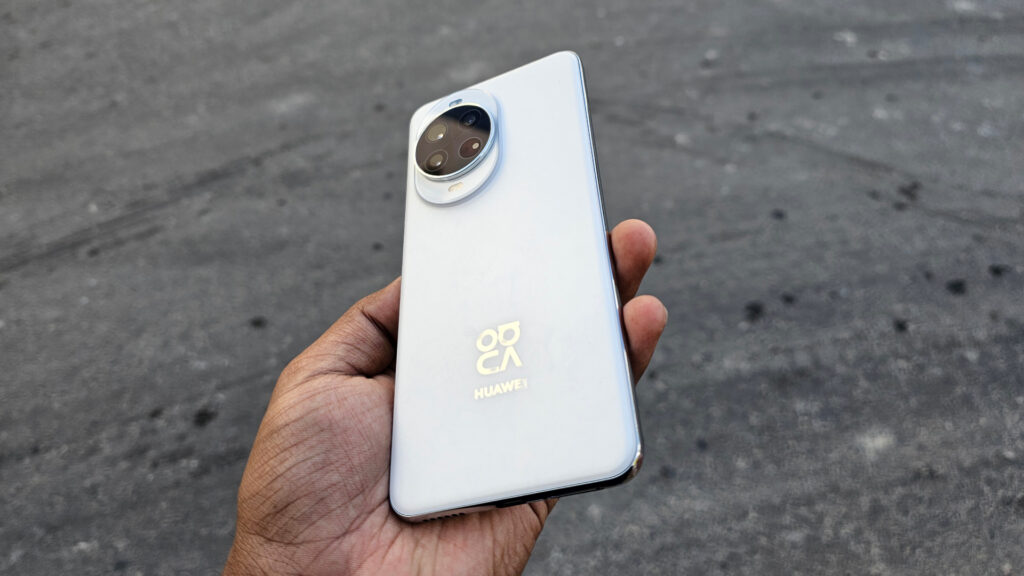
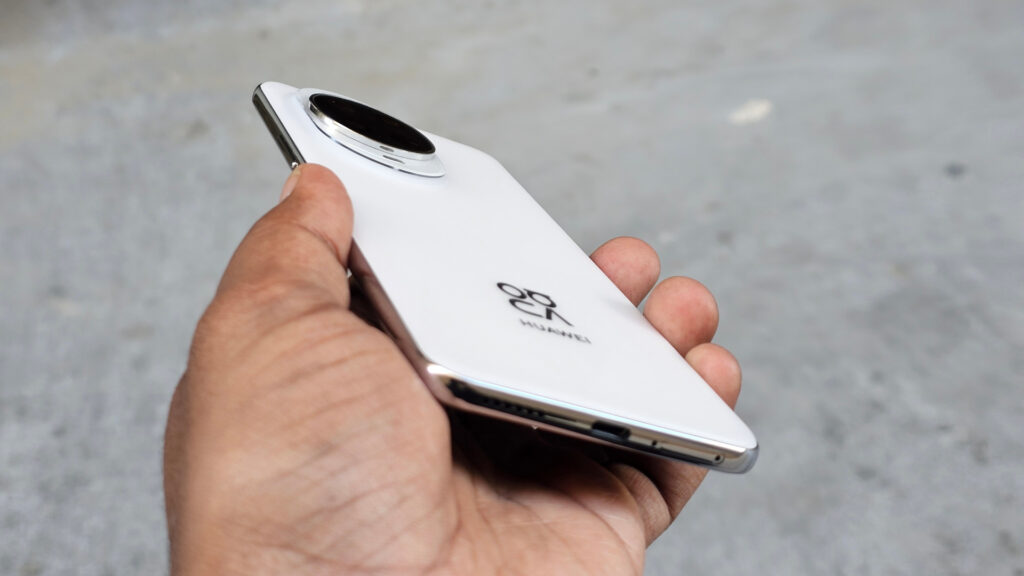
The Nova 14 Pro introduces a refined design language that immediately catches attention. My White variant features what Huawei calls the “ice crystal texture,” creating a pearlescent effect that shifts under different lighting conditions. It’s elegant without being ostentatious or screaming for attention.
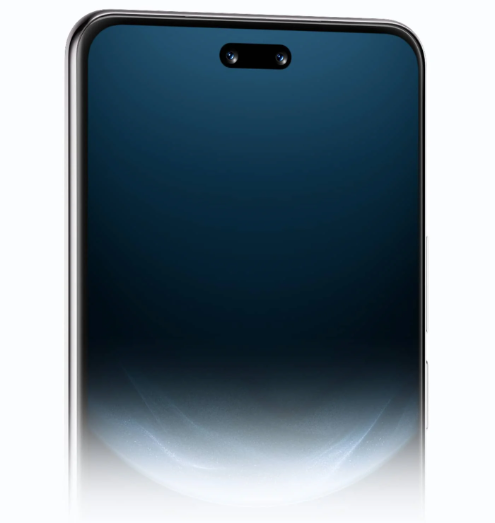
At 7.78mm thin and weighing 207g, the phone strikes an impressive balance. It feels substantial enough to convey quality but never heavy or cumbersome. The quad-curved OLED display (curved on all four edges) creates a seamless flow from screen to frame, making the phone feel smaller than its 6.78-inch display suggests.
Build quality feels premium throughout. The frame has a refined matte finish that resists fingerprints. The buttons have precise, tactile feedback with no wobble. Huawei includes a TPU protective case in the box, and even with it installed, the phone maintains its slim profile.
The IP65 rating provides dust resistance and protection against water jets from any direction, though it’s not quite the full submersion protection of IP68. For daily use, it’s more than adequate. I’ve used it in light rain and near pools without hesitation.
A Rear Camera System That Genuinely Impresses
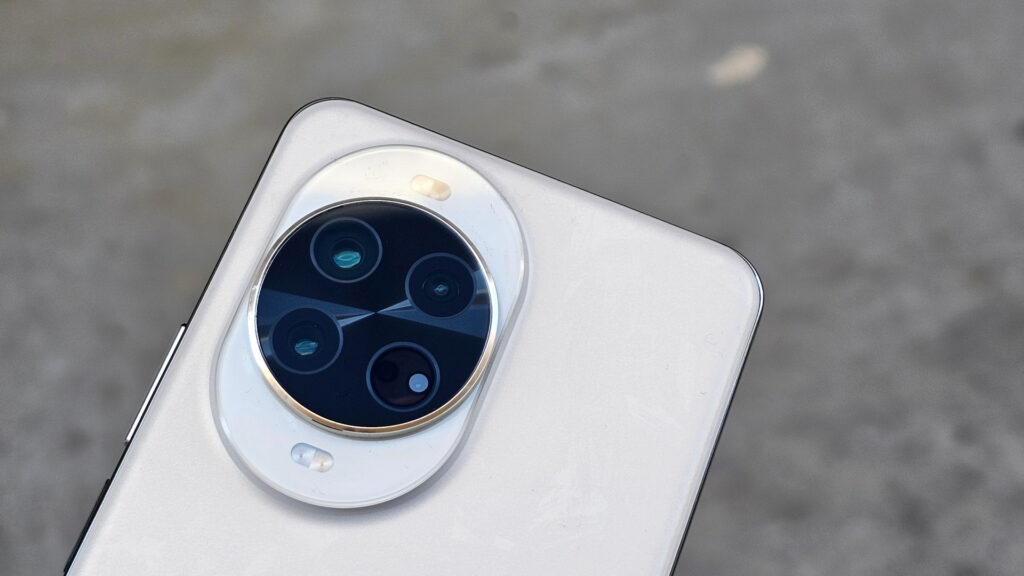
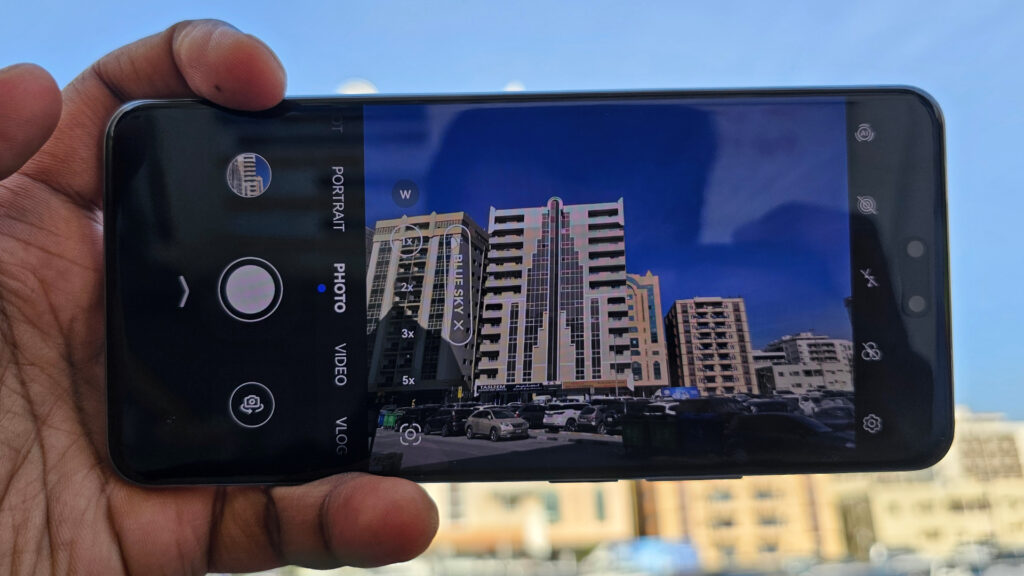
After a month of extensive testing, the Nova 14 Pro’s rear camera system has genuinely impressed me. This isn’t just another competent mid-range camera. It’s a thoughtfully engineered imaging system that punches well above its price point, particularly in challenging lighting conditions.
50MP RYYB Main Camera
The star of the show is the 50MP RYYB main camera with variable aperture ranging from f/1.4 to f/4.0. Let me explain why this combination is genuinely special.
Traditional camera sensors use an RGB (Red, Green, Blue) color filter array. Huawei’s RYYB (Red, Yellow, Yellow, Blue) sensor replaces green pixels with yellow ones. Yellow pixels allow significantly more light to pass through than green pixels. The result? The RYYB sensor captures up to 40% more light than traditional RGB sensors, translating to dramatically improved low-light performance.
The variable aperture is equally clever. At f/1.4 (wide open), the camera captures maximum light for low-light situations and creates beautiful background blur for portraits. At f/4.0 (stopped down), you get greater depth of field for landscapes where you want everything sharp from foreground to background. The camera intelligently adjusts based on lighting and subject, though you can also control it manually in Pro mode.
Combined with optical image stabilization, this main camera delivers flagship-level performance. In daylight, photos are sharp with excellent dynamic range and accurate colors. The level of detail captured is genuinely impressive, with textures rendered naturally and colors that pop without looking oversaturated.
Low-Light Photography
The Nova 14 Pro’s low-light photography is where this camera system truly separates itself from the competition. The combination of the RYYB sensor’s 40% increased light capture, f/1.4 aperture, and intelligent processing produces night shots that look genuinely cinematic rather than artificially processed.
I’ve extensively tested night photography across Dubai’s diverse evening environments: dimly lit alleyways, neon-soaked streets, the challenging mixed lighting of outdoor cafes and restaurants. The results consistently impress. Where other mid-range phones produce grainy, muddy images or over-process scenes into unnatural HDR nightmares, the Nova 14 Pro maintains natural texture and color while pulling impressive detail from shadows.
In mixed lighting scenarios where most cameras struggle, the Nova 14 Pro’s camera ensures colors remain true to life. I’ve photographed food under warm restaurant lighting, portraits under mixed street lamps and neon, and landscapes during golden hour. The color accuracy is consistently impressive, maintaining natural tones that look authentic rather than artificially enhanced.
Supporting Cast: Telephoto and Ultra-Wide
The 12MP RYYB telephoto camera with 3x optical zoom and OIS is perfect for portraits and detail shots. The RYYB sensor ensures it performs admirably even in challenging light, maintaining the same low-light prowess as the main camera. The OIS keeps shots sharp even at longer focal lengths. The phone supports up to 30x digital zoom, which remains usable in good light for capturing distant subjects.
I’ve used the telephoto extensively for portrait photography, and the results are impressive. The natural bokeh combined with accurate skin tones creates professional-looking portraits. Detail shots of architecture, signage, and distant subjects remain sharp with excellent clarity.
The 8MP ultra-wide camera with a 112° field of view handles landscapes and group shots competently. It also doubles as a macro camera, allowing you to capture extreme close-ups of small subjects. While it’s not the strongest ultra-wide I’ve tested, it’s consistent with the main camera’s color science, which is important for seamless switching between focal lengths.
Dual Front Cameras
The dual front camera setup consists of a 50MP main sensor with autofocus and an 8MP close-up lens. The 50MP sensor with autofocus ensures selfies are sharp, and the variable zoom range provides flexibility for framing. Portraits are natural-looking, without aggressive smoothing. For video calls and casual selfies, it’s more than adequate, but it’s the rear cameras that truly shine on this device.
Performance: Competent for Daily Use
The Kirin 8020 chipset paired with 12GB RAM delivers competent performance for daily tasks. Built on a 5nm process, it handles multitasking, social media, content consumption, and photography without lag. The Maleoon 920 GPU manages most mobile games at medium-to-high settings, though it’s not quite flagship-level performance.
Gaming performance is acceptable. Popular titles like PUBG Mobile run smoothly at medium settings. You’ll experience some thermal throttling during extended gaming sessions, with frame rates dropping slightly, but it’s not game-breaking. For casual gamers, it’s perfectly serviceable. Hardcore mobile gamers should look elsewhere.
HarmonyOS 5 feels responsive and polished. The interface is clean and intuitive, with smooth animations throughout. App loading times are quick, multitasking is seamless, and the overall experience feels premium despite the mid-range chipset.
Battery Life: Genuine All-Day Endurance
The 5500mAh battery easily delivers a full day of heavy use. I’m talking constant social media scrolling, extensive camera usage (and with these rear cameras, you’ll use them constantly), video streaming, and still having 20-30% remaining at bedtime. Conservative users could stretch this to two days without breaking a sweat.
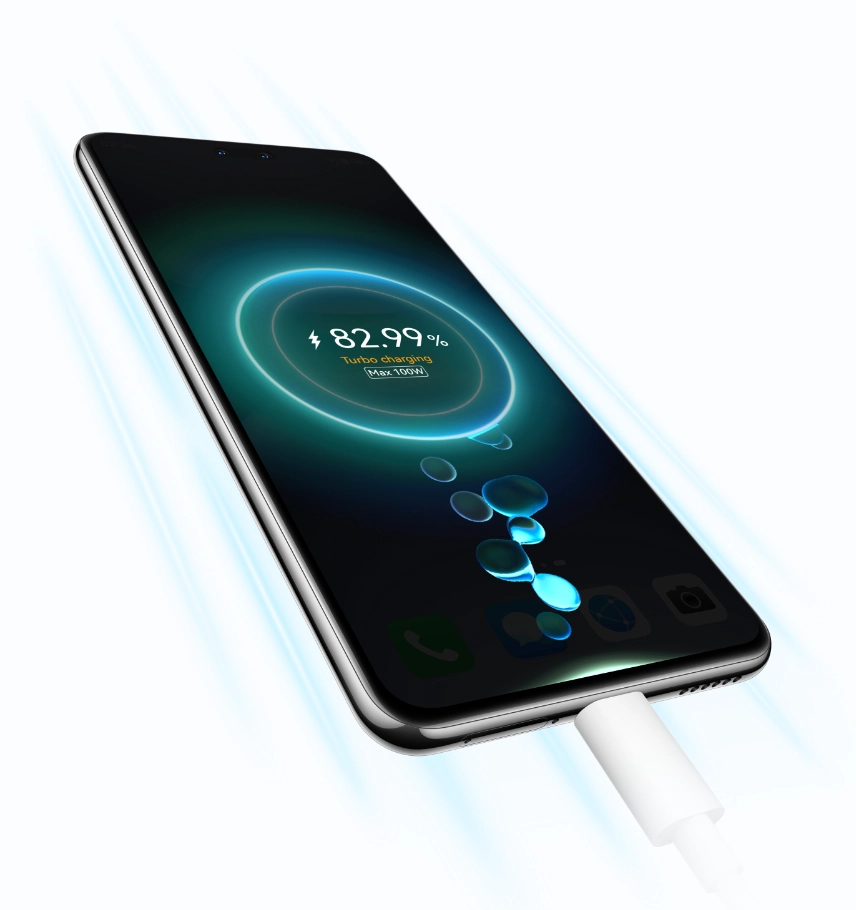
The 100W fast charging is absurdly fast. A full charge takes approximately 38 minutes from empty, which is genuinely convenient. Even a quick 10-15 minute top-up provides adequate runtime.
The phone also features AI Charging Control, which intelligently manages charging patterns to protect long-term battery health. The absence of wireless charging is disappointing for a phone at this price point, but the blazing-fast wired charging somewhat compensates.
Connectivity and Additional Features
The Nova 14 Pro supports Wi-Fi 5, Bluetooth 5.2, NFC, and GPS. It’s worth noting that Wi-Fi 6 or 7 would have been preferable for a 2025 device, but Wi-Fi 5 is adequate for most users.
The infrared blaster is a genuinely useful addition, allowing you to control TVs, air conditioners, and other appliances. It’s a feature that’s disappeared from many flagships, so its inclusion here is appreciated. The side-mounted fingerprint scanner is fast and reliable, unlocking instantly with accurate recognition even with slightly damp fingers.
Stereo speakers provide respectable audio quality for media consumption, though they’re not the most powerful I’ve tested. They’re clear and balanced at moderate volumes but can sound thin when pushed to maximum.
The Verdict
The Huawei Nova 14 Pro is a camera-centric smartphone that delivers exceptional imaging prowess, stunning design, and genuine all-day battery life, all while proving that ecosystem concerns are a thing of the past thanks to seamless Google integration.
After over a month of real-world use, the Nova 14 Pro has proven itself as a genuinely capable device that surprises in all the right ways. The main camera with variable aperture produces flagship-level photos, particularly in low light where it genuinely excels. The telephoto and ultra-wide complete a versatile camera system that punches well above its price point.
The concern about Google services? It’s completely eliminated. GBox provides direct, seamless access to the Google Play Store and all Google services. Everything works flawlessly—Gmail, Maps, Photos, Drive, YouTube—with zero compromise. HarmonyOS 5 proves to be a polished, responsive, and feature-rich operating system that holds its own against Android while giving you complete access to the Android app ecosystem.
Beyond photography, the phone refuses to compromise on essentials. The 5500mAh battery with 100W charging delivers genuine all-day use with lightning-fast top-ups. The design is elegant and premium, with the White variant’s ice crystal texture catching light beautifully.
Performance is competent rather than cutting-edge. The Kirin 8020 handles daily tasks smoothly but isn’t designed for hardcore gaming or intensive multitasking. For typical smartphone use, it’s more than adequate.
If you’re looking for a phone with genuinely impressive cameras at a mid-range price, with full access to all your familiar apps and services, the Nova 14 Pro deserves serious consideration.
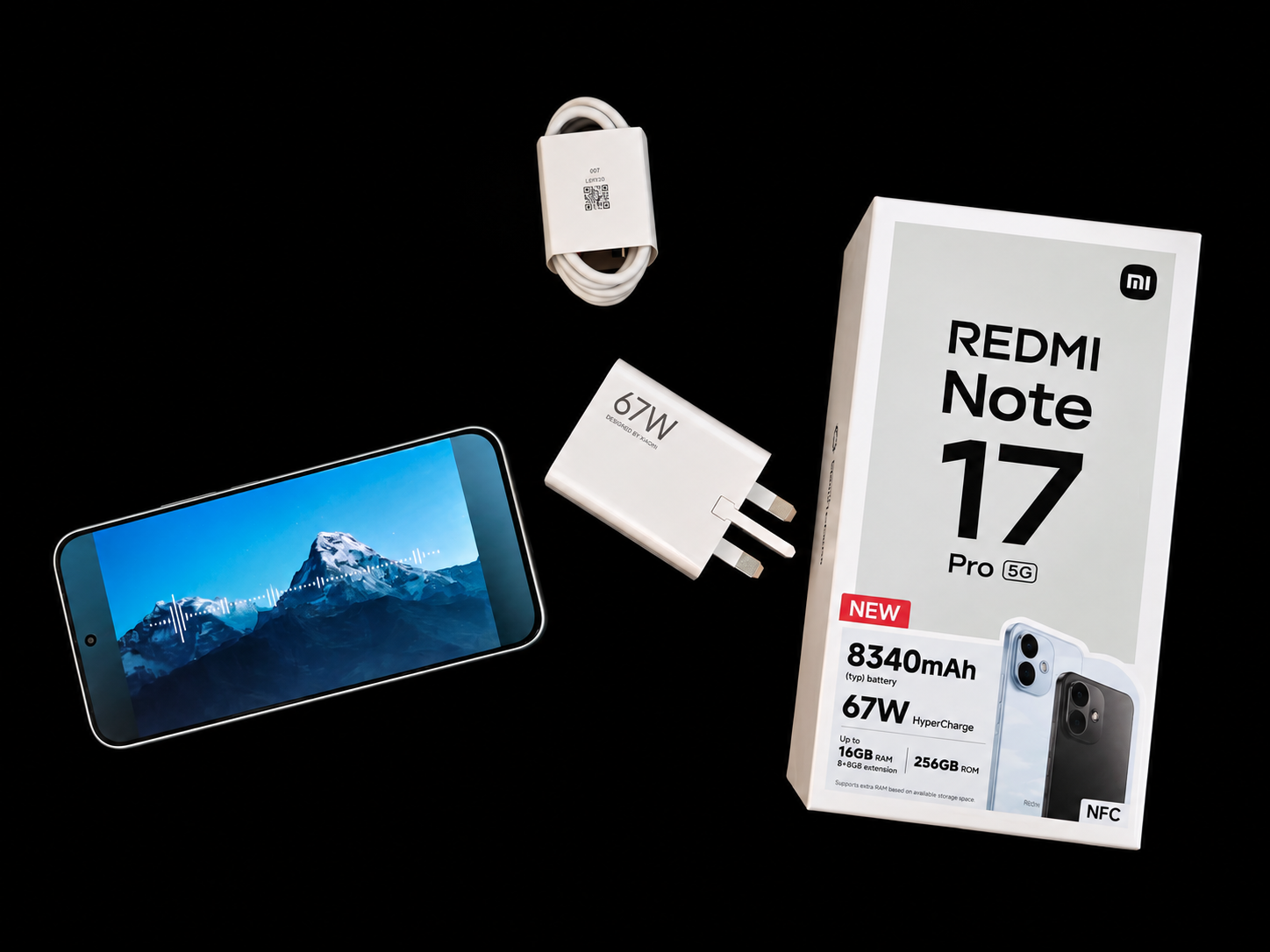
Xiaomi’s latest REDMI puts an 8,340mAh battery at the centre of its proposition, but its first surprise is how little that capacity dictates the overall design.
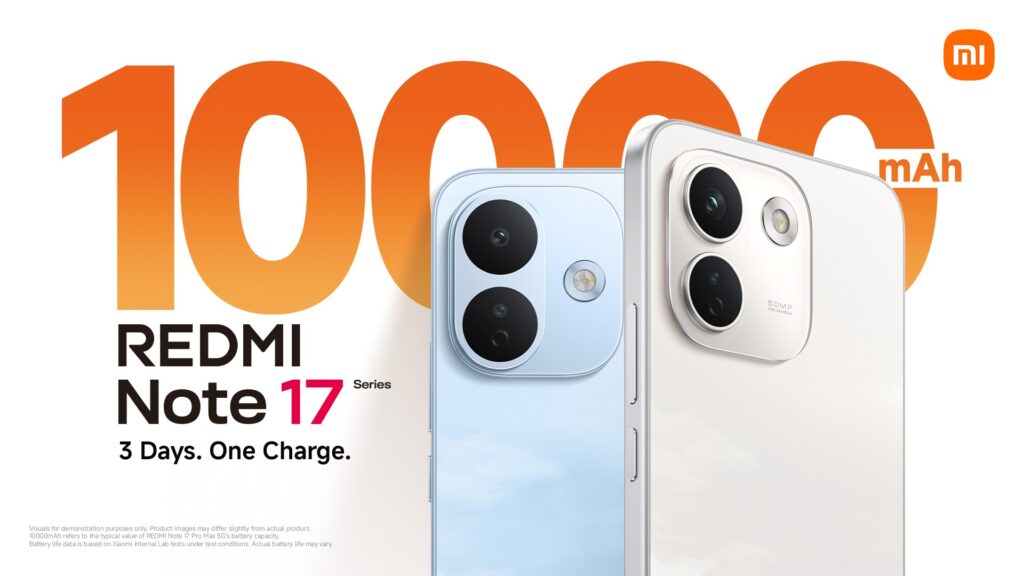
There is no shortage of smartphones competing on camera specifications, AI features and processing performance. With the REDMI Note 17 Pro 5G, however, one number immediately demands attention: 8,340mAh.
SRIJITH KN
This is also my first proper experience with a Xiaomi smartphone, which means I’m approaching the Note 17 Pro 5G without years of familiarity with REDMI or HyperOS.
My first instinct was therefore to put it alongside something I know very well: my Nothing Phone (3). The comparison is surprisingly revealing. Both devices occupy similar territory in terms of overall thickness, with the REDMI appearing marginally slimmer from certain angles, while the Nothing feels slightly heavier in the hand. Considering the 8,340mAh battery inside the REDMI, that’s an impressive piece of packaging.
An 8,000mAh-plus battery still sounds like something that should require an obvious compromise in size and weight. And Phone is paired with 67W HyperCharge, which is a very welcome sight.
In the short time I’ve spent with the Note 17 Pro 5G, that compromise isn’t immediately apparent.
More than its battery
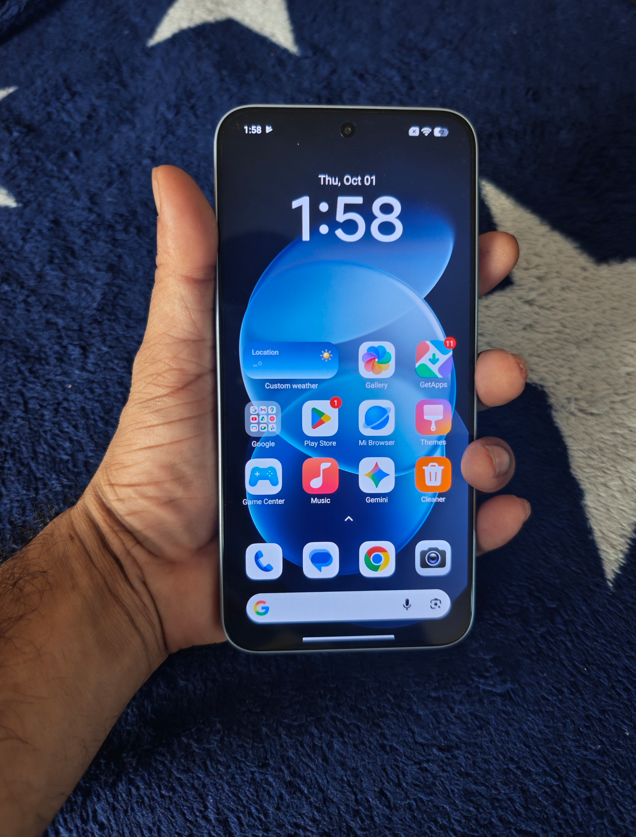
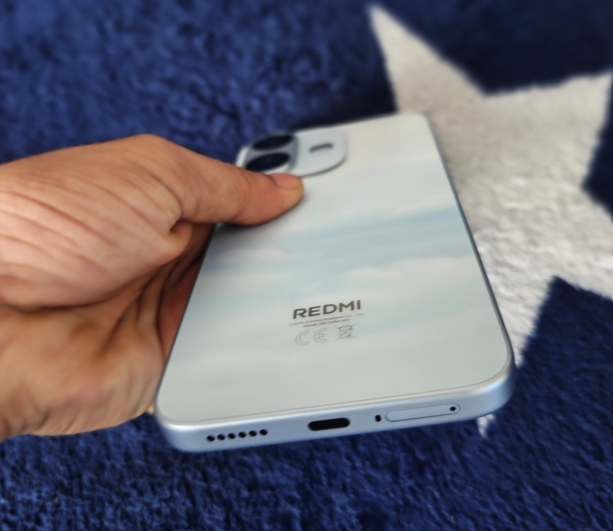
The design helps. Flat sides give the device a contemporary appearance, while the Sky Blue finish of our review unit is understated rather than attention-seeking. The rear camera module is also relatively restrained. It’s unquestionably a large smartphone, but it doesn’t feel like a specialist endurance device built around its battery.
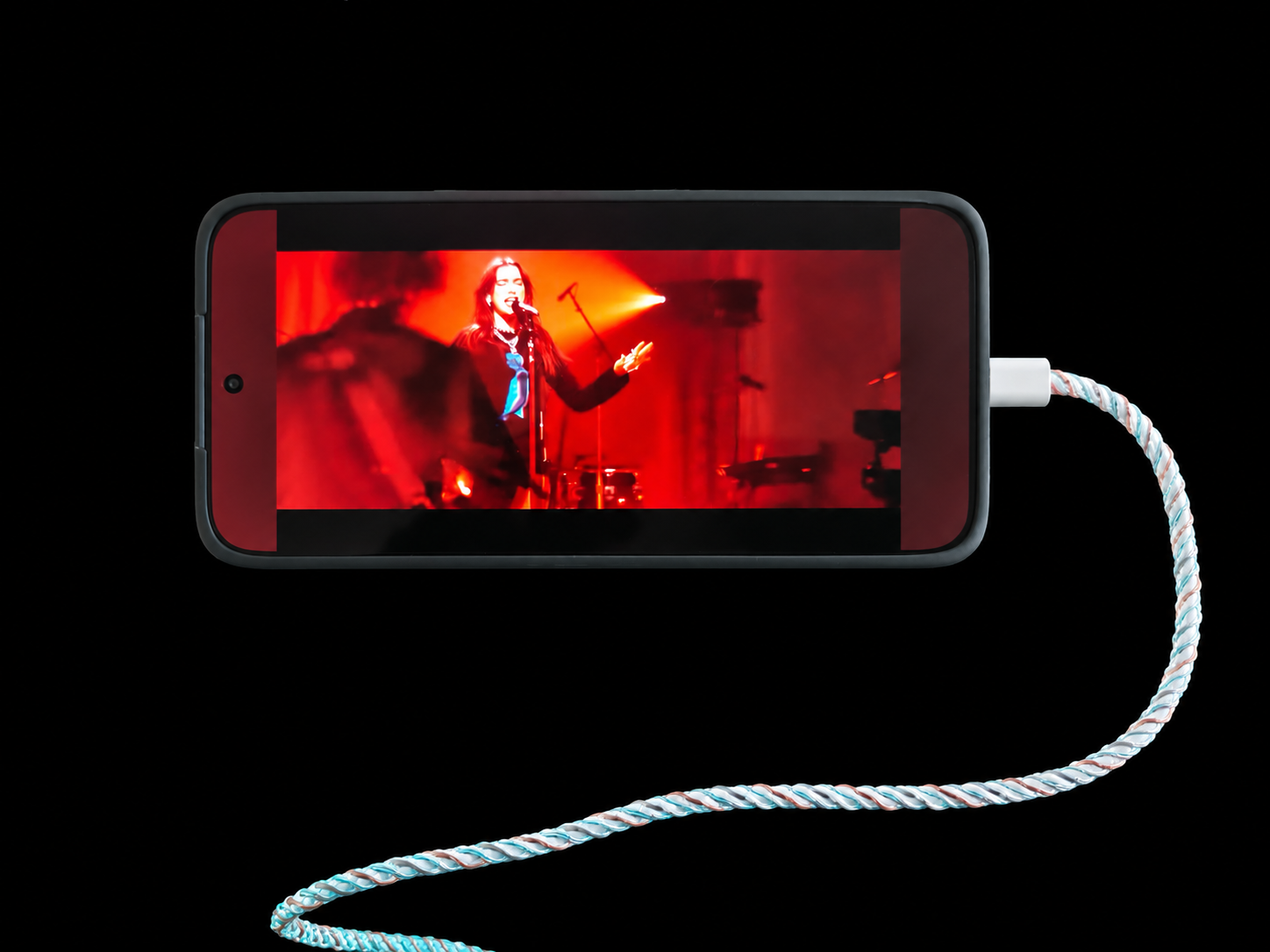
The display reinforces that impression. Initial video streaming has produced punchy colours and an enjoyable viewing experience, although outdoor visibility and extended media consumption will require further testing.
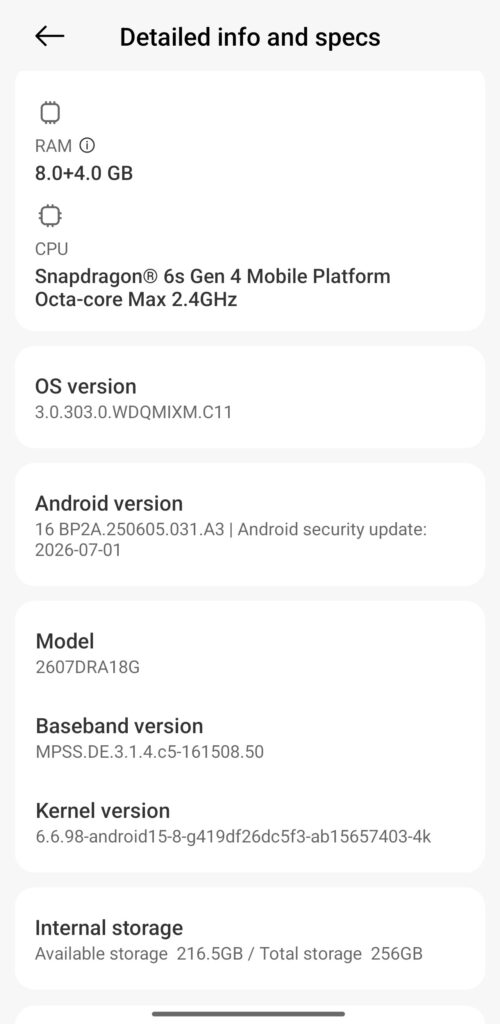
Inside, the Note 17 Pro 5G combines the Snapdragon 6s Gen 4 with 8GB of RAM on our review unit, which isn’t actually that impressive, supplemented by 4GB of memory extension. There is 256GB of internal storage.
During initial setup, browsing, app switching, video streaming and camera use, performance has felt fluid. Those observations remain just that, however — initial impressions rather than conclusions about sustained performance.
The speakers sound decent too, although the tuning seems to favour the treble slightly more than the bass. Vocals and higher frequencies come through clearly, but I’d have liked a little more low-end weight.
A first encounter with HyperOS
HyperOS is equally new territory for me.
Coming to the platform without established MIUI or HyperOS habits makes the experience interesting. Navigation has been straightforward and the software has so far stayed out of the way.
It hasn’t immediately won me over, but neither has it presented anything significant enough to put me off. Longer use will be needed before reaching conclusions about the software experience.
The same restraint applies to the cameras. I’ve begun taking photographs with the phone, but a small collection of daylight images isn’t enough to judge camera consistency. The next few days should provide a better mixture of subjects and lighting conditions.
8,340mAh meets the real world
Battery endurance is naturally the bigger question.
The software is already presenting some ambitious remaining-use estimates, but figures generated during the first hours of a newly configured smartphone don’t tell us much about real-world endurance.
A more useful test happens next.
I’m travelling to India, which means the REDMI will face exactly the sort of mixed workload that makes a large battery relevant: airport use, photography, navigation, messaging, mobile connectivity, streaming and extended periods away from a charger.
Perhaps the most important first impression, then, isn’t how large the battery is. It’s how successfully Xiaomi has prevented that battery from dominating the experience of using the device.
Cameras
The REDMI Note 17 Pro 5G keeps its camera hardware relatively straightforward. At the rear is a 50MP main camera with an f/1.8 aperture, 5P lens and optical image stabilisation (OIS), accompanied by an 8MP ultra-wide camera with an f/2.2 aperture. Up front, Xiaomi uses a 16MP selfie camera with an f/2.4 aperture.
There is a decent selection of shooting modes, including HDR, Portrait, Ultra HD, Panorama, Pro mode and Live Moment, while an Underwater mode is also supported, with availability through an OTA update. Xiaomi also offers Dual Video, allowing the front and rear cameras to record simultaneously.
Video specifications are more modest: both the rear and front cameras top out at 1080p at 30fps, rather than offering 4K recording. For my first impressions, however, I’m more interested in seeing how that 50MP OIS camera handles everyday photography, particularly during my upcoming travel.
Price completes the proposition
The REDMI Note 17 Pro 5G is priced at AED 1,499 for the 8GB + 256GB configuration, rising to AED 1,749 for 8GB + 512GB. It will be offered in Sky Blue, Satin Orange, Purple and Black.
At AED 1,499, an 8,340mAh battery certainly gives Xiaomi an obvious headline specification. The more important question is whether the display, cameras, performance and software combine to make the Note 17 Pro 5G more than simply a phone with a very large battery.
That’s something only more time with the device will answer.
For now, though, Xiaomi’s first achievement is surprisingly simple: 8,340mAh doesn’t feel like 8,340mAh.
Lenovo recently expanded its vision for Personal AI with its latest consumer portfolio of laptops, desktops, and smarter experiences. Together, the distinctive IdeaPad Vibe series and IdeaCentre AIO desktops give consumers a broader range of devices designed to reflect different lifestyles and everyday needs.
“The expectations people have for their PCs are changing,” said Jun Ouyang, Senior Vice President & General Manager, Consumer Segment, Lenovo Intelligent Devices Group. “Consumers want technology that fits into their lives, whether they prioritize performance, entertainment, or a device that suits their individual style. Our latest Idea portfolio brings together AI-powered experiences, distinctive design, and greater choice without the premium price.”
Smarter AI Experiences with Lenovo Qira
Among the AI-powered experiences available across select configurations of the new Idea portfolio is Lenovo Qira1, Lenovo’s personal AI experience, designed to deliver more seamless, contextual assistance across supported PCs, mobile devices, tablets, and wearables.
Lenovo Qira features Workato-powered connections such as email, calendar, and collaboration services, helping users find relevant information and move from intent to action through natural-language requests with less app switching. This capability creates a more connected experience across the devices, applications, and services people use throughout the day.
AI PCs Built for Self-Expression – The IdeaPad Vibe
Today’s laptops do more than support productivity. They’re also an extension of personal style. Lenovo’s new IdeaPad Vibe series gives everyday consumers, including students and families the opportunity to showcase their personality through bold colors, thoughtful design, and intelligent experiences that don’t compromise performance.
Powered by Snapdragon® X processors and Copilot+ PC capabilities, IdeaPad Vibe delivers fast, responsive performance and smooth everyday multitasking for a new generation of AI PC experiences. Available in both 14” and 15” configurations, IdeaPad Vibe combines all-day battery life2 and lightweight portability in a metal chassis starting at 1.3kg, making it easy to carry throughout the day. Developed in consultation with Pantone Institute, users can find the color that resonates with them, with seven fresh color options to choose from:
Dreamy Violet – a muted violet shade layered with inviting depth that inspires serenity, bringing a sense of comfort wherever it goes.
Spicy Gold – a rich golden yellow that blends warmth and energy, creating a confident, welcoming feeling.
Zen Green – a nature inspired green hue that evokes a sense of balance, harmony, and encourages a slower pace.
Chill Blue – an icy blue with a crisp modern vibe that stimulates refreshing clarity and an effortless fresh start energy.
Radiant Coral – warm and uplifting with an optimistic orange boost that brings friendliness and positivity wherever it goes.
Moody Blue – expressing credibility and confidence, a deep blue hue conveying refined elegance.
Lowkey Grey – a timeless grey projecting strength, stability, and understated sophistication.
Elemental by design, these colors are inspired by the world we live in with individuality in mind. Lenovo and Pantone Institute drew inspiration from colors people encounter every day and shades that capture how they aspire, learn, create, and live. To further extend personalization options, customizable keycaps will be available to add an extra touch of color (available for purchase and swapping).3
“Color is the most personal design decision people make when choosing a device,” said Brian Leonard, VP of Design Innovation for Intelligent Devices Group at Lenovo. “Now available in seven expressive new colors, IdeaPad Vibe gives people the ability to choose technology that showcases a piece of their personality while delivering the AI experiences and performance they expect daily.”
IdeaPad Vibe wasn’t created for one type of user. It was designed to adapt to different lifestyles, creative ambitions, and personal preferences. Whether someone values mobility, immersive visuals, or a device that represents their style, the IdeaPad Vibe series offers consumers the freedom to make the experience of using the laptop their own.
Select models offer up to 24GB4 of memory, delivering exceptional battery life, responsive performance, and powerful on-device AI capabilities. AI-enhanced productivity features include real-time translation, intelligent video conferencing effects, faster content creation, and enhanced privacy, all while maintaining a cool, quiet, and energy-efficient operation.
OLED configurations available in Lowkey Grey and Moody Blue deliver richer colors, deeper contrast, and up to 100% DCI-P3 color coverage, where supported5. IPS display options provide smooth 120Hz visuals where available6 and up to 100% sRGB coverage for daily viewing.
Upgradable dual SSD slots, multiple USB Type-A and Type-C® ports, HDMI®, MicroSD® card reader, audio jack, and TÜV Low Blue Light Certification provide the connectivity, expandability, and visual comfort expected from a modern AI laptop.
IdeaPad Vibe is also available with up to AMD Ryzen™ AI 400 Series processors, offering additional configuration flexibility such as dual-slot memory upgradeability up to 32GB4, and SSD expansion up to 1 TB4. Configurations are available with either a full metal build or metal plus polymer two tone ripple on the bottom cover, with optional 50Whr or 65Whr batteries7. Windows Hello Support is available across the lineup (Qualcomm and AMD).
From vibrant colors choices and personalized options to AI-powered productivity and all-day portability, IdeaPad Vibe proves that consumers no longer have to choose between performance and personality. It is an AI PC that is ready to perform and designed to stand out, no matter what a person’s vibe is.
Additional configurations powered by Intel® processors will be available at a later date.
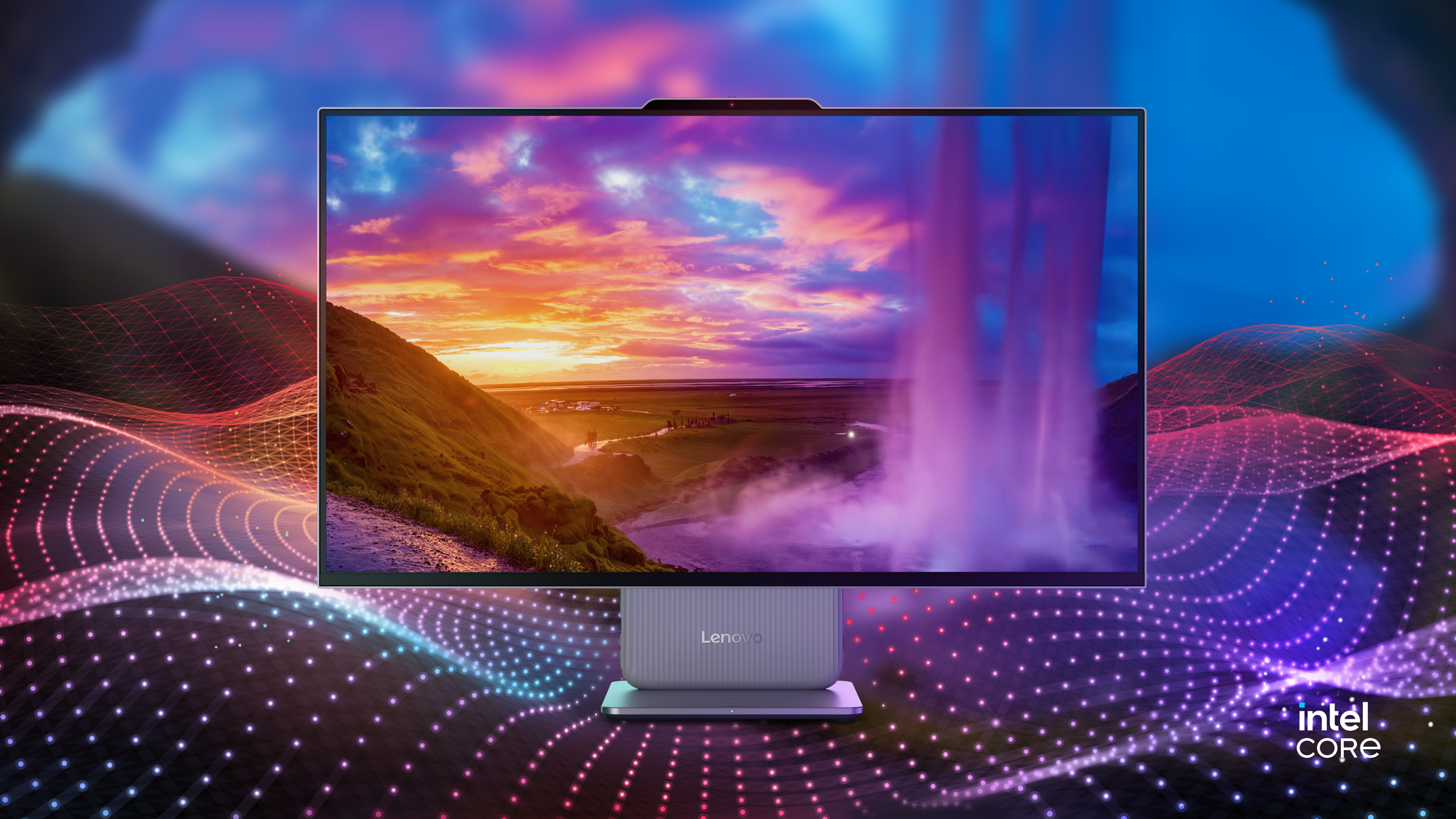
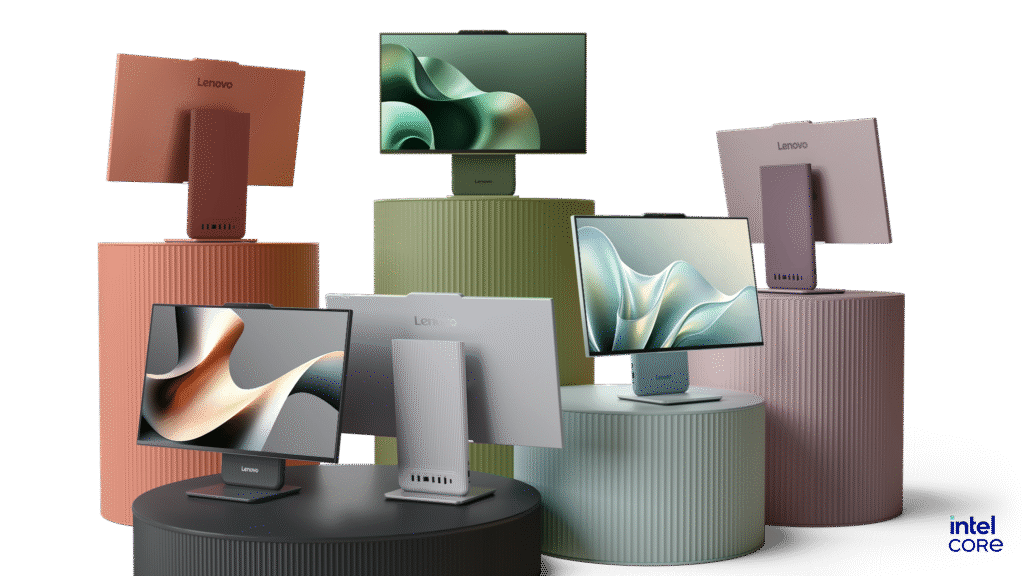
An AIO Desktop for Everyday Life—The IdeaCentre AIO i
From busy mornings to family movie nights and late-night studying, the new IdeaCentre AIO i intelligently adjusts throughout the day to support consumers’ changing needs.
Built on Intel® Core™ Series 3 processors with up to 40 platform TOPS of AI performance, the latest generation combines a slimmer design, intelligent AI experiences, and thoughtful ergonomics to create a workspace that feels more comfortable, responsive, and personal.
Available for the first time in multiple colors, including Dreamy Violet, Radiant Coral, Zen Green, Chill Blue, Luna Grey, and Cloud Grey, the IdeaCentre AIO i extends Lenovo’s vision of more personalized technology beyond the laptop. Its color options draw from research conducted in consultation with Pantone Color Institute, while the color-matched Lenovo Essential Wireless Combo Gen 3 Keyboard & Mouse completes the setup8 with a cohesive workspace aesthetic.
The redesigned middle-box-free architecture removes the bulky computing section traditionally found behind the display, creating a cleaner, more streamlined all-in-one appearance. 23.8” and 27” full HD display options feature up to a 120Hz refresh rate6, 350 nits peak brightness, support for up to 32G LPDDR5x memory9, and dual SSD slots.
At the center of the experience is the Lenovo AI Turbo Engine, an intelligent hub that brings together performance optimization, multimedia enhancements, and AI-powered Adaptive Lighting10. One of the IdeaCentre AIO i’s signature innovations, Adaptive Lighting introduces Boot-up, Default, and Music Lighting modes, creating a more engaging desktop experience while enabling users to personalize lighting effects and colors10.
The All-in-One desktop also features an ergonomic stand with30mm of vertical height adjustment up and down and a -5° to 15° tilt range, making it easy to find a comfortable viewing position whether joining a virtual meeting, helping children with homework, sharing family photos, or enjoying content with family and friends. E-book mode helps reduce blue light and eye strain for a more comfortable reading experience, while audio by Harman® delivers rich, dynamic sound for work and entertainment.
For clearer, more natural collaboration, the IdeaCentre AIO i is available with an optional up to 5MP IR camera that combines hardware and software enhancements to improve video calls. A physical camera shutter provides added privacy when the camera isn’t in use. Six USB ports with up to USB 3.0 support, an HDMI-in and HDMI-out combo port, a conveniently positioned headphone and microphone combo jack, optional wireless charging, and an optional touch display provide the flexibility to connect and work the way users prefer.
From supporting productivity to entertainment and family life, IdeaCentre AIO i delivers smart performance in a design built around the needs of modern households.
Lenovo’s latest consumer portfolio empowers people to choose technology that works the way they do. By combining intelligent innovation with thoughtful design and meaningful personalization, Lenovo continues to create devices that are inspired by the people who use them.
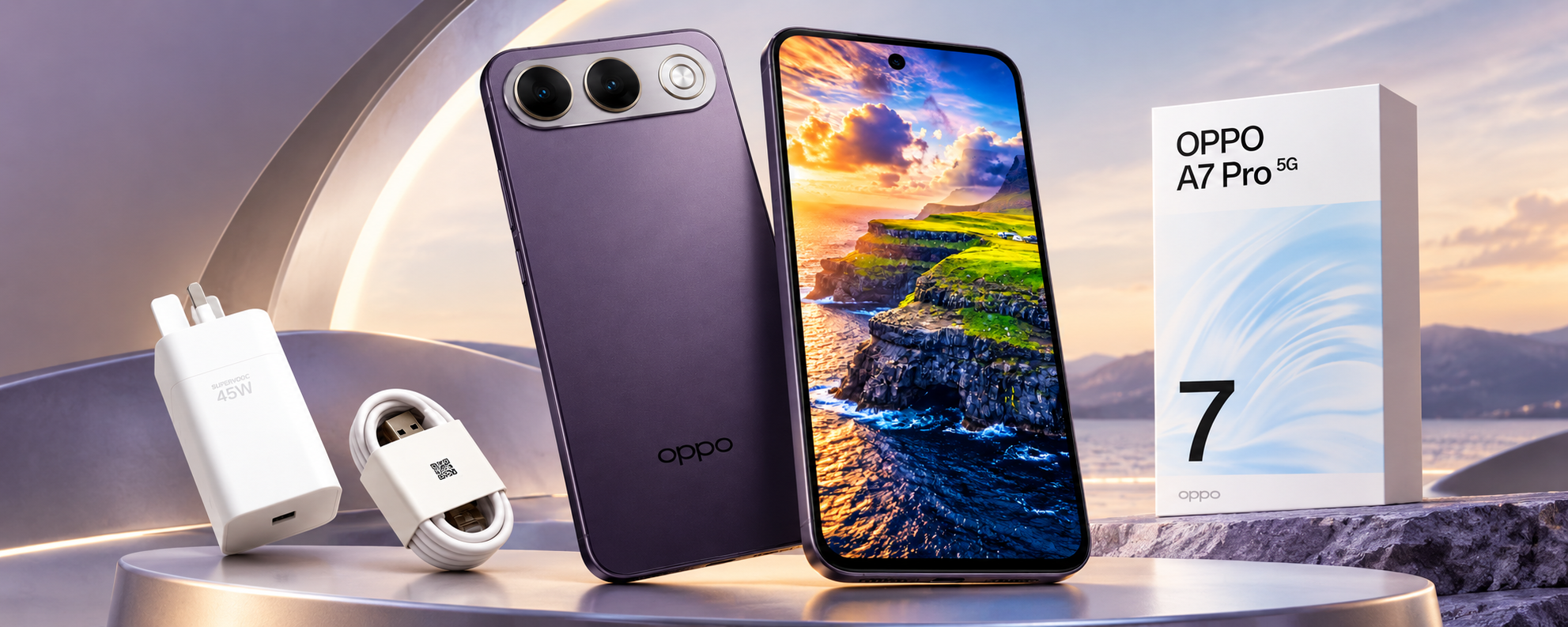
OPPO A7 Pro 5G puts longevity at the centre of the smartphone experience!
With an 8,000mAh battery, dual 50MP cameras, IP69K protection and a five-year smoothness promise, OPPO’s latest A Series smartphone makes a strong case for devices designed around longer-term ownership.
Smartphone launches have traditionally revolved around faster processors, increasingly sophisticated cameras and, more recently, AI. With the A7 Pro 5G, OPPO is putting another consideration firmly into the conversation: how well a smartphone can hold up over time.
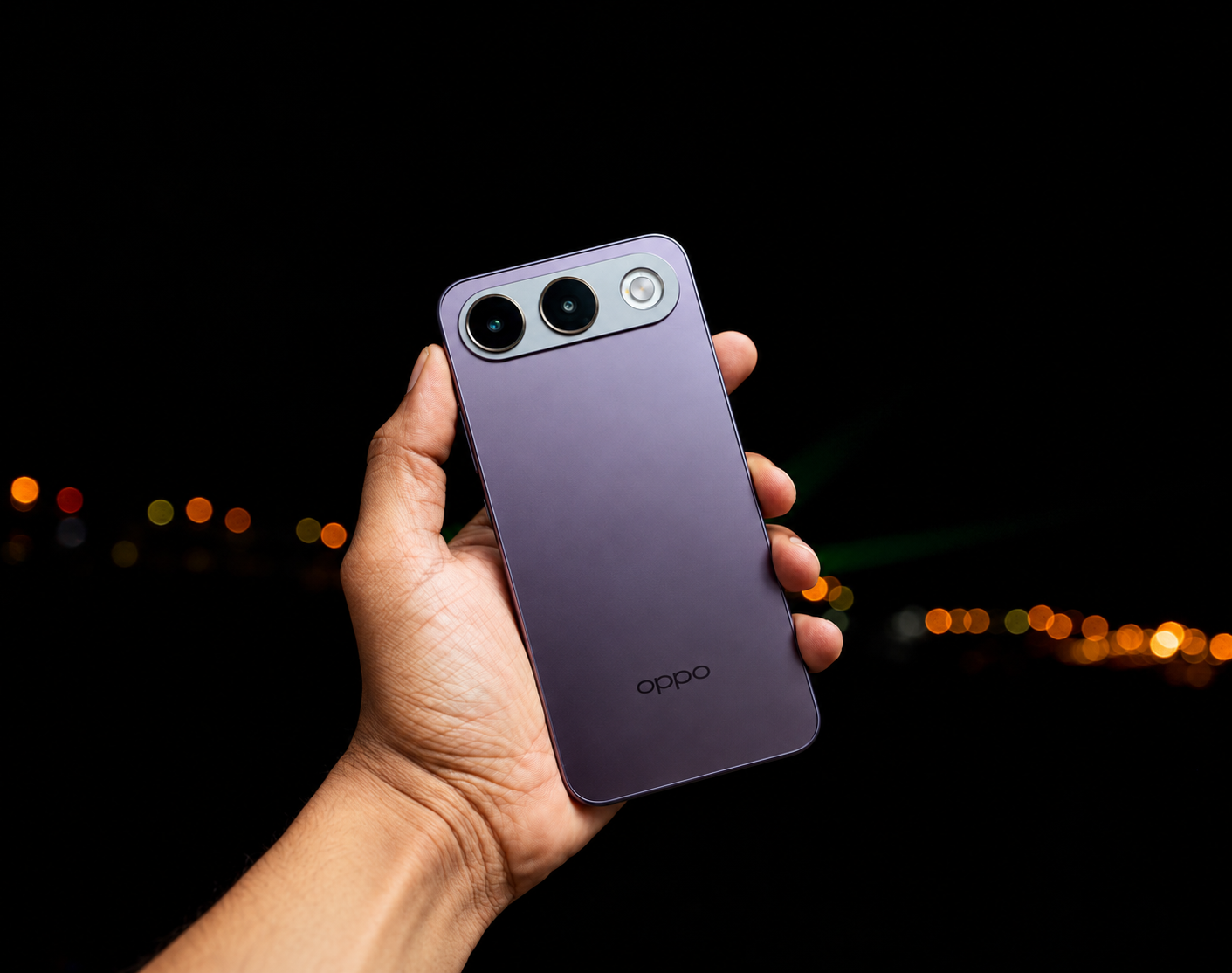
At the centre of that proposition is an enormous 8,000mAh battery. Large-capacity batteries are becoming increasingly common, but what is interesting about the A7 Pro 5G is how little the battery dictates the physical character of the phone.
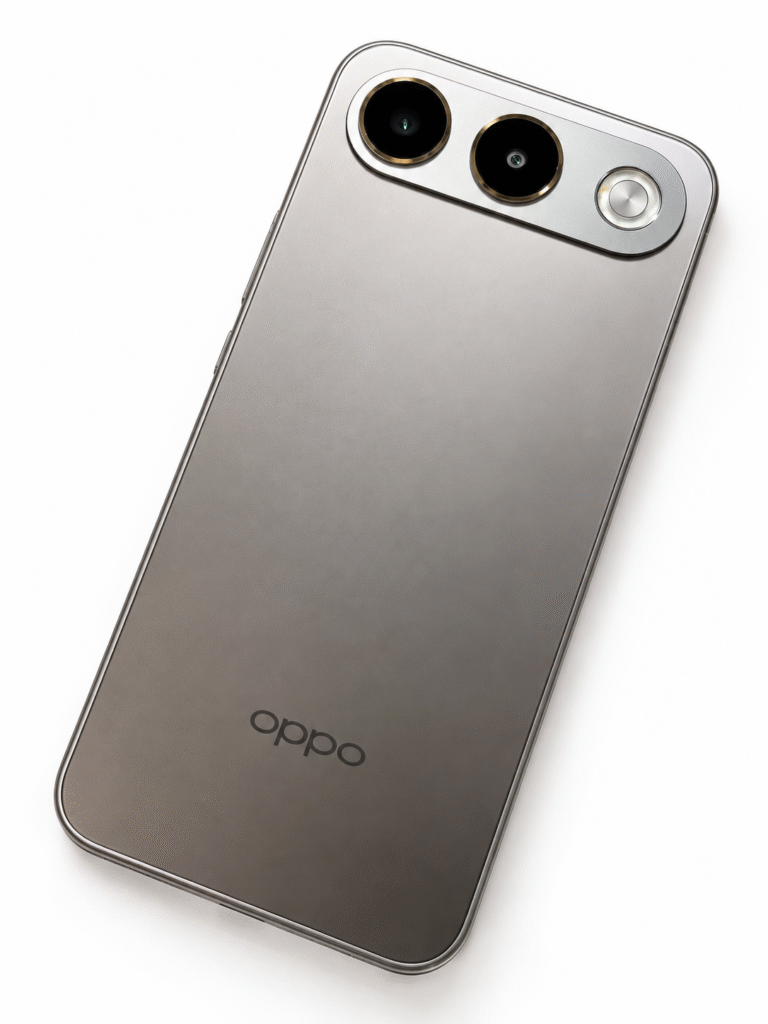
Despite the capacity, the device does not immediately look or feel like a rugged smartphone. The Shine Titanium review unit has an understated finish, while the alternative Surfing Blue introduces a more distinctive Dynamic 3D Wave Texture.
That relatively conventional appearance hides some serious durability credentials.
Built for longer ownership
The A7 Pro 5G carries IP69K dust and water resistance alongside military-grade shock resistance. Rainstorm Touch is designed to keep the display responsive even when used in heavy rain.
The longevity argument extends to the battery itself. OPPO says it can retain more than 80% of its rated capacity after 2,000 complete charging cycles, underpinning the company’s six-year battery durability proposition.
This matters because battery degradation remains one of the most noticeable compromises as smartphones age. Increasing capacity solves part of that equation; maintaining useful capacity several years into ownership potentially solves another.
Reverse wired charging also allows the A7 Pro 5G to supply power to another connected device, adding some practical value to that substantial battery reserve.
Selfies get the 50MP treatment
OPPO has also placed considerable emphasis on the front-facing camera.
The 50MP Ultra-Wide AI Zoom Selfie Camera offers a 100-degree field of view and can automatically move between 1x and 0.6x framing when additional people enter the shot.
It is a useful approach for group photographs, travel and increasingly video-led social content, where a wider front camera can make considerably more sense than simply increasing resolution. Ultra-steady video has also been included to improve handheld recording.
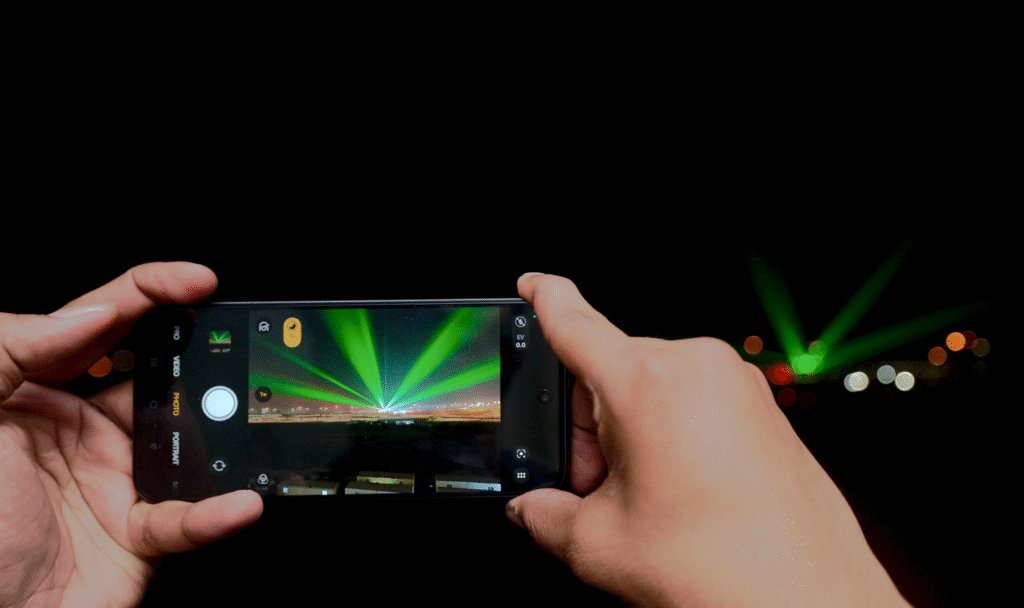
At the rear is another 50MP camera, using a larger 1/2-inch sensor that OPPO says captures 70% more light than its predecessor.
AI Portrait Glow, AI Popout and AI Remix Collage bring the increasingly familiar layer of computational editing into the camera experience, allowing users to manipulate images without moving immediately to third-party applications.
Five years of smoothness?
Underneath, the A7 Pro 5G is powered by the MediaTek Dimensity 6360 MAX, accompanied by OPPO’s NetworkBoost Chip S1 and AI LinkBoost 4.0.
A 4,300mm² Glacier VC Vapor Chamber handles cooling, while software-based resource and memory management is designed to maintain responsiveness as workloads increase.
Perhaps more interesting than outright performance figures is OPPO’s 5-Year Smoothness Protection. The company says the device has passed its five-year smoothness testing, reflecting a wider attempt to position performance around consistency rather than simply launch-day speed.
Naturally, five-year performance cannot be established during a conventional review period, but the emphasis itself is notable. Smartphone replacement cycles are lengthening, making sustained performance, battery health and software optimisation increasingly relevant purchasing considerations.
AMOLED keeps the experience contemporary
The front houses a 6.57-inch FHD+ AMOLED display with a 120Hz refresh rate, up to 1,400 nits of brightness and a 92.8% screen-to-body ratio.
The combination provides the fluid scrolling and vibrant presentation expected from a contemporary AMOLED smartphone, while complementing a device otherwise heavily focused on practical considerations.
Warranty coverage also extends across the GCC, Pakistan, India and Bangladesh, potentially useful for users who regularly travel between these markets.
The 8,000mAh battery will inevitably attract most of the initial attention, but the A7 Pro 5G becomes more interesting when viewed as a complete package. OPPO is combining battery capacity with physical durability, thermal management, connectivity enhancements and longer-term performance optimisation. At the same time, it has avoided turning the device into something that visually resembles a specialist rugged phone.
BY: SRIJITH KN
A different definition of smartphone performance that may ultimately be the A7 Pro 5G’s more relevant proposition. Rather than asking how much faster a smartphone can become every year, OPPO is increasingly asking another question: how much longer can it remain useful?

 Have a question? +971 56 404 0503

























 Trending12 months ago
 Tech News2 years ago

 Automotive2 years ago
 Hospitality2 years ago
 Tech News1 year ago
 VAR2 years ago