
 Have a question? +971 56 404 0503




VAR Features
Capture your Memorable Moments with Canon


Welcome to the exciting world of vlogging in the digital age! It’s a realm where photography enthusiasts can unleash their creativity and share their stories, passions, and perspectives through visually stunning video narratives. If you haven’t joined the vlogging revolution yet, now is the perfect time to dive in and start capturing those memorable moments!
Choosing the right camera is the first step in your vlogging adventure. Take the time to explore online reviews, compare different models, and get hands-on experience at your local stores. Here are five essential tips that will take your vlogging game to new heights:
Embrace Portability and Convenience:
Say hello to pocketable designs! The market offers an impressive array of high-performance, compact cameras that fit perfectly in the palm of your hand. With features that rival larger setups, these lightweight wonders deliver top-notch quality without compromising convenience. Take the Canon PowerShot V10, for example. Its built-in stand ensures stability, and combined with its compact design, gives it an edge over smartphones. Travel light and capture incredible moments effortlessly.

Bring Your Audience Closer with Live Streaming:
Authenticity is the key to connecting with your viewers. Live streaming is the ultimate tool for breaking down barriers and involving your audience in real-time adventures. Let them be a part of your content creation journey and make them feel like rockstars. Don’t hesitate to hit that live button and prepare for an interactive experience like never before.
Add Cinematic Flair with Built-in Filters:
Lights, cameras, filters! Transform your footage into cinematic masterpieces right from the start. Look for a camera equipped with an impressive range of stunning colour filters that add that touch of magic to your shots. With visuals that pop and captivate, you’ll leave your audience in awe.
Embrace the Power of 4K UHD:
When it comes to video quality, don’t settle for anything less than the best. Shoot in glorious 4K UHD and unlock the power of superior clarity and jaw-dropping detail. Even if your final content won’t be in 4K, having that extra resolution gives you the flexibility to zoom in, crop, and create the perfect output. With the Canon PowerShot V10’s exceptional image quality with 4K UHD video capabilities, on par with the PowerShot G7 X, your videos will shine.

Steady Your Shots with Image Stabilization:
Wave goodbye to shaky footage and welcome buttery smooth videos! As a vlogger on the go, capturing crystal-clear shots can be a challenge. But fear not, because image stabilization is here to save the day. Look for a camera equipped with a rock-solid stabilizer that ensures your footage remains sharp, clean, and full of life. With built-in filters, image stabilization, and Wi-Fi/Bluetooth connectivity, the Canon PowerShot V10 is the ultimate tool to unleash your creativity and leave an unforgettable impact.
The Canon PowerShot V10 deserves special attention from vloggers, as it’s tailor-made to meet their needs. With a compact design weighing just 211 grams, a large 1-inch CMOS sensor, built-in high-quality microphones, and a versatile stand, it’s a vlogger’s dream come true. Capture moments in stunning 4K UHD at 29.97/25.00 fps or opt for Full HD at 59.94/50.00 fps. Its ability to capture clear audio in any environment is especially valuable for vloggers, eliminating the frustrations of external noise.
Gear up, unleash your inner superstar, and let the world be amazed by your incredible skills. It’s time to make vlogging magic happen!

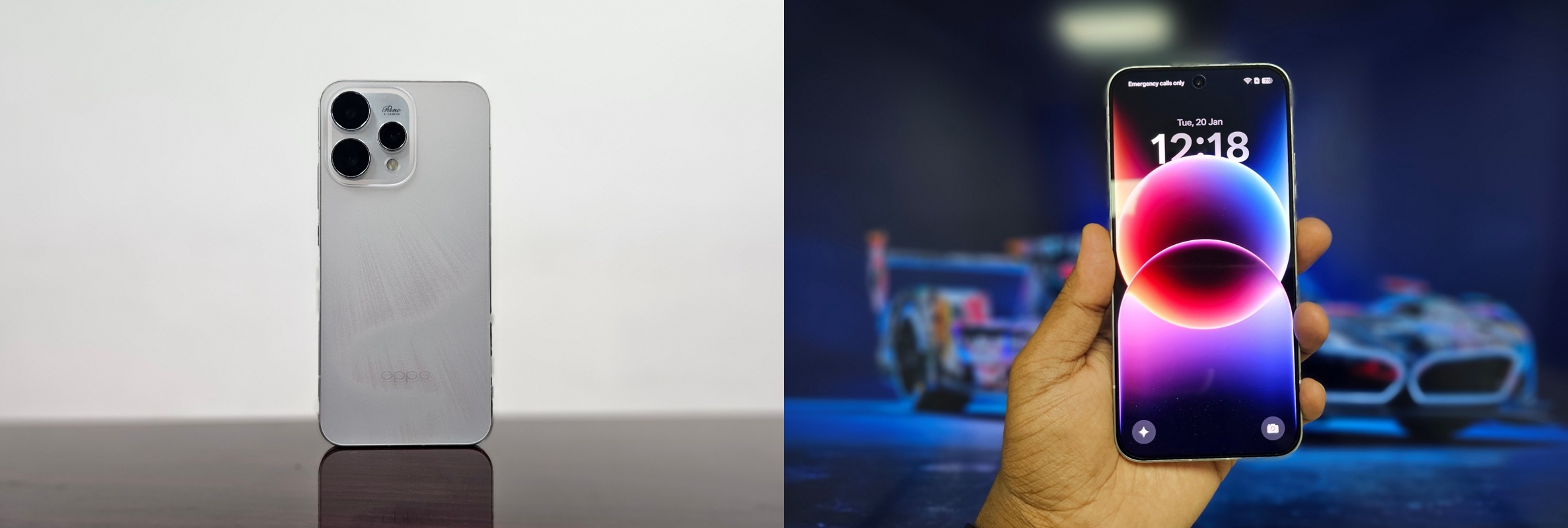
Let me establish something upfront: I don’t get excited about smartphones anymore. After years of testing devices that promise innovation and deliver incremental updates, my expectations have been thoroughly calibrated to disappointment. “Revolutionary camera system” means slightly better night mode. “All-day battery” means you’ll need to charge by dinner. “Premium design” means it looks good in photos but feels cheap in hand.
The OPPO Reno15 5G didn’t really change this perspective. It’s a mid-range device in a crowded segment, launching without major fanfare, promising features we’ve heard before. On paper, it looks competent but not groundbreaking. However, it actually delivers what it promises, and that’s what matters.
The OPPO Reno15 5G isn’t trying to be everything to everyone. It’s laser-focused on one thing: being the best camera phone you can get in the mid-range segment. After a month of real-world testing, I can confidently say it succeeds, although with some minor compromises along the way.
Elegant & Well-Built
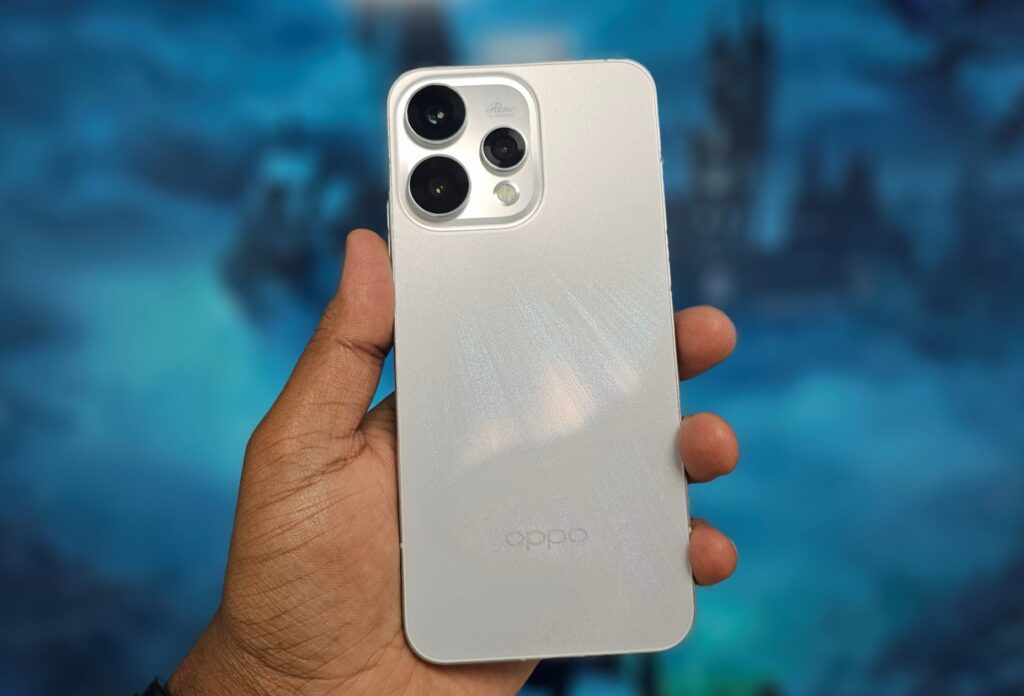
I tested the Aurora White variant, and I need to talk about this design because it’s genuinely special. OPPO calls it the “Dancing Aurora Design,” and in this case, the marketing hyperbole is justified. The back panel features precision-etched textures that recreate the northern lights phenomenon: glow patterns that shimmer and flow as light hits the surface from different angles. The finish also happens to be highly resistant to fingerprints and smudges, which is a practical bonus.
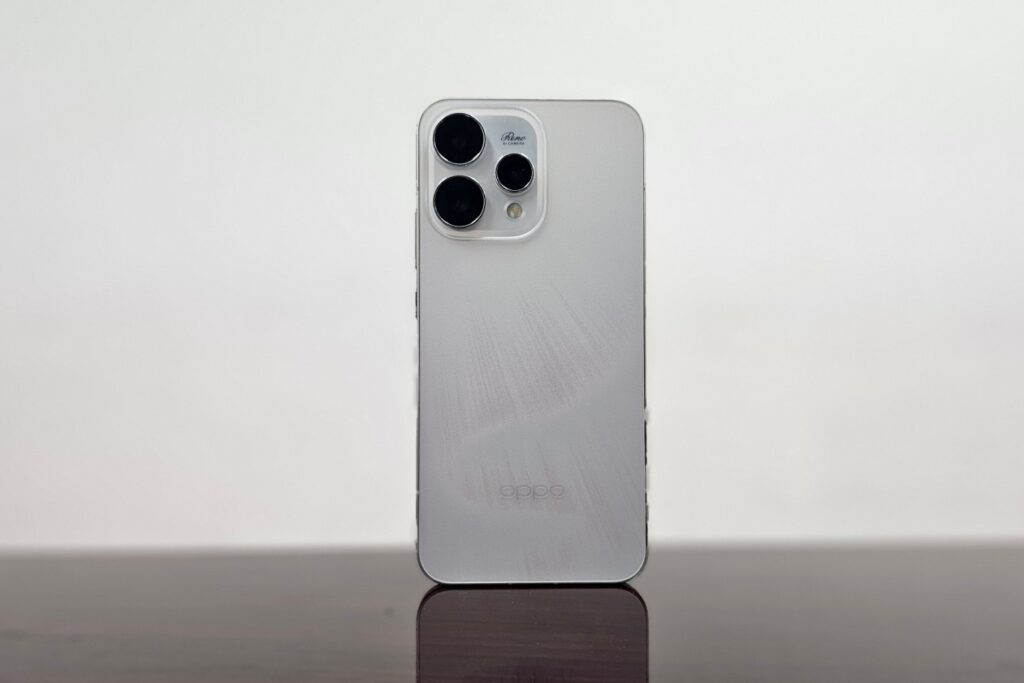
This one-piece sculpted glass design flows seamlessly without visible seams or gaps. Combined with the aerospace-grade aluminum frame and IP69 water resistance, this phone feels premium in hand, more so than its price suggests. At 7.8mm thin and 197g, it strikes an appreciable balance. It’s substantial enough to feel quality-built but not so heavy that extended one-handed use becomes uncomfortable.
ColorOS 16: Fast, Fluid & Polished, But Bloated
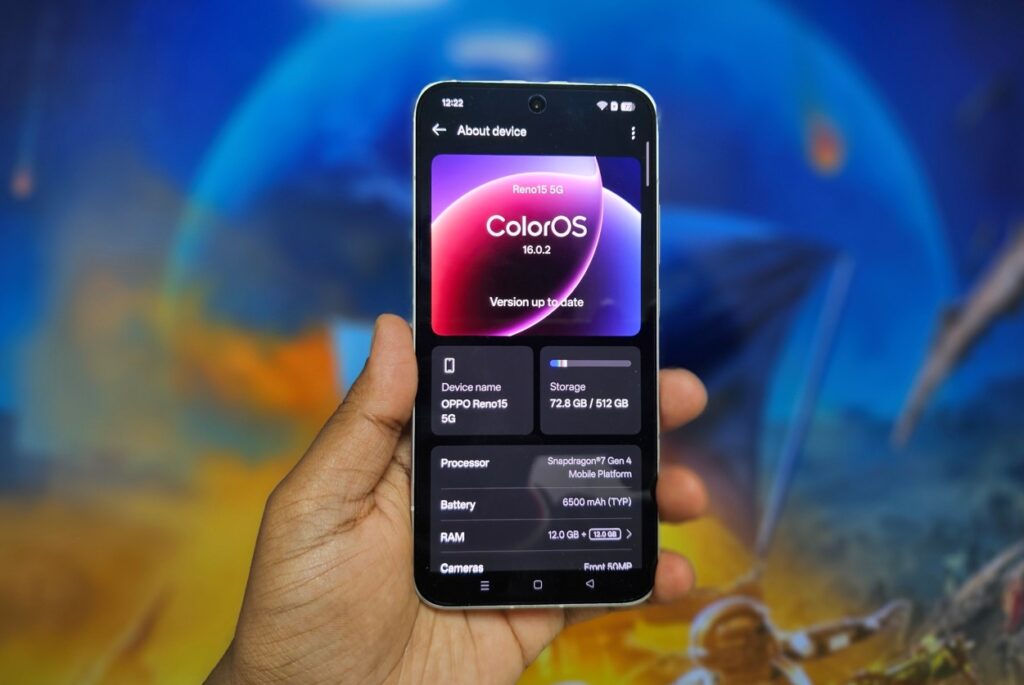
ColorOS 16 based on Android 16 is OPPO’s most refined software yet; but it still can’t escape the bloatware problem that plagues OPPO devices.The new update with upgraded internals, delivers noticeably fluid performance. Every interaction feels smooth, transitions are seamless, and the system maintains consistent responsiveness even under heavy multitasking.
I can run Spotify, Maps, WhatsApp, Chrome with 15 tabs, and camera apps simultaneously without stuttering or app reloads. The OS intelligently balances system resources. In practical terms, this means apps stay in memory longer, and switching between them is instantaneous.
AI Features That Actually Matter:
AI Recording with Transcription: Real-time transcription with speaker identification works surprisingly well. I’ve tested it in meetings: accuracy averages 80-85% with mixed accents, and speaker differentiation is consistent. Auto-generated titles are impressively accurate.
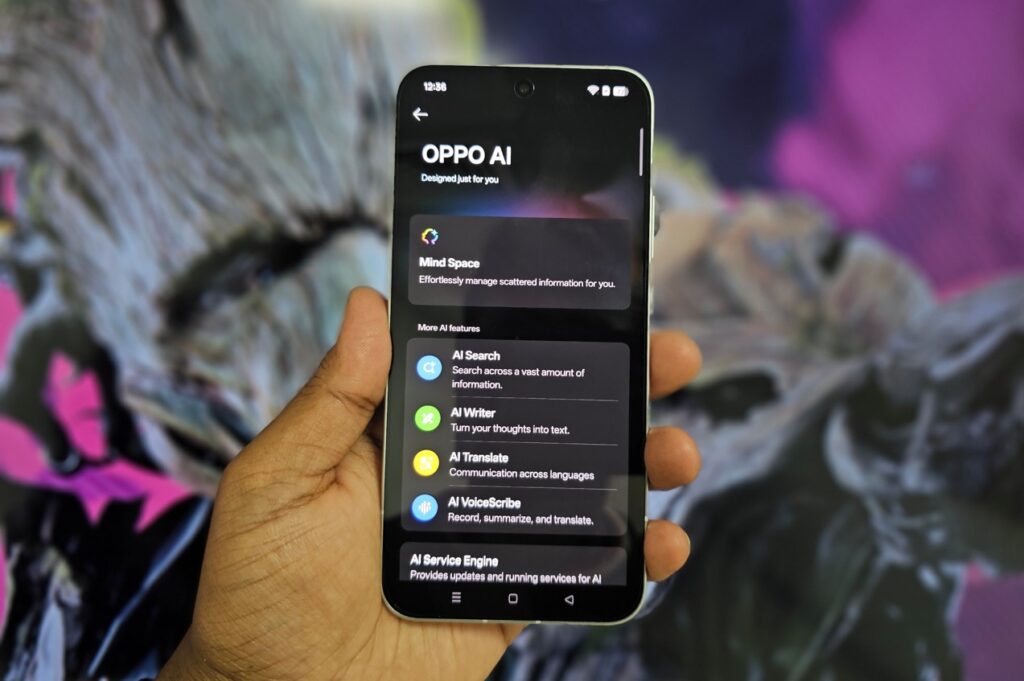
AI Clear Voice: Background noise reduction during calls genuinely works. Tested while walking near construction sites and busy roads; call quality remained clear with minimal background interference.
AI Writer: System-wide text generation for emails, captions, and drafts is convenient but not revolutionary. Quality is comparable to ChatGPT but having instant access without switching apps is genuinely useful.
The Bloatware Problem:
Out of the box, the Reno15 came loaded with unnecessary apps: OPPO’s duplicate app store, pre-loaded games, redundant utilities, and promotional content. Most can be uninstalled, but it requires 15 minutes of cleanup after first setup which is highly recommended.
Worse, some apps persistently send notifications promoting OPPO services and suggesting additional downloads. I had to manually disable notifications for multiple pre-installed apps. This is unacceptable at this price point as it makes the phone feel like it’s marketed at you rather than working for you.
Software Update Commitment:
OPPO promises 4 years of Android updates and 5 years of security updates. Launching with Android 16, that means guaranteed updates through Android 20 and security patches until 2030. For a mid-range device, this is exceptional.
The Triple Rear Camera System: Where Mid-Range Gets Serious
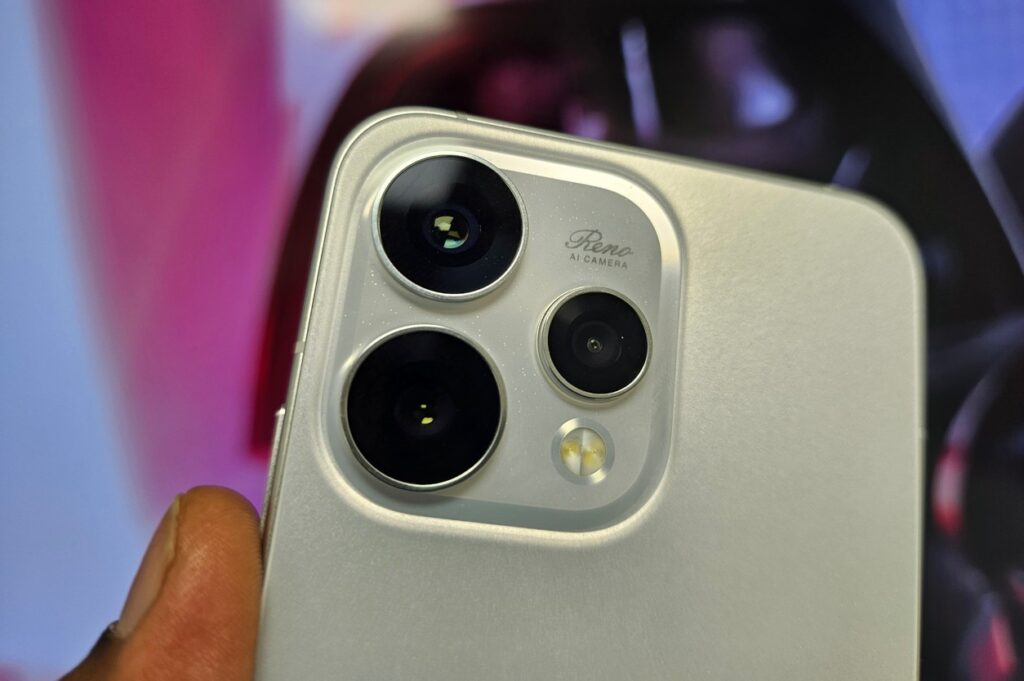
50MP Main Camera (f/1.8, OIS): The main camera is the consistent performer. I’ve shot extensively across Dubai’s extreme lighting conditions: harsh noon sun, deep shadows, golden hour, dim restaurants, and night markets. The camera handles it all with impressive competence.
The f/1.8 aperture and 2-axis OIS combination delivers sharp, well-exposed photos in most conditions. The OIS genuinely works. I can shoot one-handed while walking and still get sharp results about 80% of the time. Dynamic range is legitimately impressive for this price bracket. Backlit scenarios that would turn subjects into silhouettes on most mid-rangers produce balanced, usable photos on the Reno15.
50MP Telephoto (f/2.8, 3.5x optical zoom, OIS): This is the phone’s secret weapon. A 50MP telephoto with 3.5x optical zoom and OIS at this price point? That’s nearly unheard of. The classic 85mm-equivalent focal length is perfect for portraits – natural compression, flattering perspective, beautiful background separation.
I’ve shot dozens of portraits, and the results consistently rival phones costing significantly more. The bokeh looks organic, edge detection is accurate even around messy hair, and skin tones remain natural. The OIS means I can shoot handheld in less-than-ideal lighting and still get sharp results.
The zoom range is practical:
- 3.5x optical: Excellent quality
- 7x digital: Very good for social media
- 10x digital: Acceptable for documentation
- 20x+: Quality degrades rapidly
What genuinely surprised me: the telephoto actually works at night. Most phone telephotos become unusable after sunset. The Reno15’s telephoto with OIS captures usable low-light portraits. Some noise is visible, but shots remain sharp and detailed.
8MP Ultra-Wide: The Weaker Sibling: Here’s where compromises become obvious. The 8MP ultra-wide is adequate at best. Daytime shots are fine, good for landscapes, architecture, and group photos. Distortion is well-controlled, and colors match the main camera reasonably. But at night? Quality drops noticeably. Images come out soft, noisy, and lacking detail. Images are definitely usable, but not as impressive as the other two sensors.
The 50MP Front Camera: Best in Class, Full Stop
Let’s address the standout feature immediately: the 50MP front camera with autofocus is the same sensor used in the Reno15 Pro and Pro Max models. At this price point, having a flagship-grade selfie camera is unprecedented.
Why This Matters:
Most mid-range phones use 16MP or 32MP front cameras with fixed focus and mediocre quality. The Reno15’s 50MP sensor with autofocus captures genuinely detailed selfies that withstand cropping and editing. When you zoom into selfie photos, you can actually see texture, skin detail, and fine elements; they don’t just dissolve into mushy, over-processed blobs.
Autofocus on a Selfie Camera:
This sounds minor until you actually use it. The autofocus ensures sharp selfies whether you’re 30cm away or at arm’s length. It also enables macro-style close-ups. I’ve taken detailed selfies showing individual makeup details, fabric textures, and even eye reflections with perfect focus.
Group Selfies:
The field of view is wide enough to fit 6-7 people comfortably without awkward arm extensions. I tested this at multiple gatherings. the ultra-wide capability means everyone fits in frame without cutting off heads or forcing people to squeeze uncomfortably close.
Video Calls:
The 50MP sensor delivers exceptional video call quality. On Zoom, Google Meet, and WhatsApp video calls, multiple people commented on how sharp and clear my video looked compared to their feeds. For anyone doing frequent video calls or content creation, this front camera alone justifies consideration.
Stereo Speakers: Impressive, and Tunable
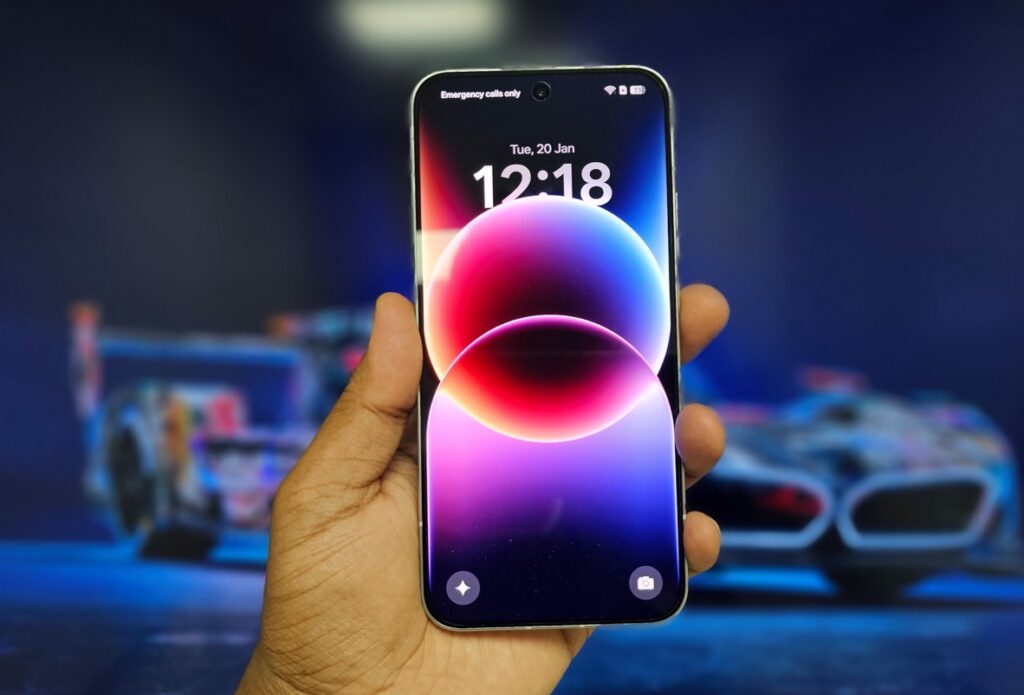
The Reno 15’s dual stereo speaker setup includes a unique “Ultra Volume Mode” that boosts output up to 300% beyond normal maximum volume. In theory, this sounds great for noisy environments. In practice, it’s a mixed bag.
Audio quality is very good. There’s decent bass presence, clear vocals, and controlled high-frequency response. The speakers deliver rich, full sound that’s genuinely enjoyable for media consumption and casual music listening. The stereo separation is good. Watching videos with the phone in landscape orientation provides a satisfying spatial audio experience. Gaming audio feels immersive with clear directional cues.
At 300% Volume in the Ultra Volume Mode, volume definitely increases; it’s genuinely loud enough to hear in very noisy environments. But audio quality deteriorates noticeably. I tested this extensively. For normal use, 70-90% regular volume is ideal. The 300% mode is only useful in specific scenarios; construction sites, extremely loud environments, or emergency situations where you need maximum audibility regardless of quality.
The Fingerprint Scanner: Actually Superfast
The optical in-display fingerprint scanner is genuinely one of the fastest I’ve tested. Recognition is near-instantaneous as there’s virtually no delay between touching the sensor and unlocking. It feels less like authentication and more like the phone simply recognizing you exist.
The registration process is quick and straightforward. The sensor area is well-positioned, easy to reach with your thumb in normal grip. Success rate is exceptionally high in my experience as I’ve tested with wet fingers, slightly oily fingers, and different screen protectors, and it consistently works on the first attempt.
Two-Day Battery Life: Liberation From Charging Anxiety
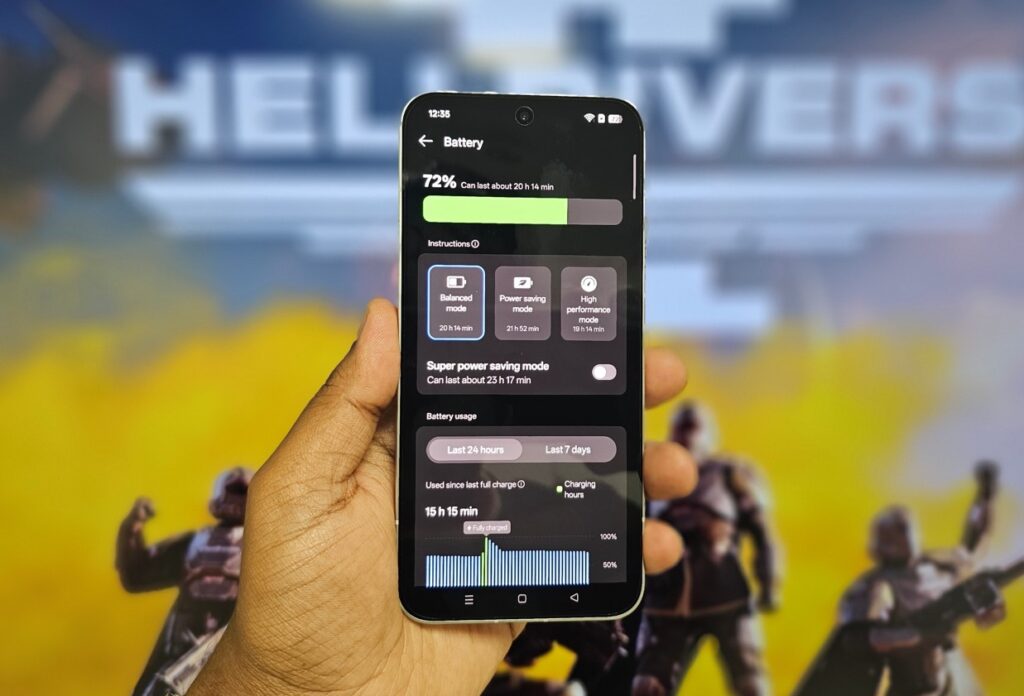
The 6500mAh battery delivers genuine two-day endurance for most users. My usage is heavy with extensive photography, social media, messaging, navigation, music streaming, video calls, and web browsing. Even with this load, I consistently finish full days with 35-40% remaining.
On lighter days (weekends with less photography and screen time), I’ve easily achieved two full days before needing to charge. I’ve forgotten to charge overnight multiple times. Woke up with 43%, proceeded with normal usage including photography, navigation, and media consumption, and still finished the day with 12%. That’s the kind of reliability that eliminates battery anxiety entirely.
When you do need to charge, 80W SUPERVOOC is impressively fast. 0-50% takes about 20 minutes. A full charge from near-empty takes approximately 50 minutes. And critically, OPPO includes the 80W charger in the box; a detail that shouldn’t be noteworthy but has become increasingly rare. The phone also supports battery health optimization. You can set a charging limit to extend long-term battery lifespan. The system can also learn your charging patterns and slow charging overnight to reduce battery stress.
Performance: Good Enough, Not Exceptional
The Snapdragon 7 Gen 4 delivers solid mid-range performance. This isn’t a flagship processor, and OPPO isn’t pretending it is. Apps launch quickly, multitasking is smooth, and daily tasks feel responsive. For typical usage (messaging, browsing, photography, social media, navigation, streaming music), it’s more than adequate. I’ve run Google Maps navigation with Spotify streaming in the background while messaging on WhatsApp and browsing Chrome with 12+ tabs open. Everything continued running smoothly without slowdown or app reloads.
Gaming Performance:
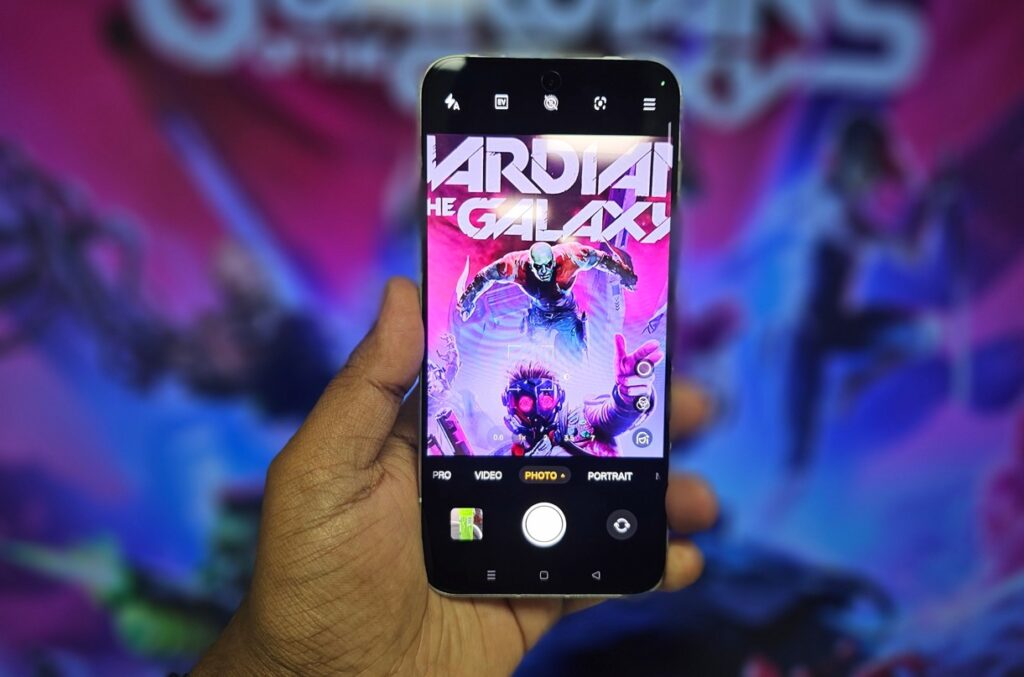
I tested PUBG Mobile and Call of Duty Mobile. At high settings, both run smoothly at 60fps. At maximum settings, frame rates occasionally dip but remain playable. Thermal management is good; the phone gets warm but never uncomfortably hot.
For casual and moderate gamers, performance is perfectly acceptable. You can enjoy popular titles at good visual quality with smooth performance. Competitive gamers demanding absolute maximum frame rates and minimum latency should look to flagship chips, but for everyone else, this processor is sufficient.
Who Should Buy the OPPO Reno15 5G?
Buy it if:
- Camera quality is your priority: This is arguably the best camera phone in the mid-range segment, full stop
- Selfies and video calls matter: The 50MP front camera with autofocus is unmatched at this price
- Portrait photography is important: The 50MP telephoto makes this phone a portrait powerhouse
- You want two-day battery life: 6500mAh delivers genuine endurance
- You value design: The Aurora White finish is genuinely beautiful
Skip it if:
- You need flagship gaming performance: Mid-range chip means mid-range gaming
- Stock Android is essential: ColorOS is feature-rich but heavily customized
The Verdict: Best Mid-Range Camera Phone
The OPPO Reno15 5G is the mid-range camera phone to beat right now. The combination of 50MP main camera, 50MP telephoto, and especially the 50MP front camera creates a photography experience that rivals devices costing significantly more. Add genuine two-day battery life, beautiful design, and fast charging, and you have a compelling package.
The front camera alone makes this phone worth considering for anyone who prioritizes selfies and video calls. Having the same 50MP sensor as the Pro models at mid-range pricing is unprecedented value.But OPPO undermines this with bloatware, persistent promotional notifications, and a weak ultra-wide camera. ColorOS 16 is polished and feature-rich, but the out-of-box experience feels cluttered and commercial rather than premium.
If camera quality (especially selfies and portraits) is your priority, the Reno15 5G delivers exceptional value. Just be prepared to spend 15 minutes cleaning up bloatware and disabling promotional notifications after first setup.
For content creators, selfie enthusiasts, portrait photographers, and anyone who values two-day battery life in a beautifully designed package, this is the mid-range phone to get.
Rating: 8/10
Camera: 9/10 – Exceptional main and telephoto, best-in-class selfie camera, weak ultra-wide
ColorOS 16: 7/10 – Polished and feature-rich, undermined by bloatware
Battery: 9.5/10 – Genuine two-day endurance
Performance: 7.5/10 – Good for daily use, not a dedicated gaming powerhouse
Design: 9/10 – Aurora White color option is genuinely beautiful
Value: 9/10 – Best camera-to-price ratio in mid-range segment
This is the mid-range camera phone I’d actually recommend—just disable the bloatware first.

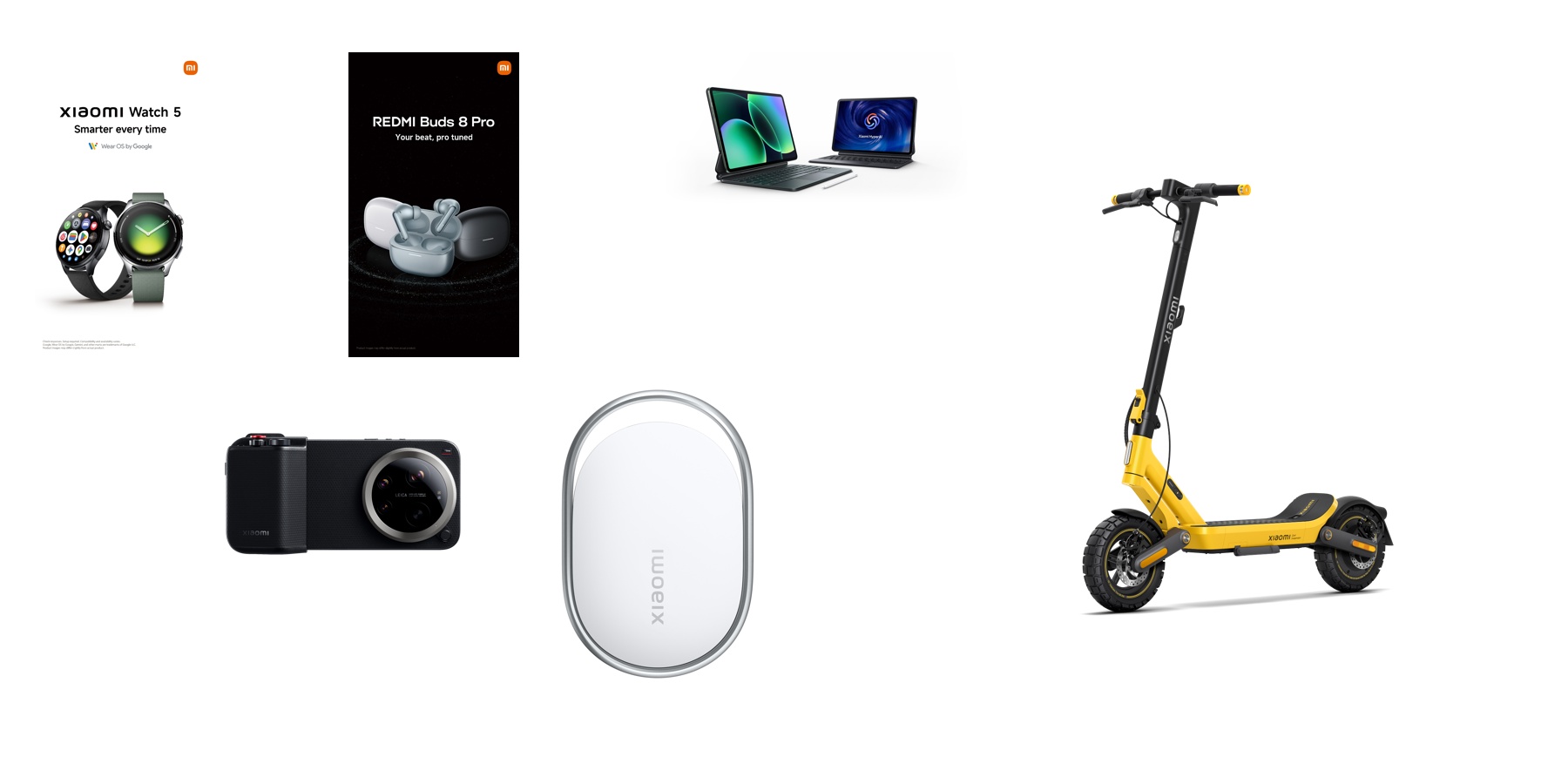
This season is for family, celebrations, and meaningful moments together. Whether you visit loved ones, take a short local trip or enjoy a staycation, Xiaomi’s latest essentials help make the experience smoother and more relaxed.
Designed for comfort, convenience and peace of mind, Xiaomi’s AIoT collection supports the important parts of your day. From getting around easily to staying charged and keeping track of your belongings, these practical tools help you focus on the moments that matter most.
The Xiaomi Pad 8 Series
Whether you’re navigating travel itineraries or keeping the kids entertained during a road trip, the Xiaomi Pad 8 Series offers a cinematic experience on the go.
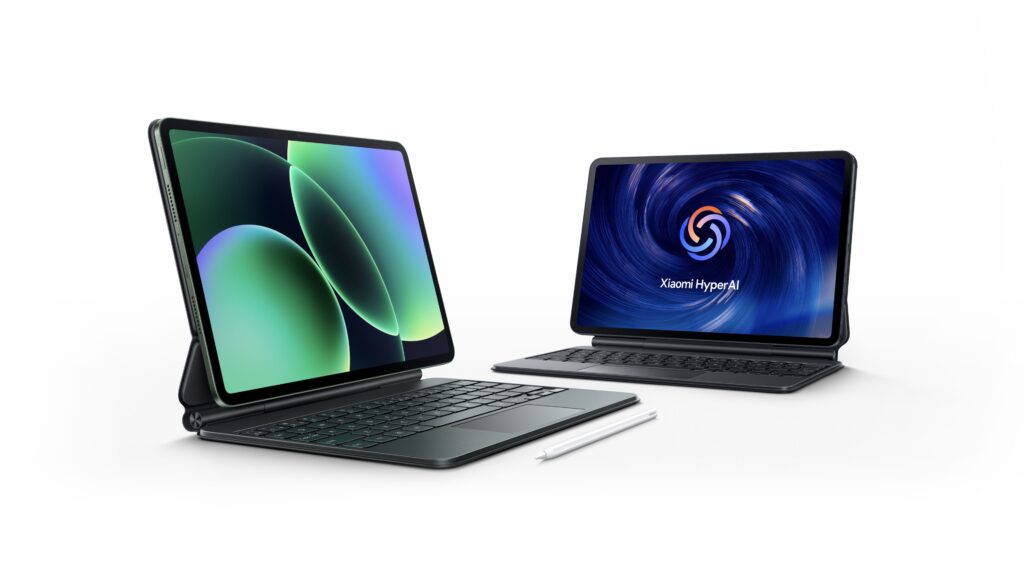
Its ultra-smooth 144Hz display is perfect for catching up on holiday specials or video calling relatives who couldn’t make it, while the slim design makes it an effortless addition to your weekend bag.
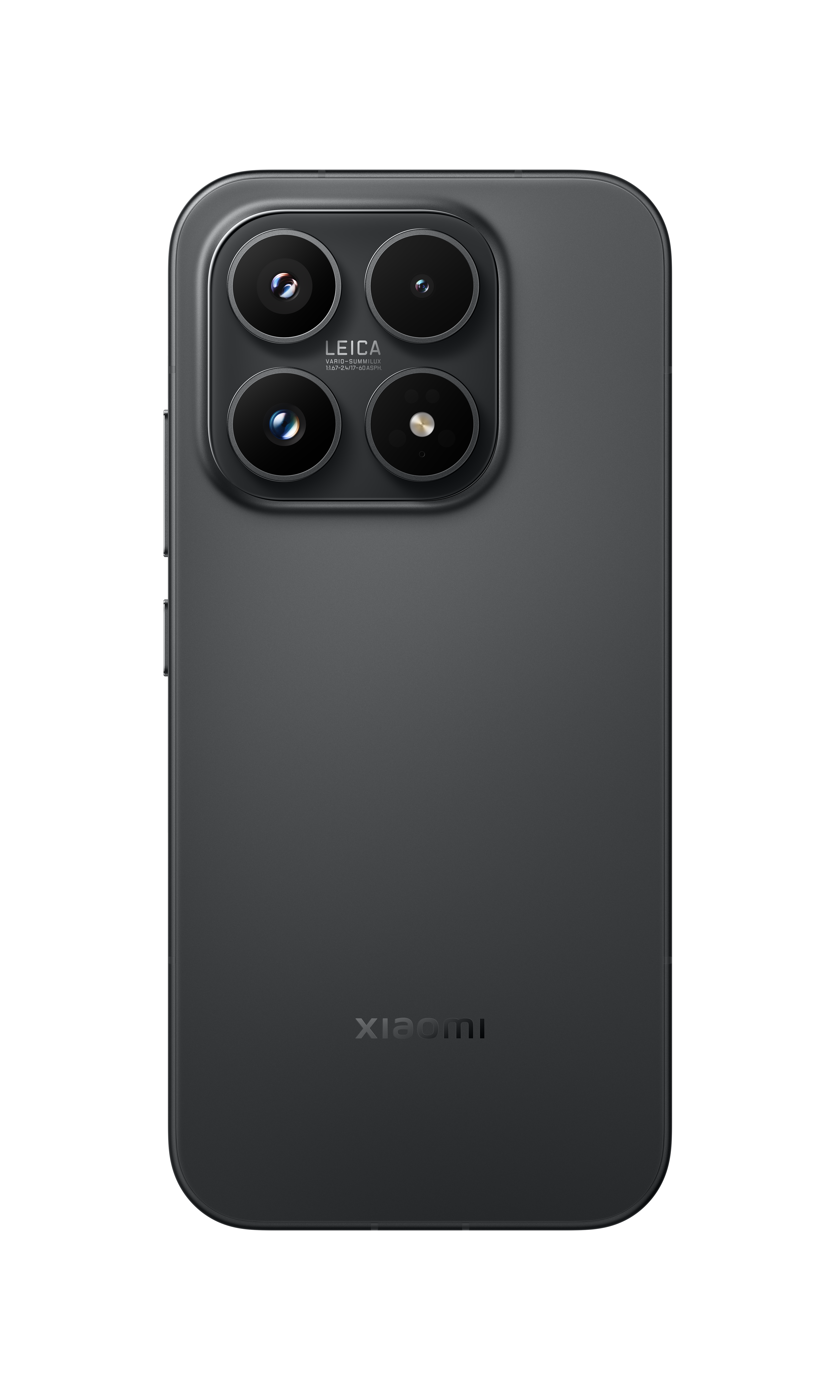
Xiaomi 17 Series
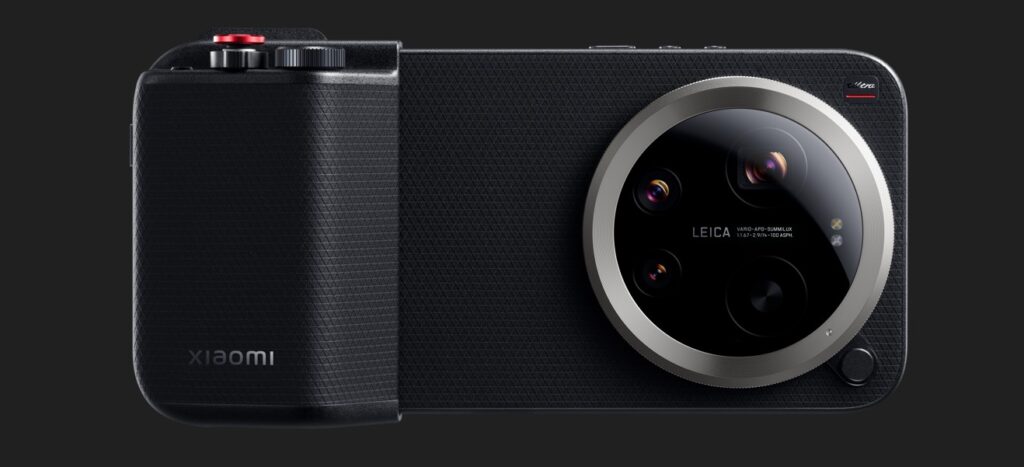
The Xiaomi 17 Series is designed to preserve the spirit of Eid with unmatched clarity. With its advanced Leica optics and the new 1-inch LOFIC sensor on the Ultra, you can capture evening family gatherings and festive lights in stunning detail.
Its long-lasting battery and rapid charging ensure you’re always ready to snap the next portrait or record a heartfelt greeting.
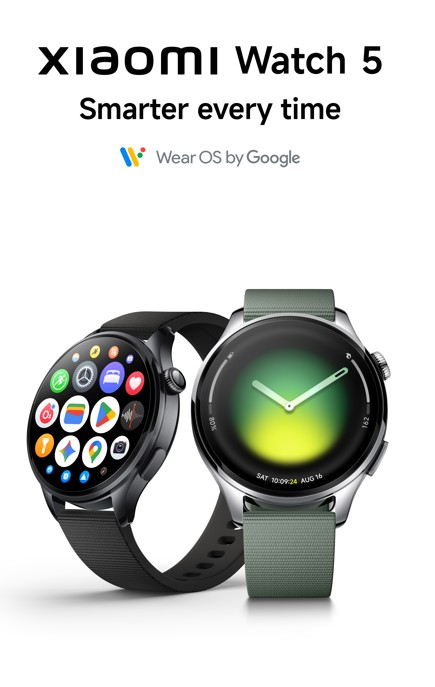
The Xiaomi Watch 5 helps you stay on top of your holiday plans with less fuss. With Google Gemini and Wear OS 6, you can check directions to a family gathering or send greetings using simple voice commands.
Its stainless-steel frame works well with festive looks, while the 6-day battery life helps you stay connected throughout the break.
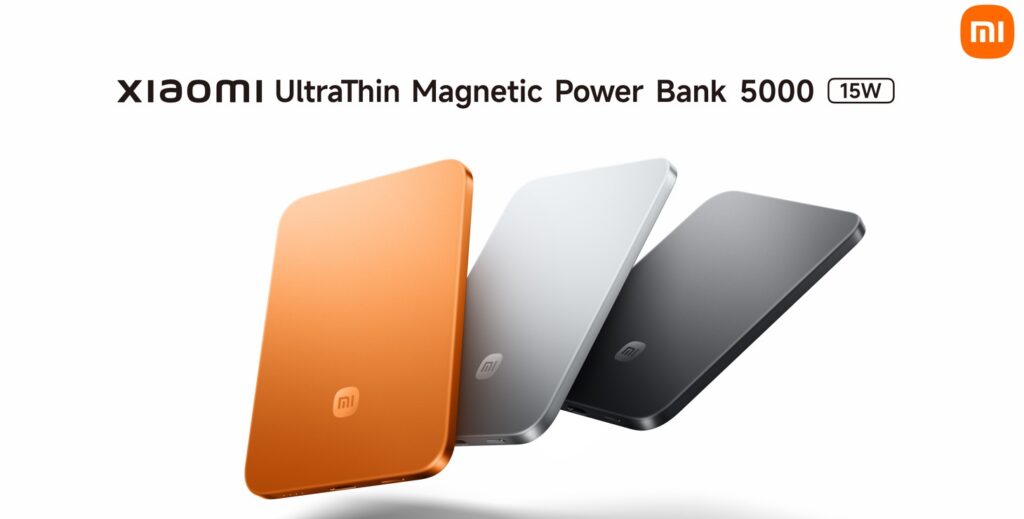
The Xiaomi UltraThin Magnetic Power Bank keeps your phone ready without adding bulk to your bag or pocket. Light and slim, it attaches easily to your device and provides a dependable charge, so you can focus on photos, messages, and directions instead of searching for a charger.

Xiaomi Electric Scooter 6 Ultra
For short city rides, quick visits, and local outings, the Xiaomi Electric Scooter 6 Ultra is designed to feel stable, smooth, and comfortable.
Its dual-swing-arm suspension and 12-inch tires help create a steady ride, making it a practical option for getting around during the holiday with ease.

Redmi Buds 8 Pro
Whether you are on the move or in a busy home, the Redmi Buds 8 Pro offers a more peaceful listening experience. Smart Active Noise Cancellation reduces surrounding noise, and the triple-mic system keeps calls clear, making it easier to stay in touch with family and friends.
Up to 40 hours of extended battery life ensures uninterrupted listening throughout the day, while fast charging support keeps your music going with minimal downtime. With dual-device connectivity, users can seamlessly switch between devices such as smartphones, tablets, or laptops, making everyday listening more convenient and connected.
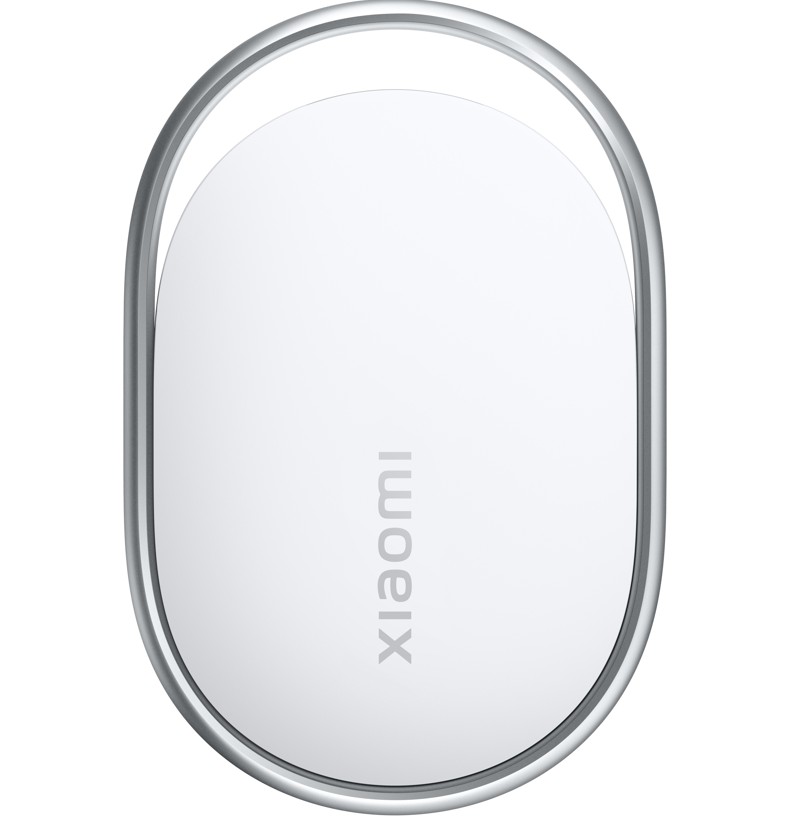
Xiaomi Tag
During busy holiday plans, Xiaomi Tag adds an extra layer of security to items you do not want to lose.
Attach it to luggage, strollers or gift bags for peace of mind while you travel or move between visits.
With a battery life of over a year and a durable build, it is a simple way to keep track of what matters and enjoy the holiday with less worry.
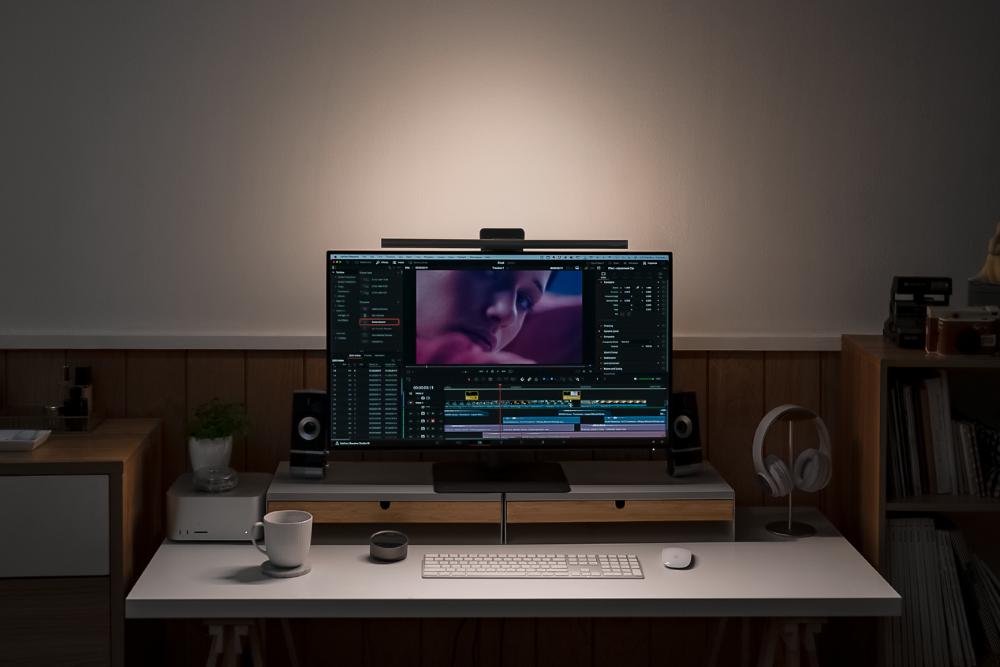
With the introduction of the ScreenBar Series in Dubai, BenQ Middle East has solidified its position as a leader in monitor-mounted lighting by addressing a prevalent problem among desk users: inadequate ambient lighting. Designed for today’s hybrid workers, content creators, and competitive gamers, the ScreenBar line goes beyond traditional task lamps to provide an intelligent illumination solution that responds to both the user and the surroundings.
ScreenBar Halo 2 – A New Benchmark for Visual Balance
At the heart of the series portfolio lies the ScreenBar Halo 2, which has been developed over four years of engineering. Its distinguishing feature is a dual-light setup that includes a forward-facing desk light and a bright rear ambient glow. This design considerably reduces the visual contrast between a bright monitor and a darker space, which is a common cause of eye strain during prolonged screen use. The modified back lighting covers a significantly larger area, resulting in a more natural and immersive lighting environment that appears consistent rather than harsh.
Precision Optics That Protect the Eyes
BenQ’s optical expertise is prominent in the Halo 2’s glare-control technology. The asymmetrical light projection guarantees that light reaches the workstation without overflowing onto the display or shining directly in the user’s eyes. This intricate light structuring keeps on-screen content clear and decreases tiredness, particularly during tasks that need prolonged attention. The ScreenBar Halo 2 is backed by academic research and aligned with international lighting regulations. It maintains a precisely balanced brightness relationship between the monitor and its surroundings, allowing the eyes to remain relaxed for extended periods of time.
ScreenBar Pro: Versatility and Everyday Intelligence
The ScreenBar Pro Black and Silver variants represent a more streamlined version of BenQ’s lighting concept. Their gravity-based clamp technology is designed to fit securely on a variety of monitors, including slim-bezel and curved screens, while providing minimal pressure. Built-in smart features like automatic brightness adjustment, motion-based power control, and memory settings make the experience simple, responding to changing lighting conditions throughout the day.
Design-Led Aesthetics with Fine-Tuned Control
The ScreenBar Series is visually appealing and complements premium workstation settings and creative studios. Developed in partnership with MINIMAL Design, the light’s clean metallic surface and discrete form allow it to fit in rather than overshadow the workspace. A new wireless dial provides smooth, accurate control of brightness and colour temperature. The wide temperature range accommodates anything from warm evening illumination to colder tones suitable for precision activities like as editing, grading, or complex design work.
Verdict: A Thoughtful Investment in Performance and Wellbeing
The BenQ ScreenBar Series presents itself as an essential component of a productive and healthy workspace rather than just an accessory. BenQ has developed a lighting system that promotes long-term comfort without sacrificing performance by fusing scientific research, adaptable technology, and sophisticated industrial design. For professionals, creatives, and gamers who spend long hours in front of a screen, the ScreenBar Halo 2 and ScreenBar Pro provide an outstanding combination of efficiency, visual comfort, and minimalist sophistication, making them a significant enhancement for any modern work environment.

NATUZZI ITALIA ILLUMINATES THE SOUL OF THE HOME WITH THE POETRY OF LIGHT
SIX & SIX PRIVATE ISLANDS TO OPEN SIX DISTINCT RESORTS IN THE MALDIVES OVER SIX YEARS
TRACK24 UNVEILS ATLASNXT TO REDEFINE GLOBAL DUTY‑OF‑CARE AND RISK INTELLIGENCE



-
News10 years ago
SENDQUICK (TALARIAX) INTRODUCES SQOOPE – THE BREAKTHROUGH IN MOBILE MESSAGING
-

 Tech News2 years ago
Denodo Bolsters Executive Team by Hiring Christophe Culine as its Chief Revenue Officer
-
 VAR11 months ago
Microsoft Launches New Surface Copilot+ PCs for Business
-

 Tech Interviews2 years ago
Navigating the Cybersecurity Landscape in Hybrid Work Environments
-

 Tech News8 months ago
Nothing Launches flagship Nothing Phone (3) and Headphone (1) in theme with the Iconic Museum of the Future in Dubai
-

 Automotive1 year ago
AGMC Launches the RIDDARA RD6 High Performance Fully Electric 4×4 Pickup
-

 Trending5 months ago
OPPO A6 Pro 5G Review: Reliable Daily Driver
-

 VAR2 years ago
Samsung Galaxy Z Fold6 vs Google Pixel 9 Pro Fold: Clash Of The Folding Phenoms