Welcome to the exciting world of vlogging in the digital age! It’s a realm where photography enthusiasts can unleash their creativity and share their stories, passions, and perspectives through visually stunning video narratives. If you haven’t joined the vlogging revolution yet, now is the perfect time to dive in and start capturing those memorable moments!
Choosing the right camera is the first step in your vlogging adventure. Take the time to explore online reviews, compare different models, and get hands-on experience at your local stores. Here are five essential tips that will take your vlogging game to new heights:
Embrace Portability and Convenience:
Say hello to pocketable designs! The market offers an impressive array of high-performance, compact cameras that fit perfectly in the palm of your hand. With features that rival larger setups, these lightweight wonders deliver top-notch quality without compromising convenience. Take the Canon PowerShot V10, for example. Its built-in stand ensures stability, and combined with its compact design, gives it an edge over smartphones. Travel light and capture incredible moments effortlessly.
Bring Your Audience Closer with Live Streaming:
Authenticity is the key to connecting with your viewers. Live streaming is the ultimate tool for breaking down barriers and involving your audience in real-time adventures. Let them be a part of your content creation journey and make them feel like rockstars. Don’t hesitate to hit that live button and prepare for an interactive experience like never before.
Add Cinematic Flair with Built-in Filters:
Lights, cameras, filters! Transform your footage into cinematic masterpieces right from the start. Look for a camera equipped with an impressive range of stunning colour filters that add that touch of magic to your shots. With visuals that pop and captivate, you’ll leave your audience in awe.
Embrace the Power of 4K UHD:
When it comes to video quality, don’t settle for anything less than the best. Shoot in glorious 4K UHD and unlock the power of superior clarity and jaw-dropping detail. Even if your final content won’t be in 4K, having that extra resolution gives you the flexibility to zoom in, crop, and create the perfect output. With the Canon PowerShot V10’s exceptional image quality with 4K UHD video capabilities, on par with the PowerShot G7 X, your videos will shine.
Steady Your Shots with Image Stabilization:
Wave goodbye to shaky footage and welcome buttery smooth videos! As a vlogger on the go, capturing crystal-clear shots can be a challenge. But fear not, because image stabilization is here to save the day. Look for a camera equipped with a rock-solid stabilizer that ensures your footage remains sharp, clean, and full of life. With built-in filters, image stabilization, and Wi-Fi/Bluetooth connectivity, the Canon PowerShot V10 is the ultimate tool to unleash your creativity and leave an unforgettable impact.
The Canon PowerShot V10 deserves special attention from vloggers, as it’s tailor-made to meet their needs. With a compact design weighing just 211 grams, a large 1-inch CMOS sensor, built-in high-quality microphones, and a versatile stand, it’s a vlogger’s dream come true. Capture moments in stunning 4K UHD at 29.97/25.00 fps or opt for Full HD at 59.94/50.00 fps. Its ability to capture clear audio in any environment is especially valuable for vloggers, eliminating the frustrations of external noise.
Gear up, unleash your inner superstar, and let the world be amazed by your incredible skills. It’s time to make vlogging magic happen!
Xiaomi’s latest REDMI puts an 8,340mAh battery at the centre of its proposition, but its first surprise is how little that capacity dictates the overall design.
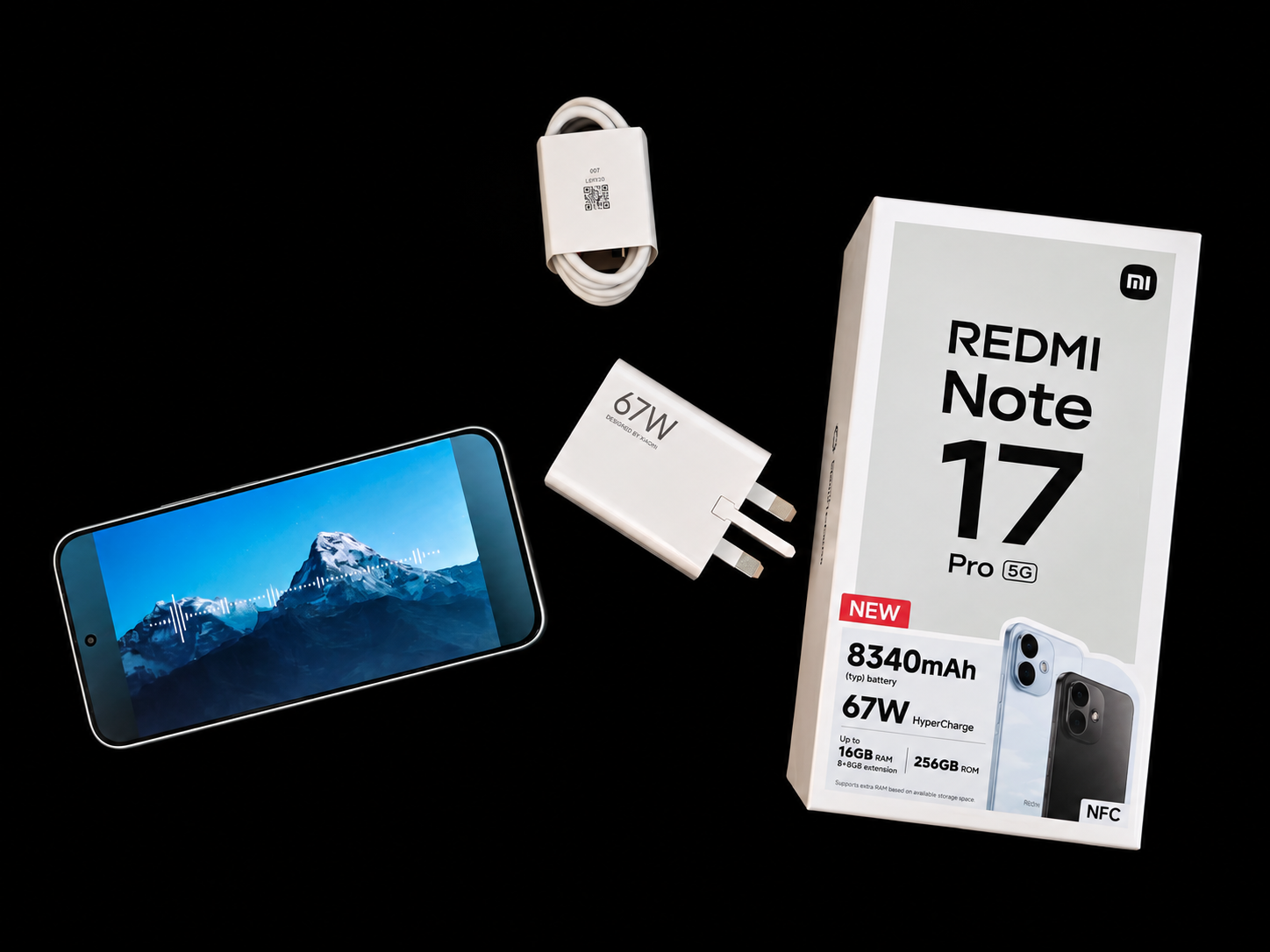
There is no shortage of smartphones competing on camera specifications, AI features and processing performance. With the REDMI Note 17 Pro 5G, however, one number immediately demands attention: 8,340mAh.
SRIJITH KN
This is also my first proper experience with a Xiaomi smartphone, which means I’m approaching the Note 17 Pro 5G without years of familiarity with REDMI or HyperOS.
My first instinct was therefore to put it alongside something I know very well: my Nothing Phone (3). The comparison is surprisingly revealing. Both devices occupy similar territory in terms of overall thickness, with the REDMI appearing marginally slimmer from certain angles, while the Nothing feels slightly heavier in the hand. Considering the 8,340mAh battery inside the REDMI, that’s an impressive piece of packaging.
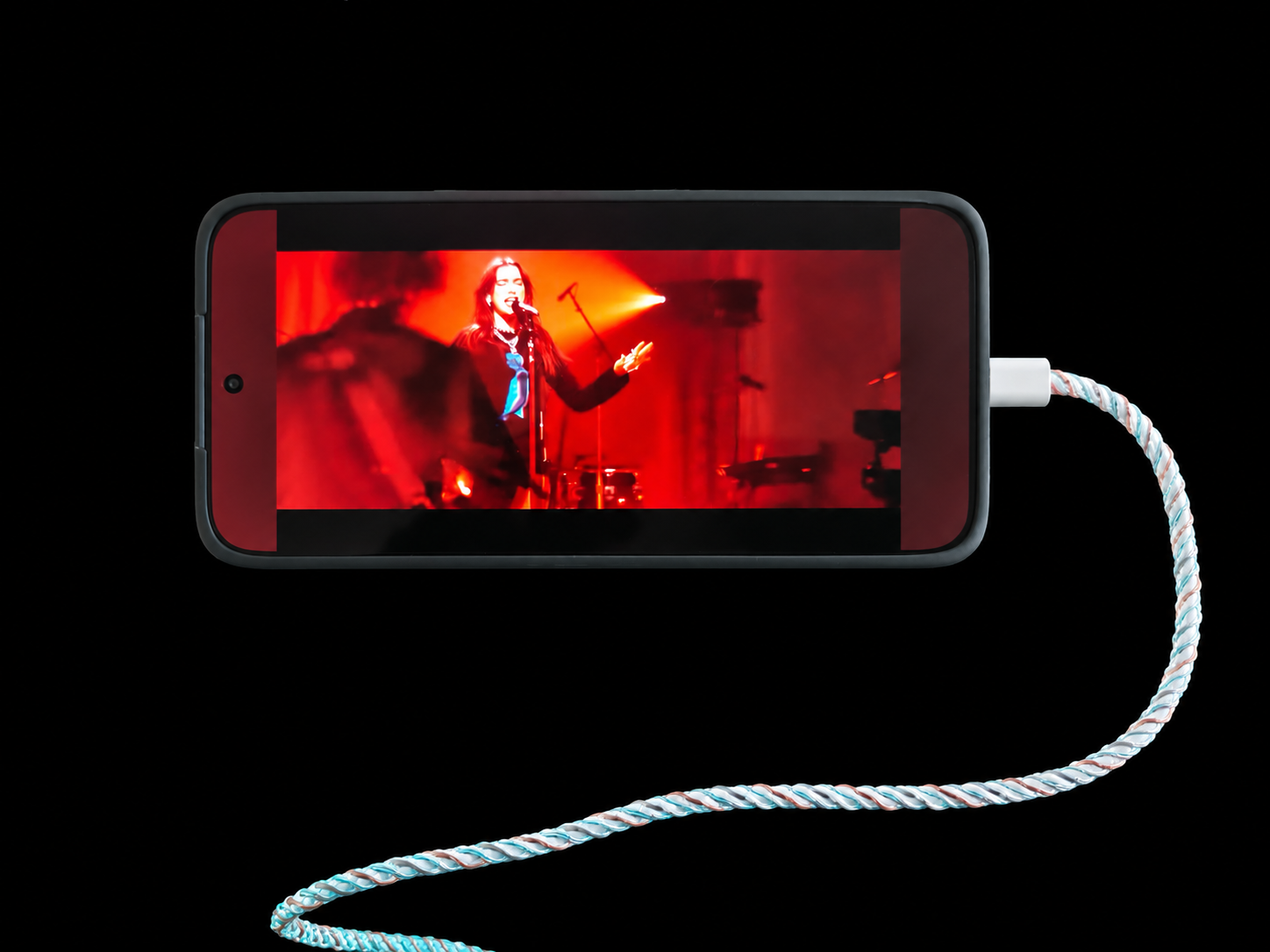
An 8,000mAh-plus battery still sounds like something that should require an obvious compromise in size and weight. And Phone is paired with 67W HyperCharge, which is a very welcome sight.
In the short time I’ve spent with the Note 17 Pro 5G, that compromise isn’t immediately apparent.
More than its battery
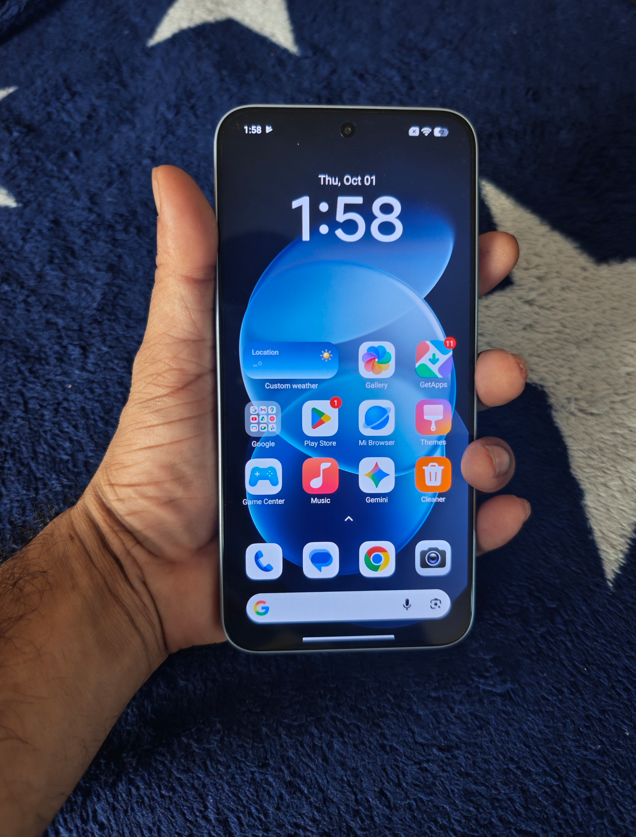
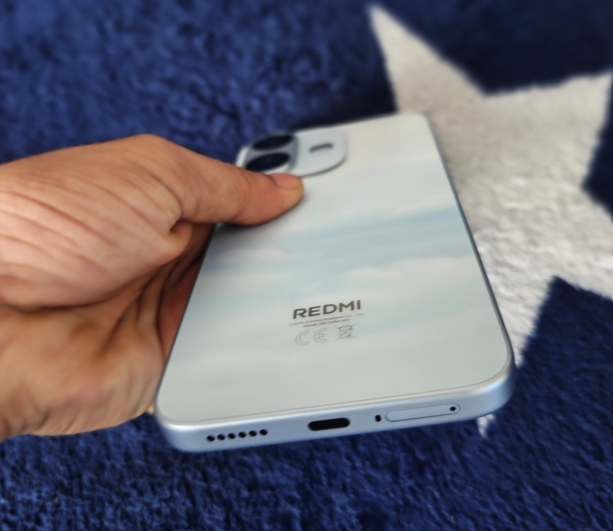
The design helps. Flat sides give the device a contemporary appearance, while the Sky Blue finish of our review unit is understated rather than attention-seeking. The rear camera module is also relatively restrained. It’s unquestionably a large smartphone, but it doesn’t feel like a specialist endurance device built around its battery.
The display reinforces that impression. Initial video streaming has produced punchy colours and an enjoyable viewing experience, although outdoor visibility and extended media consumption will require further testing.
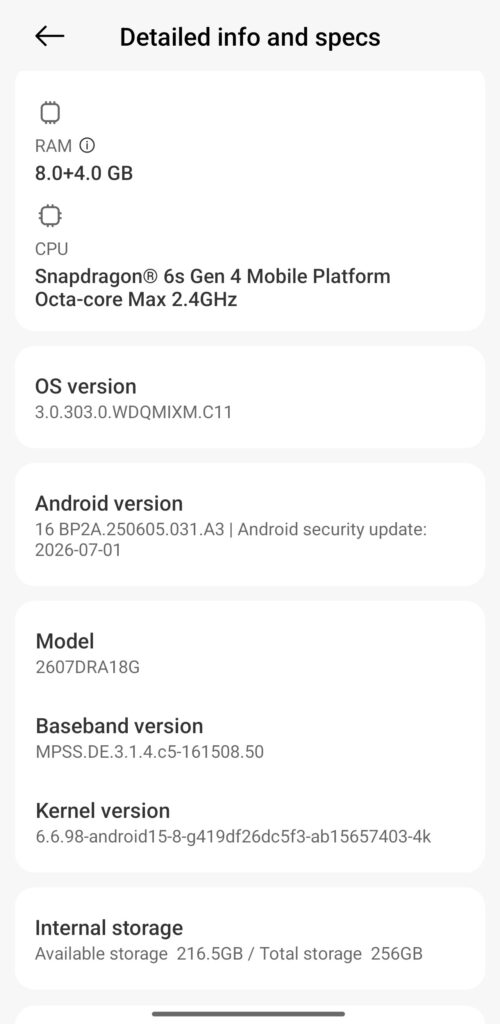
Inside, the Note 17 Pro 5G combines the Snapdragon 6s Gen 4 with 8GB of RAM on our review unit, which isn’t actually that impressive, supplemented by 4GB of memory extension. There is 256GB of internal storage.
During initial setup, browsing, app switching, video streaming and camera use, performance has felt fluid. Those observations remain just that, however — initial impressions rather than conclusions about sustained performance.
The speakers sound decent too, although the tuning seems to favour the treble slightly more than the bass. Vocals and higher frequencies come through clearly, but I’d have liked a little more low-end weight.
A first encounter with HyperOS
HyperOS is equally new territory for me.
Coming to the platform without established MIUI or HyperOS habits makes the experience interesting. Navigation has been straightforward and the software has so far stayed out of the way.
It hasn’t immediately won me over, but neither has it presented anything significant enough to put me off. Longer use will be needed before reaching conclusions about the software experience.
The same restraint applies to the cameras. I’ve begun taking photographs with the phone, but a small collection of daylight images isn’t enough to judge camera consistency. The next few days should provide a better mixture of subjects and lighting conditions.
8,340mAh meets the real world
Battery endurance is naturally the bigger question.
The software is already presenting some ambitious remaining-use estimates, but figures generated during the first hours of a newly configured smartphone don’t tell us much about real-world endurance.
A more useful test happens next.
I’m travelling to India, which means the REDMI will face exactly the sort of mixed workload that makes a large battery relevant: airport use, photography, navigation, messaging, mobile connectivity, streaming and extended periods away from a charger.
Perhaps the most important first impression, then, isn’t how large the battery is. It’s how successfully Xiaomi has prevented that battery from dominating the experience of using the device.
Cameras
The REDMI Note 17 Pro 5G keeps its camera hardware relatively straightforward. At the rear is a 50MP main camera with an f/1.8 aperture, 5P lens and optical image stabilisation (OIS), accompanied by an 8MP ultra-wide camera with an f/2.2 aperture. Up front, Xiaomi uses a 16MP selfie camera with an f/2.4 aperture.
There is a decent selection of shooting modes, including HDR, Portrait, Ultra HD, Panorama, Pro mode and Live Moment, while an Underwater mode is also supported, with availability through an OTA update. Xiaomi also offers Dual Video, allowing the front and rear cameras to record simultaneously.
Video specifications are more modest: both the rear and front cameras top out at 1080p at 30fps, rather than offering 4K recording. For my first impressions, however, I’m more interested in seeing how that 50MP OIS camera handles everyday photography, particularly during my upcoming travel.
Price completes the proposition
The REDMI Note 17 Pro 5G is priced at AED 1,499 for the 8GB + 256GB configuration, rising to AED 1,749 for 8GB + 512GB. It will be offered in Sky Blue, Satin Orange, Purple and Black.
At AED 1,499, an 8,340mAh battery certainly gives Xiaomi an obvious headline specification. The more important question is whether the display, cameras, performance and software combine to make the Note 17 Pro 5G more than simply a phone with a very large battery.
That’s something only more time with the device will answer.
For now, though, Xiaomi’s first achievement is surprisingly simple: 8,340mAh doesn’t feel like 8,340mAh.
OPPO A7 Pro 5G puts longevity at the centre of the smartphone experience!
With an 8,000mAh battery, dual 50MP cameras, IP69K protection and a five-year smoothness promise, OPPO’s latest A Series smartphone makes a strong case for devices designed around longer-term ownership.
Smartphone launches have traditionally revolved around faster processors, increasingly sophisticated cameras and, more recently, AI. With the A7 Pro 5G, OPPO is putting another consideration firmly into the conversation: how well a smartphone can hold up over time.
At the centre of that proposition is an enormous 8,000mAh battery. Large-capacity batteries are becoming increasingly common, but what is interesting about the A7 Pro 5G is how little the battery dictates the physical character of the phone.
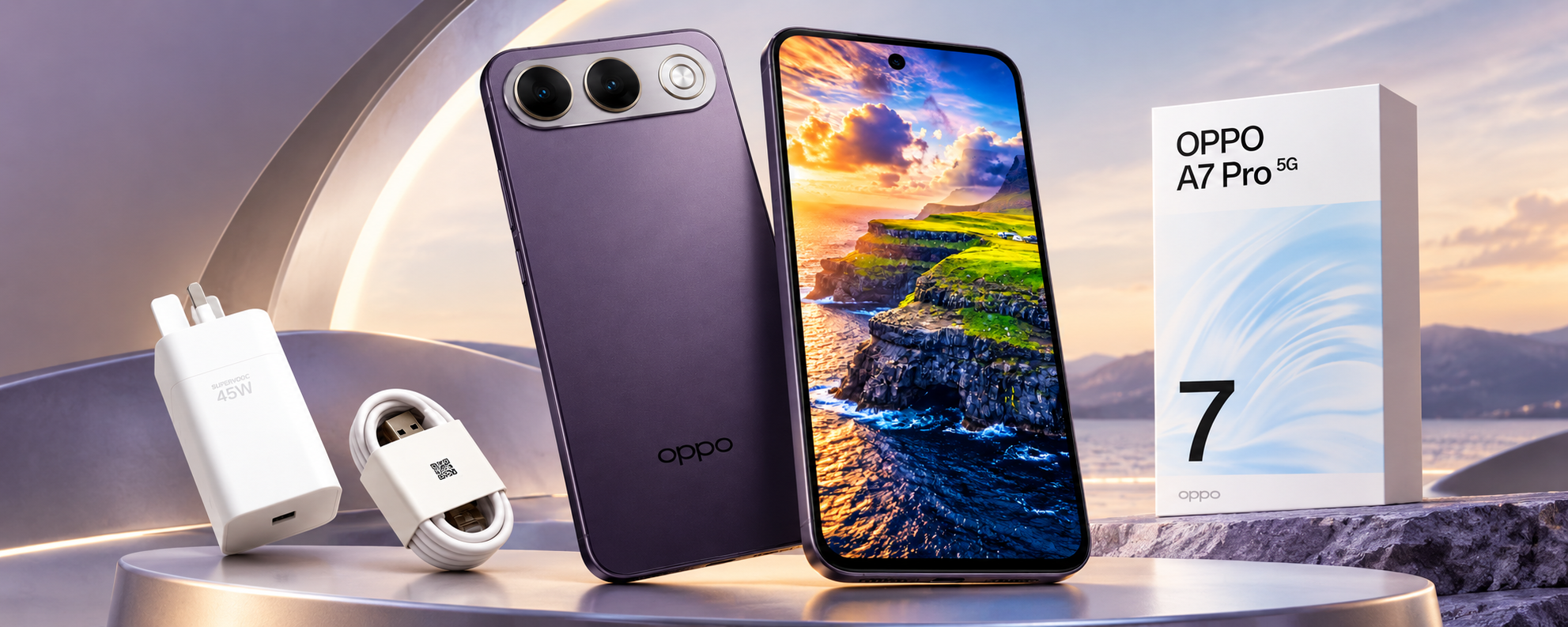
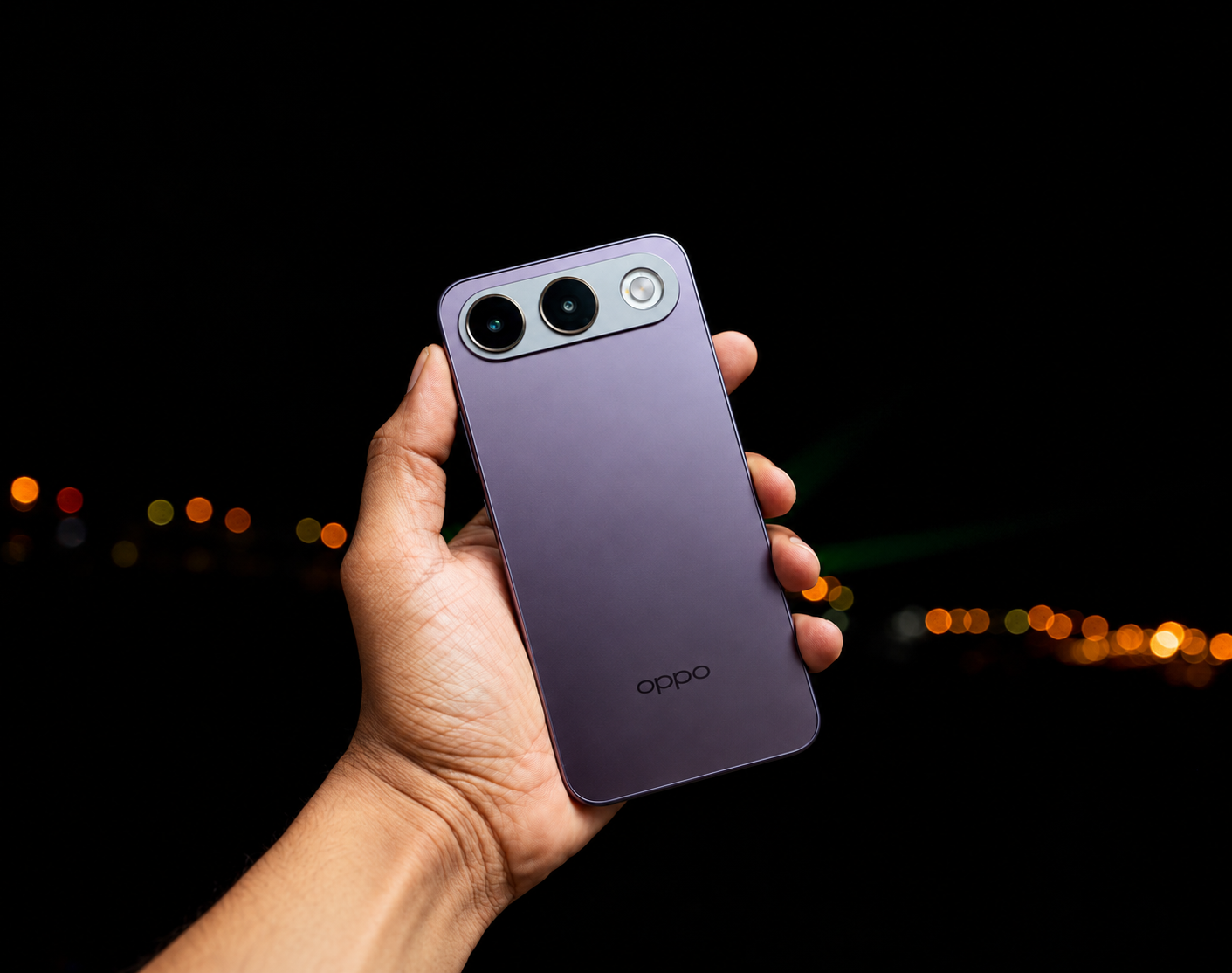
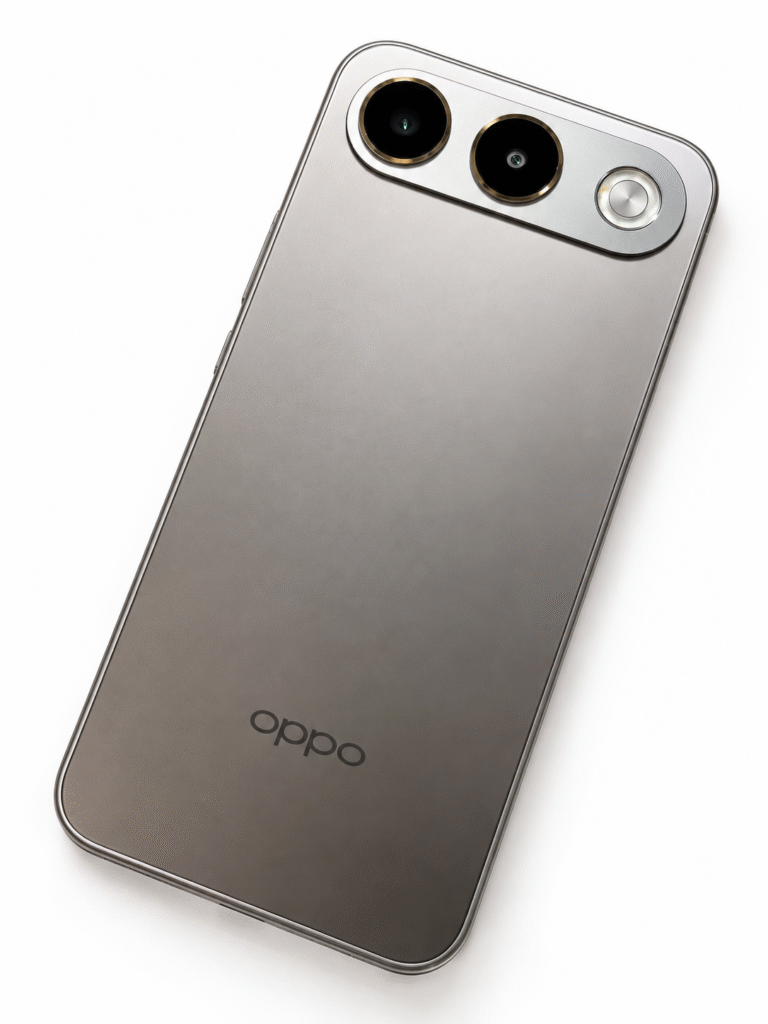
Despite the capacity, the device does not immediately look or feel like a rugged smartphone. The Shine Titanium review unit has an understated finish, while the alternative Surfing Blue introduces a more distinctive Dynamic 3D Wave Texture.
That relatively conventional appearance hides some serious durability credentials.
Built for longer ownership
The A7 Pro 5G carries IP69K dust and water resistance alongside military-grade shock resistance. Rainstorm Touch is designed to keep the display responsive even when used in heavy rain.
The longevity argument extends to the battery itself. OPPO says it can retain more than 80% of its rated capacity after 2,000 complete charging cycles, underpinning the company’s six-year battery durability proposition.
This matters because battery degradation remains one of the most noticeable compromises as smartphones age. Increasing capacity solves part of that equation; maintaining useful capacity several years into ownership potentially solves another.
Reverse wired charging also allows the A7 Pro 5G to supply power to another connected device, adding some practical value to that substantial battery reserve.
Selfies get the 50MP treatment
OPPO has also placed considerable emphasis on the front-facing camera.
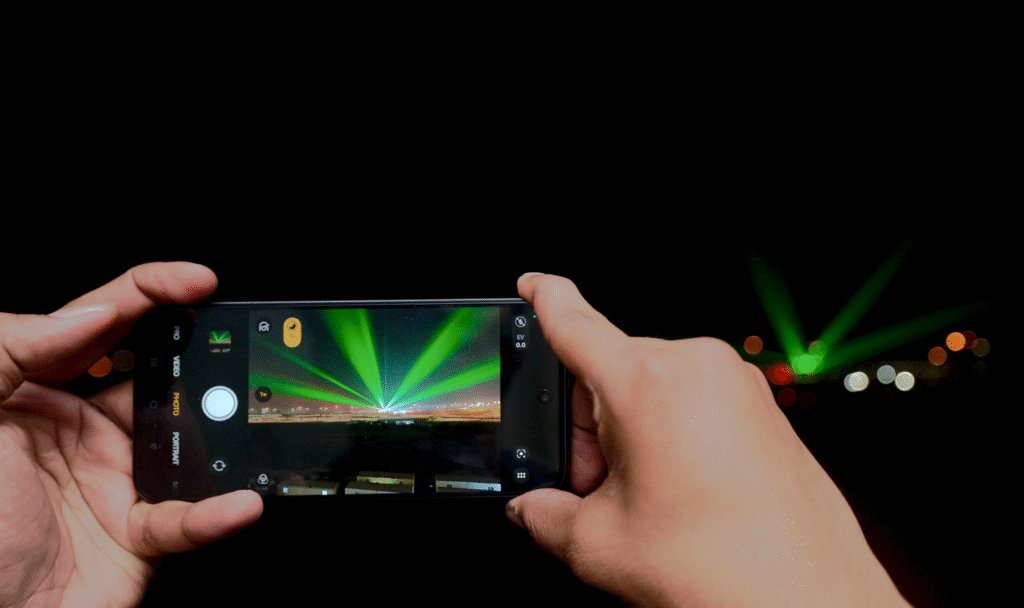
The 50MP Ultra-Wide AI Zoom Selfie Camera offers a 100-degree field of view and can automatically move between 1x and 0.6x framing when additional people enter the shot.
It is a useful approach for group photographs, travel and increasingly video-led social content, where a wider front camera can make considerably more sense than simply increasing resolution. Ultra-steady video has also been included to improve handheld recording.
At the rear is another 50MP camera, using a larger 1/2-inch sensor that OPPO says captures 70% more light than its predecessor.
AI Portrait Glow, AI Popout and AI Remix Collage bring the increasingly familiar layer of computational editing into the camera experience, allowing users to manipulate images without moving immediately to third-party applications.
Five years of smoothness?
Underneath, the A7 Pro 5G is powered by the MediaTek Dimensity 6360 MAX, accompanied by OPPO’s NetworkBoost Chip S1 and AI LinkBoost 4.0.
A 4,300mm² Glacier VC Vapor Chamber handles cooling, while software-based resource and memory management is designed to maintain responsiveness as workloads increase.
Perhaps more interesting than outright performance figures is OPPO’s 5-Year Smoothness Protection. The company says the device has passed its five-year smoothness testing, reflecting a wider attempt to position performance around consistency rather than simply launch-day speed.
Naturally, five-year performance cannot be established during a conventional review period, but the emphasis itself is notable. Smartphone replacement cycles are lengthening, making sustained performance, battery health and software optimisation increasingly relevant purchasing considerations.
AMOLED keeps the experience contemporary
The front houses a 6.57-inch FHD+ AMOLED display with a 120Hz refresh rate, up to 1,400 nits of brightness and a 92.8% screen-to-body ratio.
The combination provides the fluid scrolling and vibrant presentation expected from a contemporary AMOLED smartphone, while complementing a device otherwise heavily focused on practical considerations.
Warranty coverage also extends across the GCC, Pakistan, India and Bangladesh, potentially useful for users who regularly travel between these markets.
The 8,000mAh battery will inevitably attract most of the initial attention, but the A7 Pro 5G becomes more interesting when viewed as a complete package. OPPO is combining battery capacity with physical durability, thermal management, connectivity enhancements and longer-term performance optimisation. At the same time, it has avoided turning the device into something that visually resembles a specialist rugged phone.
BY: SRIJITH KN
A different definition of smartphone performance that may ultimately be the A7 Pro 5G’s more relevant proposition. Rather than asking how much faster a smartphone can become every year, OPPO is increasingly asking another question: how much longer can it remain useful?
With a huge 13-inch display, a 10,100mAh battery and familiar Android productivity tools, HONOR’s Pad X9b Max makes a convincing case for going big, although its size brings compromises of its own.
BY Srijith KN, Senior Editor, Integrator Media
The HONOR Pad X9b Max makes its intentions clear almost immediately. With a 13-inch display, this is not a tablet designed primarily around compactness. It wants to give you enough screen to watch, browse, multitask and, increasingly, get some proper work done.
That became the most interesting part of my time with it.
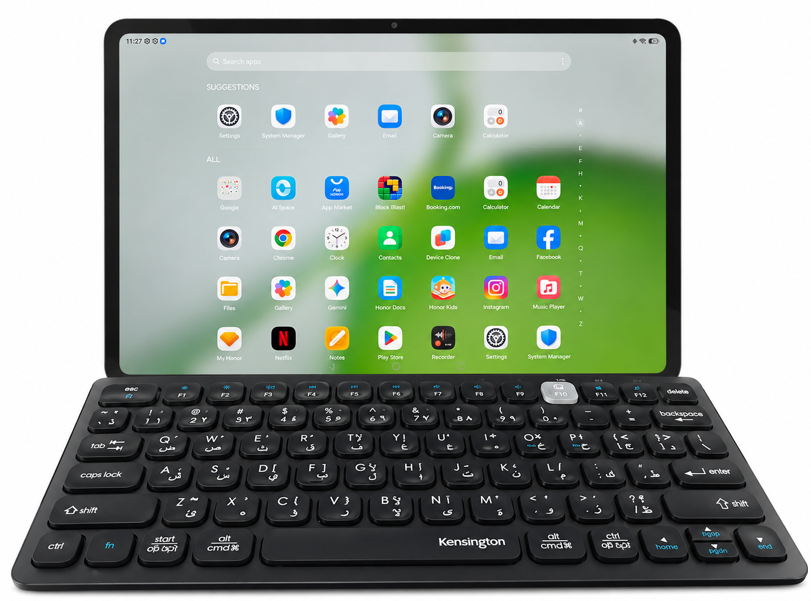
Rather than approaching the Pad X9b Max purely as an entertainment device, I connected a Bluetooth keyboard and began using it for documents, browsing, ChatGPT and some of the everyday tasks I would normally reach for my laptop to handle.
The result is a tablet that gets surprisingly close to feeling like a lightweight workstation in the right circumstances, although whether you would actually leave the laptop behind is a slightly more complicated question.
A 13-inch display that makes a difference
The headline feature is undoubtedly that 13-inch LCD display.
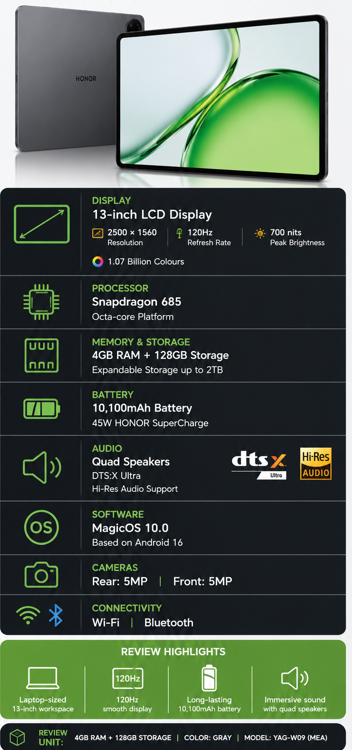
At 2500 × 1560 resolution and with a refresh rate of up to 120Hz, there is plenty of space here for websites, documents and video. But the more important point is simply how much larger everything feels when you start working on it.
I happened to have a Huawei MatePad 11.5 alongside the HONOR during testing, and putting the two next to each other made the difference immediately apparent. The Huawei feels much more like a conventional portable tablet. The Pad X9b Max begins moving into laptop territory.
Documents have more room to breathe, websites feel less constrained and working with text is particularly pleasant. I noticed this while using ChatGPT, where longer conversations almost began to resemble working inside a document rather than interacting with a mobile application.
The 120Hz refresh rate also helps keep scrolling and general navigation fluid, while the large canvas makes multitasking considerably more attractive than it is on smaller tablets.
There is, however, an obvious trade-off.
A 13-inch tablet isn’t something I would choose specifically because I wanted the smallest device possible in my bag. The size that makes the X9b Max so appealing on a desk is also what makes smaller tablets easier to carry and use casually.
That’s the fundamental compromise here: I prefer the HONOR when I’m sitting down to work; I prefer the idea of a smaller tablet when I have to carry it.
Productivity becomes part of the proposition
Pair the Pad X9b Max with a keyboard and the large display begins making considerably more sense.
I used a Kensington Bluetooth keyboard during testing, and the combination worked well for writing, browsing and moving between applications. Microsoft Word introduced its own subscription-related complications, but that’s more a reflection of Microsoft’s software model than a limitation of HONOR’s hardware.
The wider Android ecosystem is also important. With MagicOS and access to familiar Google applications, getting my usual collection of services onto the tablet was straightforward.
My review unit comes with 4GB of RAM and 128GB of storage, so this isn’t hardware I would position as a replacement for a high-performance notebook. But for everyday productivity — web applications, writing, email, research, media and lighter multitasking — the experience makes a convincing argument for using the tablet instead of reaching for a laptop every time.
Expandable storage also gives the X9b Max additional flexibility for users carrying large collections of documents or media.
Built for entertainment too
Of course, productivity is only half the appeal of having this much screen.
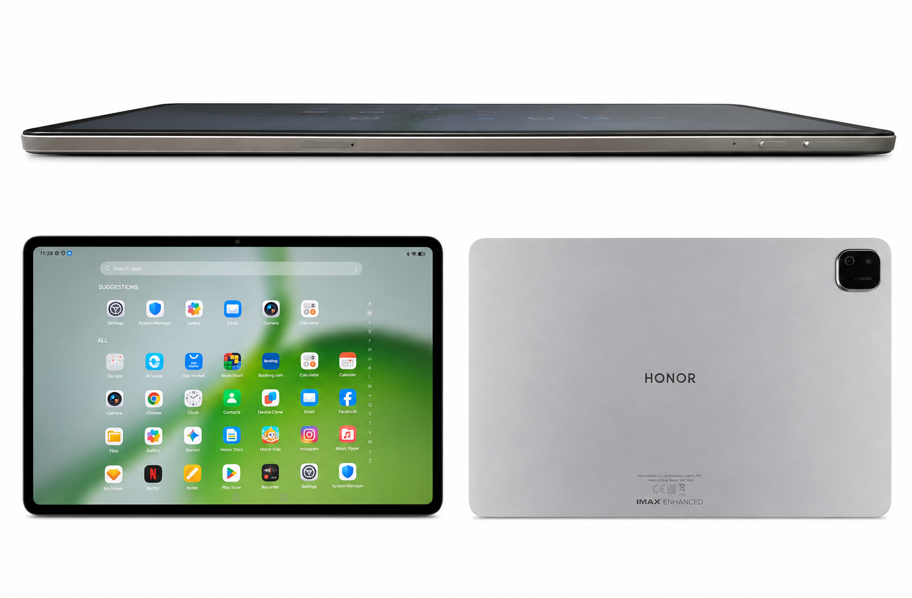
The Pad X9b Max’s size makes video one of its natural strengths. HONOR has paired the display with a quad-speaker system, DTS:X Ultra and IMAX Enhanced support, reinforcing the tablet’s entertainment credentials.
And this is where having 13 inches requires considerably less justification. Video simply benefits from the additional scale, whether you’re watching from a desk, sofa or bed.
It also means the Pad X9b Max can comfortably switch roles during the day: a document and browser screen while working, followed by a sizeable personal entertainment display once the keyboard goes away.
A battery built for the bigger canvas
Powering all of this is a 10,100mAh battery, paired with support for up to 45W HONOR SuperCharge.
The large capacity makes sense considering the size and resolution of the display. More importantly, battery life is critical for a tablet being positioned as both an entertainment device and a productivity companion. Having to constantly look for a charger would undermine much of the convenience of leaving a laptop behind.
We wouldn’t reproduce HONOR’s laboratory endurance claims as our own results here; for the VAR piece, the more relevant point is that HONOR has equipped its largest screen with an appropriately substantial battery.
Verdict
The HONOR Pad X9b Max succeeds because its 13-inch display isn’t merely a specification designed to look impressive on the box. It materially changes what the tablet is good at.
There is substantially more room for documents, browsing, multitasking and content, and adding a keyboard transforms it into a surprisingly useful desk-based productivity device.
But its greatest strength also creates its biggest compromise. At this size, the X9b Max isn’t as effortless to carry around as a smaller tablet, and once you add a keyboard, you inevitably start comparing the entire setup with taking a laptop instead.
That makes the Pad X9b Max particularly appealing for someone who wants one large-screen device capable of moving between work and entertainment, rather than someone whose priority is maximum portability.
It hasn’t made my Dell redundant.
But it has made me reach for it less often, and for a tablet this size, that’s probably the more meaningful achievement.

 Have a question? +971 56 404 0503
















 Trending12 months ago
 Tech News2 years ago

 Automotive2 years ago
 Hospitality2 years ago
 VAR10 months ago
 Tech News1 year ago